PowerEdge: R350 Failed to Deploy Windows Server 2019
Summary: PowerEdge R350 new deployment can deploy Windows Server 2022 but unable to deploy Windows Server 2019.
This article applies to
This article does not apply to
This article is not tied to any specific product.
Not all product versions are identified in this article.
Instructions
Prerequisite

Figure 1: Operating system loading file
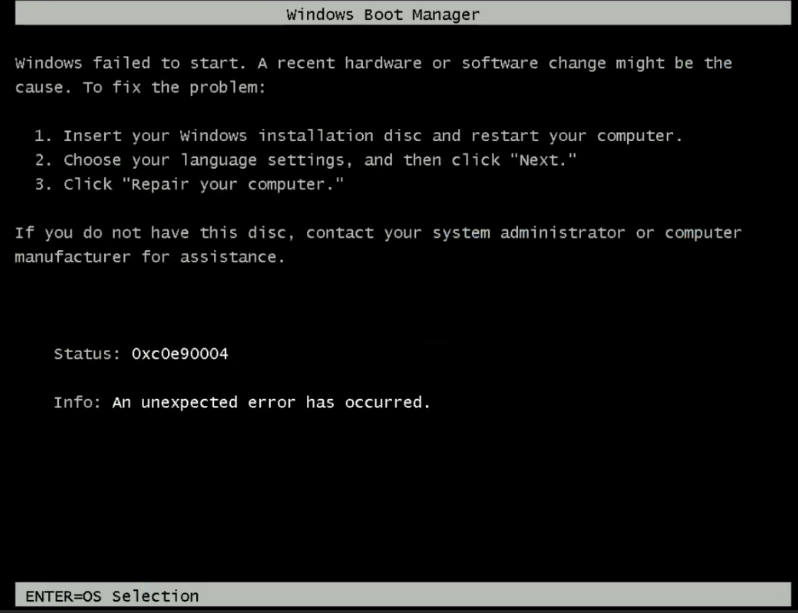
Figure 2: Error message, Windows failed to Start.
Troubleshooting Guidance
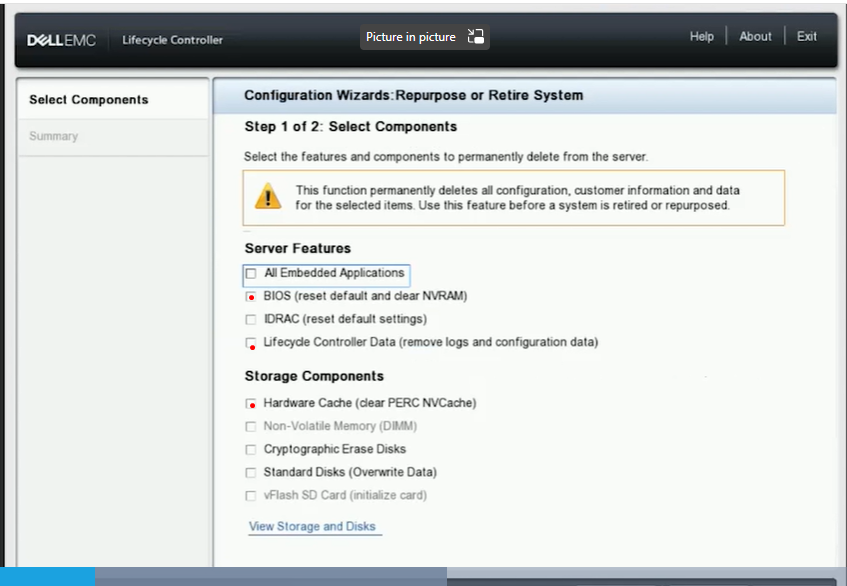
Figure 3: Screenshot of Lifecycle Controller, Configuration Wizard
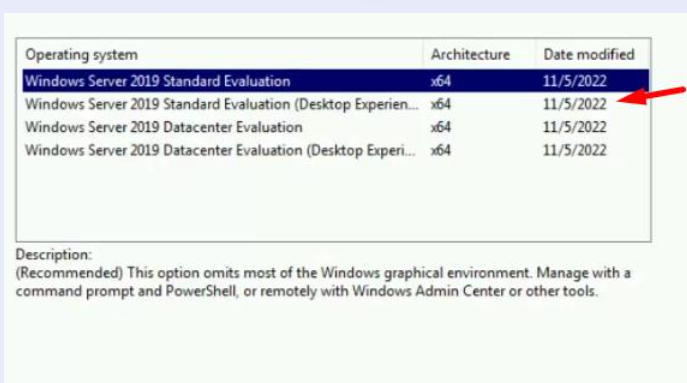
Figure 4: Screenshot of operating system installation version selection
- Check PowerEdge operating system support matrix Server Operating Systems | Dell US.
- Check if the ISO is known to be good and if able to deploy from other servers before.
- Operating system Driver pack version installed includes support operating system version planning to install.
- Initiate stage, once loading of the operating system is completed, it prompts with the error "Windows Failed to Start"
Figure 1: Operating system loading file
Figure 2: Error message, Windows failed to Start.
Troubleshooting Guidance
- Ensure iDRAC is using dedicated port with 1 GB speed.
- Ensure that ping test latency is <1 millisecond with no flapping.
- Ensure using UEFI mode.
- Try the operating system deploy or Boot from Virtual Media. Check if the results are any different.
- Reset PERC back to the default factory setting, then re-create a new VD.
- Go to F10 Lifecycle Controller > Hardware Repurpose and select BIOS, Lifecycle Controller Data & PERC Cache
Figure 3: Screenshot of Lifecycle Controller, Configuration Wizard
- Re-create a new Virtual Disk
- Try both methods, operating system deploy or Boot from Virtual Media, to be able to continue operating system installation.
Figure 4: Screenshot of operating system installation version selection
Affected Products
Microsoft Windows Server 2019, OEMR R350, PowerEdge R350Article Properties
Article Number: 000217177
Article Type: How To
Last Modified: 16 May 2025
Version: 3
Find answers to your questions from other Dell users
Support Services
Check if your device is covered by Support Services.