PowerEdge R350:無法部署 Windows Server 2019
Summary: PowerEdge R350 新部署可部署 Windows Server 2022,但無法部署 Windows Server 2019。
This article applies to
This article does not apply to
This article is not tied to any specific product.
Not all product versions are identified in this article.
Instructions
必要條件

圖 1:作業系統載入檔案
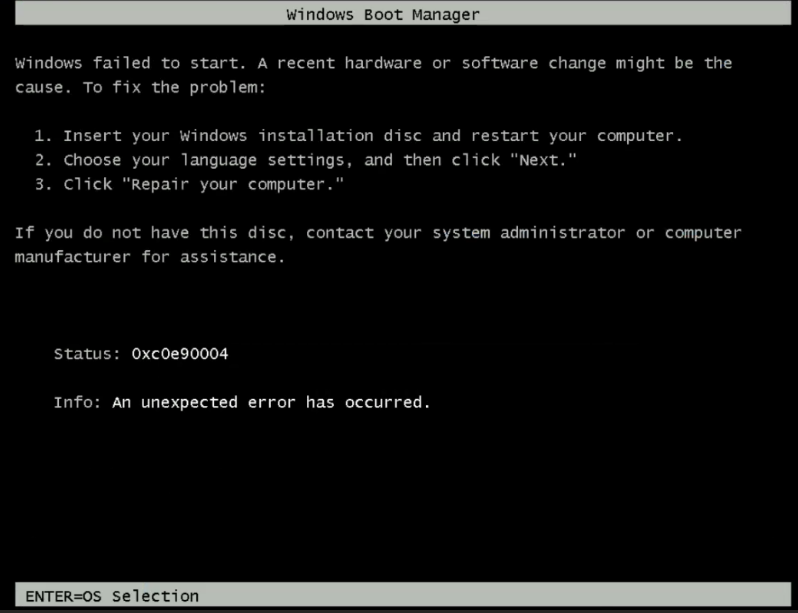
圖 2:錯誤訊息,Windows 無法啟動。
故障診斷指引
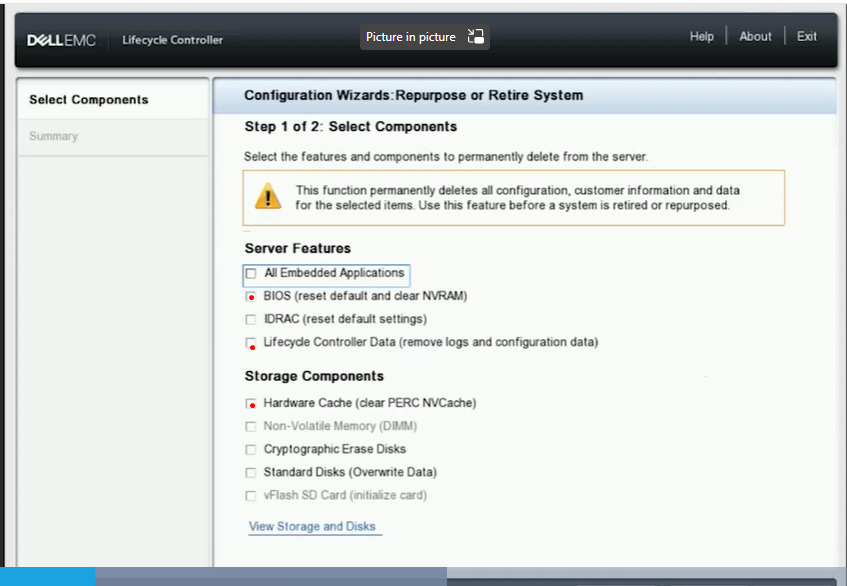
圖 3:Lifecycle Controller 組態精靈螢幕擷取畫面
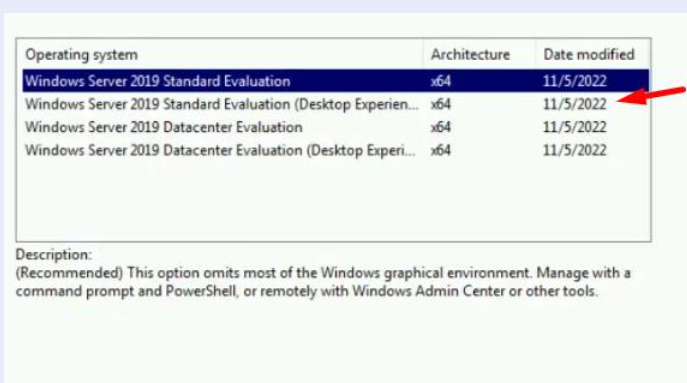
圖 4:作業系統安裝版本選擇的螢幕擷取畫面
- 檢查 PowerEdge 作業系統支援矩陣伺服器作業系統 |Dell US。
- 檢查 ISO 是否已知良好,以及是否能夠從其他伺服器部署。
- 安裝的作業系統驅動程式套件版本包括支援作業系統版本規劃安裝。
- 啟動階段,一旦載入作業系統完成後,會出現「Windows Failed to Start」錯誤提示
圖 1:作業系統載入檔案
圖 2:錯誤訊息,Windows 無法啟動。
故障診斷指引
- 請確定 iDRAC 使用速度為 1 GB 的專用埠。
- 請確定 ping 測試延遲
- 請務必使用 UEFI 模式。
- 嘗試從虛擬媒體部署作業系統或開機。檢查結果是否不同。
- 將 PERC 重設為預設的原廠設定,然後重新建立新的 VD。
- 移至 F10 Lifecycle Controller >硬體重新設定用途,然後選取 BIOS、 Lifecycle Controller 資料和 PERC 快取記憶體
圖 3:Lifecycle Controller 組態精靈螢幕擷取畫面
- 重新建立新的虛擬磁片
- 嘗試使用作業系統部署或從虛擬媒體開機這兩種方法,以繼續安裝作業系統。
圖 4:作業系統安裝版本選擇的螢幕擷取畫面
Affected Products
PowerEdge R350Article Properties
Article Number: 000217177
Article Type: How To
Last Modified: 16 May 2025
Version: 3
Find answers to your questions from other Dell users
Support Services
Check if your device is covered by Support Services.