PowerStore: Root Partition usage increasing rapidly
Summary: This article describes the PowerStore alert for "Root Partition usage is increasing rapidly."
This article applies to
This article does not apply to
This article is not tied to any specific product.
Not all product versions are identified in this article.
Symptoms
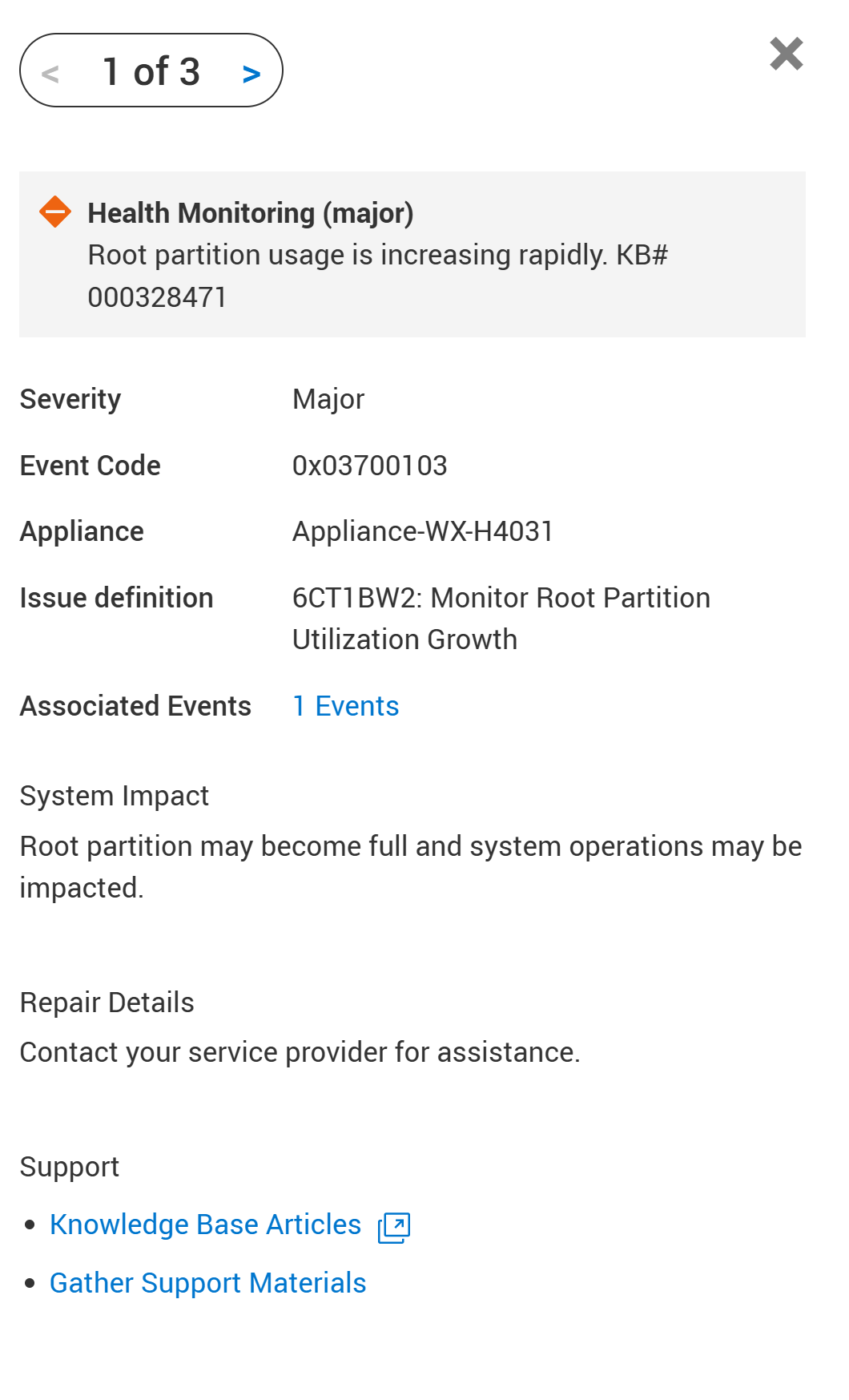
A health check in the PowerDoctor RxDefinitions package detects this issue. The alert 0x03700103 was raised for:
Root Partition usage is increasing rapidly.
Cause
The PowerStore root file system has a predefined space allocation that supports essential system operations. This alert is raised when root space utilization crosses a threshold and continues to increase steadily over several hours.
Such a trend may indicate abnormal growth in system-level data or internal components residing within the root partition. A continuous increase in usage without stabilization suggests that space is being consumed faster than it is released, potentially due to internal processes or services.
If this condition persists, it may lead to degradation of system performance or interruption of critical services. This alert is intended to prompt timely investigation and corrective action before the root space is fully consumed.
Common scenarios include these issues which are addressable with the svc_partition_cleanup service script:
- KB # 000198173 PowerStore: System Health Checks Detects Lack of Space in cyc_node
- KB # 000202707 PowerStore: Pre-Upgrade Health Check fails due to lack of space in /cyc_cfs
- KB # 000193605 PowerStore: Data Collection Fails, and the PowerStore Manager User Interface Reports Abnormal Information
- KB # 000324110 PowerStore Alerts: Root partition usage of node X has exceeded 91 percent on mount /.
- KB # 000202949 PowerStore: Dell SupportAssist database may fill up and lead /cyc_node/ (an internal partition) to be full, causing either NDU failure or Node reboot
- KB # 000223342 PowerStore: Intermittent alert codes 0x00400601 and 0x00400602 for mount /cyc_node
- KB # 000177664 PowerStore Alerts: Platform root capacity alerts
- KB # 000328471 PowerStore: Root Partition usage increasing rapidly
Resolution
The vast majority of causes leading to partition full conditions have been resolved in PowerStoreOS LTS-v4.1.x.
After resolving the current condition, update the PowerStore Appliance to PowerStoreOS LTS-v4.1.x or higher.
Recovery:
The self-service action is to install and utilize the svc_partion_cleanup service script to investigate and clean up the root partitions.
- General Installation Instructions: KB# 000371058 PowerStore: How To Install svc_injectable service scripts
- svc_partition_cleanup Procedure: KB# 000214954 PowerStore: How to run the injectable service script svc_partition_cleanup to clean up the partitions /cyc_node, /cyc_var and /cyc_cfs
If the issues persist or return, contact Technical Support for assistance.
Reference KB# 000328471 for expedited service.
Additional Information
See KB article 000193518 PowerStore: Landing for Page RxDefinitions Issues for more information about the health check mechanism, the RxDefinitions package, and a complete list of RxDefinitions alerts.
Affected Products
PowerStoreArticle Properties
Article Number: 000328471
Article Type: Solution
Last Modified: 07 Nov 2025
Version: 3
Find answers to your questions from other Dell users
Support Services
Check if your device is covered by Support Services.