APEX Backup Services: Cloud App status alert "Unable to connect to M365. Check connector status."
Summary: How to resolve Cloud App status alert "Unable to connect to Microsoft 365. Check connector status."
This article applies to
This article does not apply to
This article is not tied to any specific product.
Not all product versions are identified in this article.
Symptoms
Microsoft 365 Cloud App status is not connected.
Cause
The InSync administrator receives the below error if the Microsoft 365 Cloud App is in a Not Connected state.
Unable to connect to Microsoft 365. Check connector status
Resolution
Instructions:
- Log in to the InSync Management Console.
- On the InSync Management Console menu bar, click Data Sources > Microsoft 365.
- On the Overview page, click Manage Apps.

-
When the Manage Apps window appears, click the 3-dot menu beside the app that you want to connect to, and then click Re-Install.
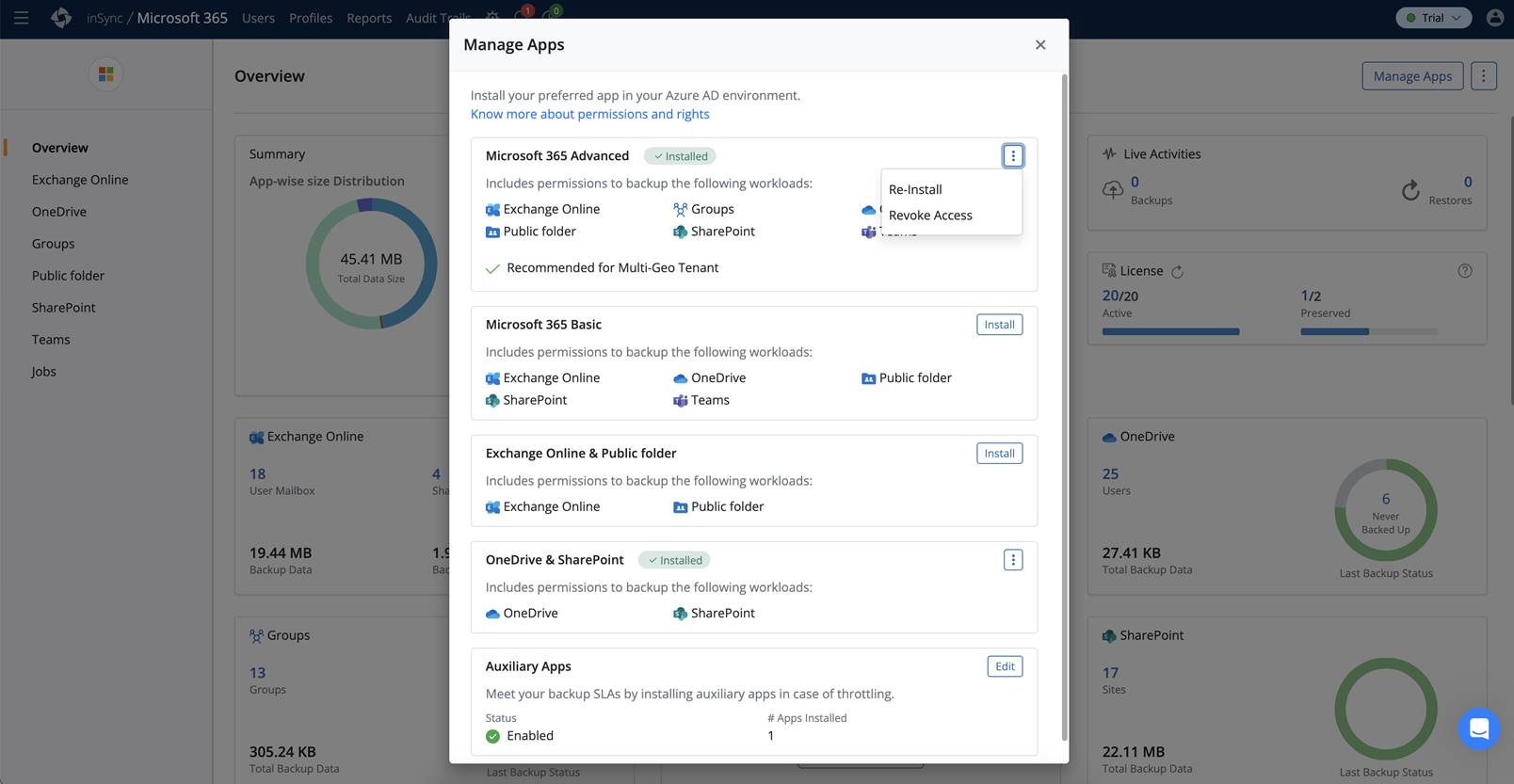
- On the Confirmation message that appears, click Re-Install to proceed with the reconfiguration.
- On the Microsoft 365 login page, enter the Tenant Administrator's username and password, and then click Sign-in.
- Click Accept to grant the Druva InSync App the required permissions to access Microsoft 365 data. Druva InSync gets connected to the Microsoft 365 data of all users in the organization.
- Once Microsoft 365 Cloud App is connected, on the Overview page, click Verify to verify the configuration.
- In the Verify Configuration dialog that appears, enter the user’s email address. When you enter the user's email address, InSync performs the App authentication checks as a part of verification. Once these authentication checks are completed successfully, the Microsoft 365 reconfiguration is complete.
For more information, see the following Druva article, but bear in mind, these steps could be different in newer versions: How to resolve "Unable to connect to Microsoft 365. Check connect, seer status" Cloud App status alert | Druva | Documentation

Additional Information
- Reconfigure does not remove any backups, but it does pause during reconfiguration and continues the backup once configuration is done.
- Reconfigure does not remove any backups for M365.
- Pressing the reinstall does not hamper anything, it is only that this operation cancels any ongoing backup jobs. All backups, policies are retained.
Affected Products
PowerProtect Backup ServicesArticle Properties
Article Number: 000224338
Article Type: Solution
Last Modified: 24 Apr 2024
Version: 1
Find answers to your questions from other Dell users
Support Services
Check if your device is covered by Support Services.