PowerStore Alerts: KMIP server status alerts
Summary: This article discusses KMIP server status alerts.
This article applies to
This article does not apply to
This article is not tied to any specific product.
Not all product versions are identified in this article.
Symptoms
When Dell PowerStore encounters a problem, an error alert is generated to help identify the issue. This article explains the different possible causes and the relevant solutions for these error alerts. If your problem is not resolved despite the solution that is provided, check the technical support contact options.
 Note: Cannot find the information that you need? Let us know using the feedback form at the bottom of this article.
Note: Cannot find the information that you need? Let us know using the feedback form at the bottom of this article.
Cause
Cause is self-explanatory in the Alert Texts mentioned in Resolution section.
Resolution
| Alert ID | XMS_KMIP_SERVERS_STATUS_FAILED |
| Alert Text | Cannot connect to any of the configured KMIP servers. |
| Error Code | 0x0030C503 |
| Impact | Cannot contact the KMIP server(s). Appliance reboot will result in data unavailability if KMIP server connection is not fixed. |
| Resolution | Solution: Check the KMIP certificates and KMIP configuration are correct by using the KMIP “Validate” button located on the KMIP page under Settings > Security > KMIP 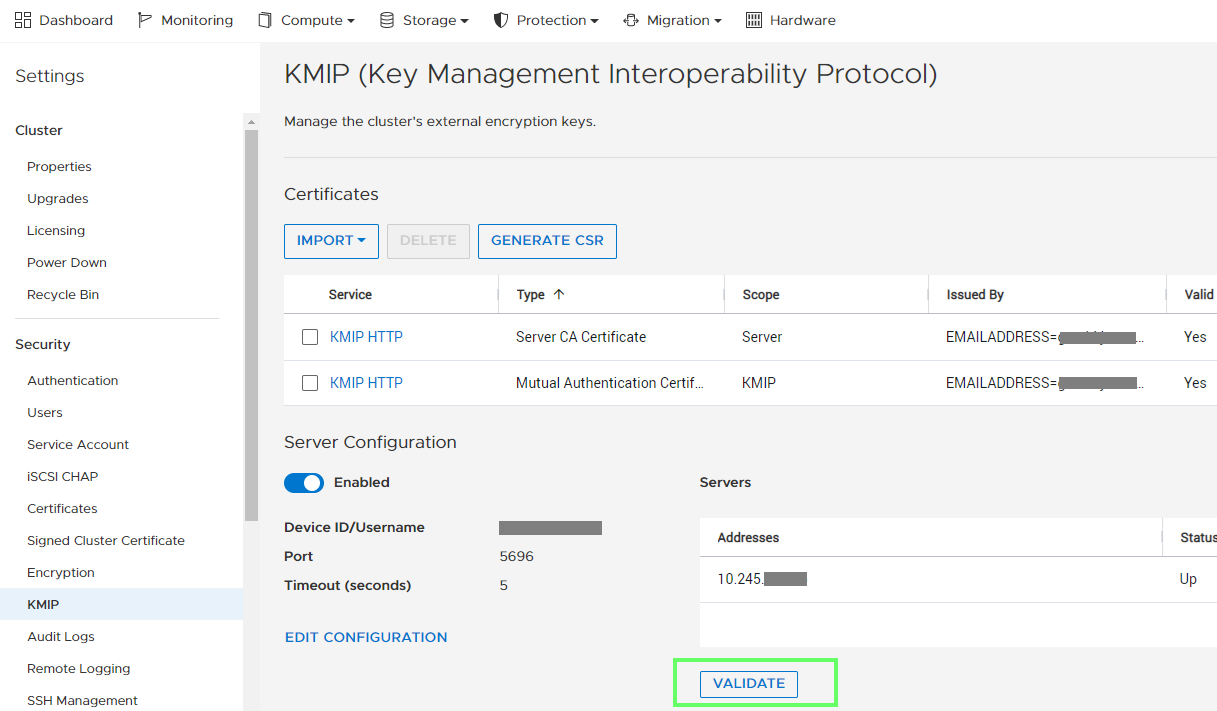 If issues persist, contact Technical Support for further assistance. |
| Alert ID | XMS_KMIP_SERVERS_STATUS_PARTIAL_FAIL |
| Alert Text | Cannot connect to one or more KMIP servers. |
| Error Code | 0x0030C502 |
| Impact | Cannot contact one or more KMIP servers. Appliance reboot could result in data unavailability if KMIP server connection is not fixed. |
| Resolution | Solution: Check the KMIP certificates and KMIP configuration are correct by using the KMIP “Validate” button located on the KMIP page under Settings > Security > KMIP 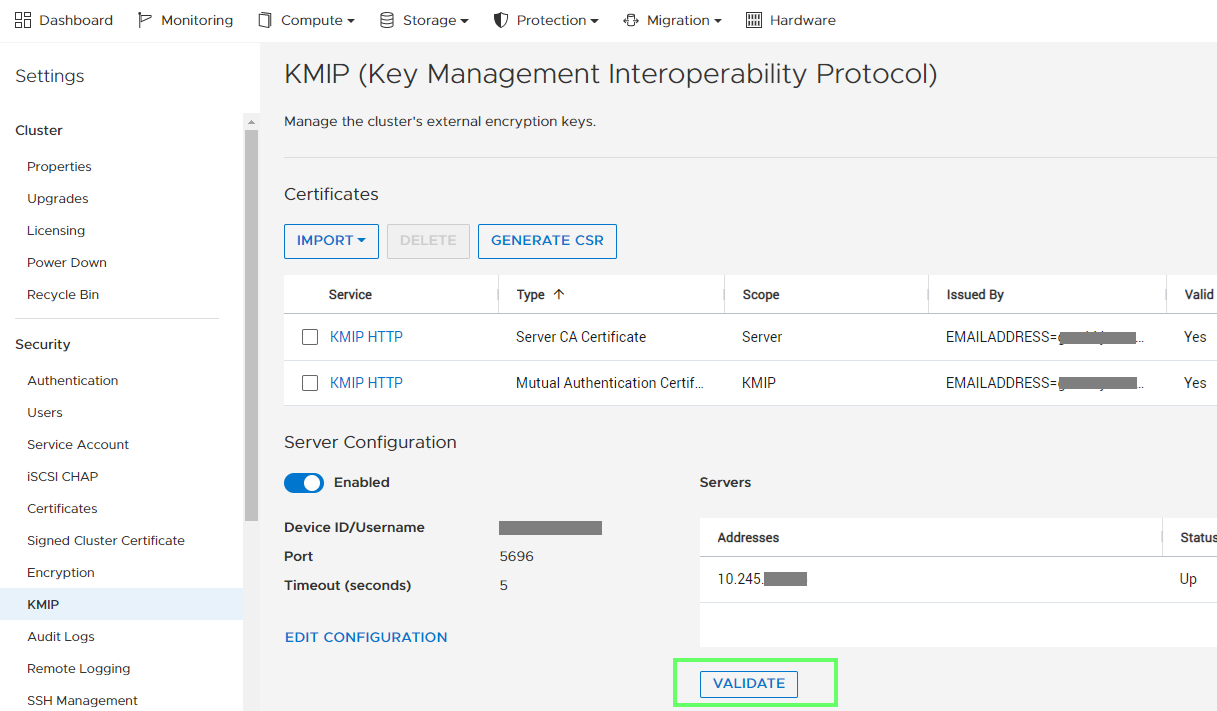 If issues persist, contact Technical Support for further assistance. |
Affected Products
PowerStoreArticle Properties
Article Number: 000200713
Article Type: Solution
Last Modified: 17 Jun 2025
Version: 3
Find answers to your questions from other Dell users
Support Services
Check if your device is covered by Support Services.