NetWorker: Client Direct enabled client is going using storage node rather than direct to the DD
Summary: A NetWorker client is configured with the "Client Direct" option enabled. This means that the backup data should go directly from the client to Data Domain. It is noticed that the backup data is being sent to a NetWorker storage node before going to Data Domain. This results in reduced backup performance. ...
This article applies to
This article does not apply to
This article is not tied to any specific product.
Not all product versions are identified in this article.
Symptoms
A NetWorker client is configured to use Client Direct: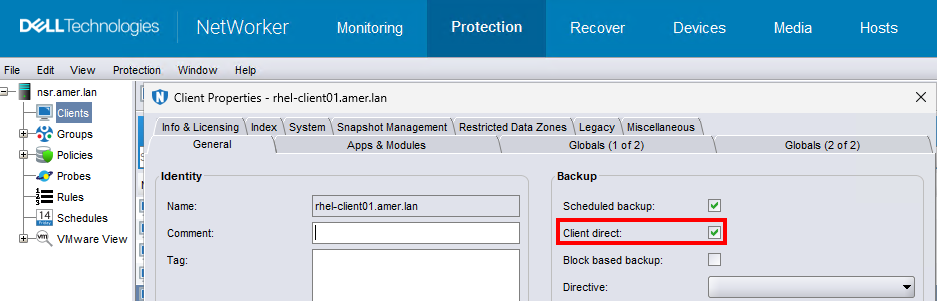
The backup for a client is falling back to Traditional Save instead of Direct Save. Since the backup is going through Storage Node, there is some performance loss compared to when Client Direct is used.
Cause
The Data Domain and client are not able to connect to ports: 111, 2049, 2051, 205
This communication can be tested using:
- Linux:
curl -v HOSTNAME:PORT - Windows (PowerShell):
tnc HOSTNAME -p PORT - NetWorker
nsrportscommand:nsrports -t HOSTNAME -p PORT
Resolution
Ports 111, 2049, 2051 and 2052 between client and Data Domain must be open in the firewall to use the Client Direct feature. Once the ports are open, backup traffic should flow directly from the client to the Data Domain.
For more information, see: NetWorker Processes and Ports
Additional Information
DD Boost Admin Guide (must be signed into support site; otherwise, link does not pull up search results)
Affected Products
NetWorkerProducts
NetWorkerArticle Properties
Article Number: 000068035
Article Type: Solution
Last Modified: 05 Mar 2026
Version: 4
Find answers to your questions from other Dell users
Support Services
Check if your device is covered by Support Services.