SupportAssist OS Recovery Tools Fail to Install Using SupportAssist
Summary: Learn more information about how to successfully install SupportAssist OS Recovery Tools after they have failed to install on your computer.
This article applies to
This article does not apply to
This article is not tied to any specific product.
Not all product versions are identified in this article.
Symptoms
Additional resources related to SupportAssist are available here should the solution below require further troubleshooting, or you simply want more information on this tool:
- SupportAssist OS Recovery
- Using BIOSConnect to Boot to SupportAssist OS Recovery
- Repair and Restore your Computer Using SupportAssist OS Recovery
- How to Identify the Dell SupportAssist OS Recovery Version
- Dell SupportAssist for PCs and Tablets: Frequently Asked Questions (FAQ)
- Dell SupportAssist for PCs and Tablets Installation Issue
Cause
Read more for specific help with failures when attempting to use the OS Recovery element of SupportAssist.
Resolution
SupportAssist OS Recovery Tool
While using SupportAssist, the SupportAssist OS Recovery Tools may fail to install on your computer.
Note: This issue has been resolved in SupportAssist version 3.8 and newer. Download the latest version of SupportAssist.
The following steps can be used as a resolution to this issue.
- Uninstall the current version of SupportAssist on your computer.
- Download and Install the latest version of SupportAssist.
- Reboot your computer.
- Open the Dell SupportAssist for Home PCs application.
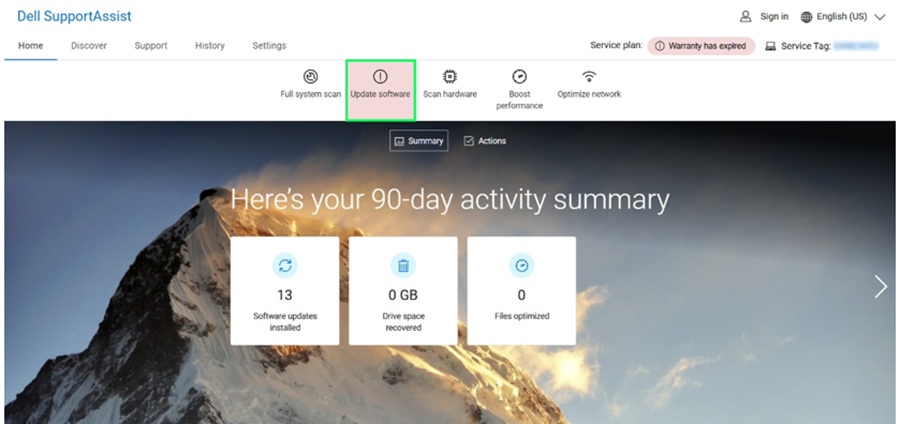
- Click Update Software on the SupportAssist User Interface (UI).
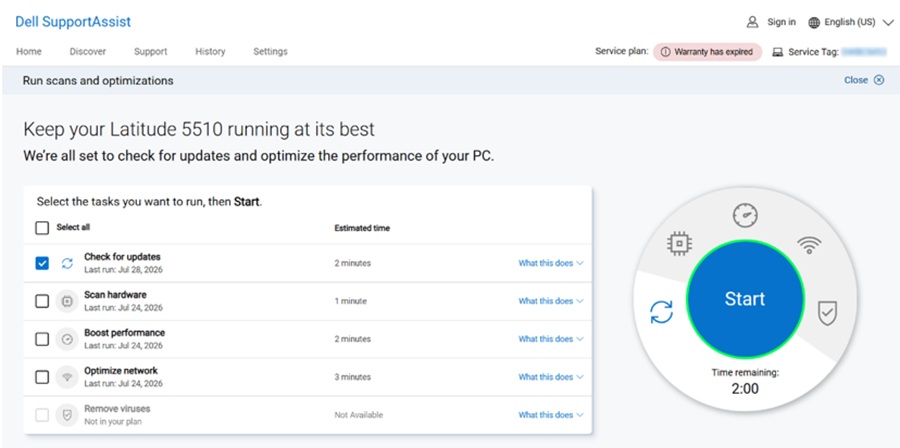
- Click Start to check for updates.
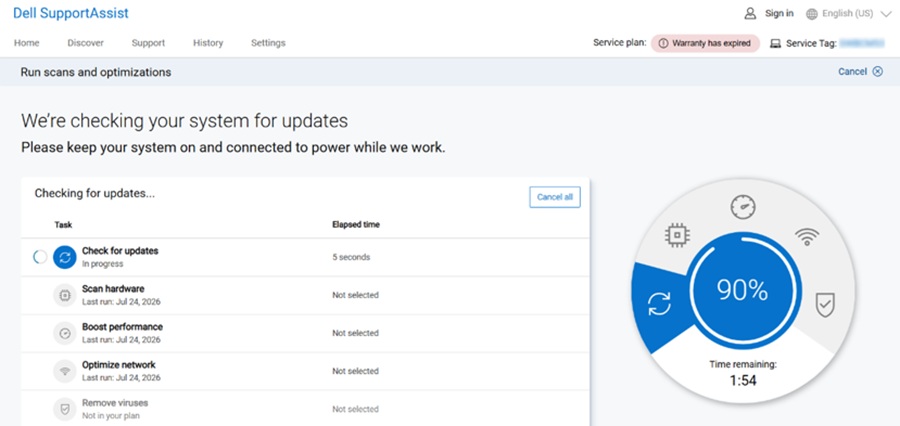
- Keep the computer on and connected to power while Dell SupportAssist checks for updates.
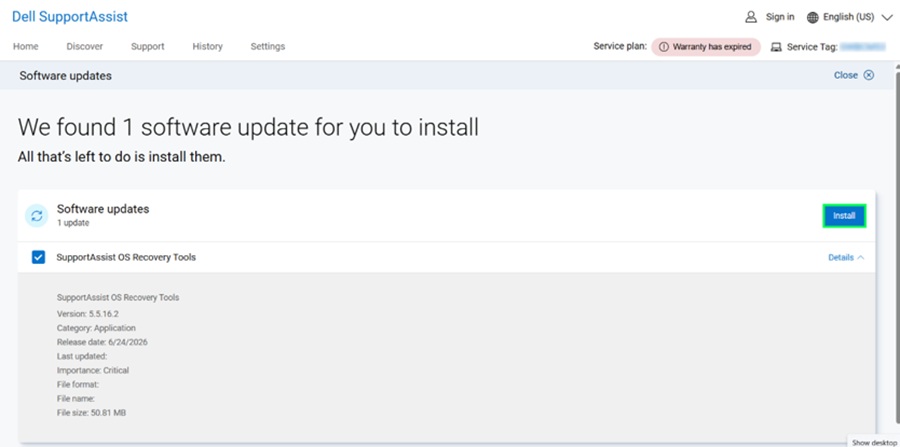
- Choose SupportAssist OS Recovery Tools from the recommended list, and then click the Install button.
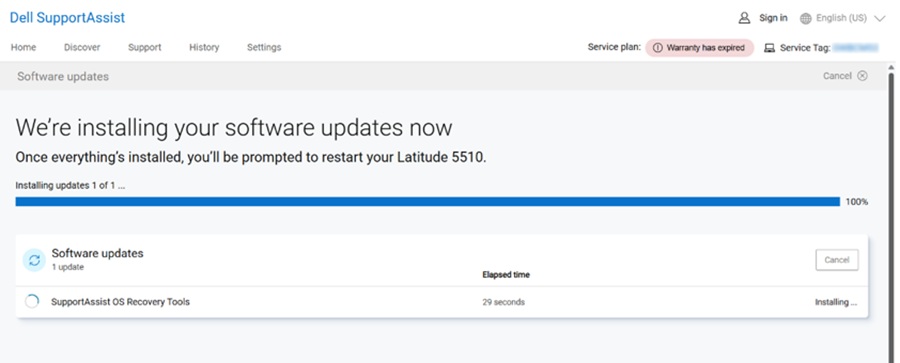
- Installation of the selected update will begin.
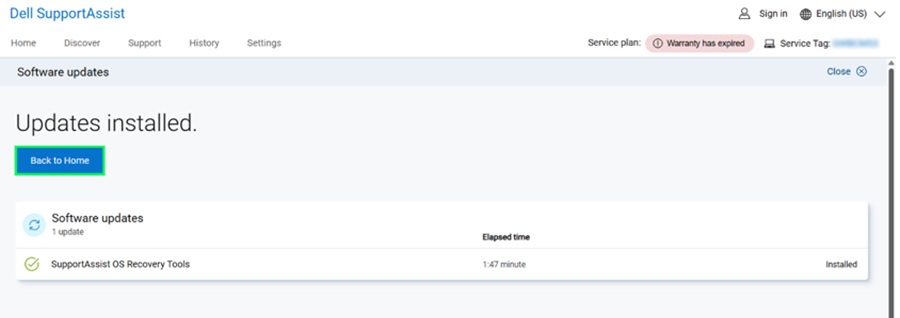
- The update is now successfully installed and click Back to Home or close the SupportAssist application.
If you have further questions about this article, contact Dell Technical Support.
Affected Products
SupportAssist for Home PCs, SupportAssist OS RecoveryArticle Properties
Article Number: 000126395
Article Type: Solution
Last Modified: 29 Jul 2026
Version: 14
Find answers to your questions from other Dell users
Support Services
Check if your device is covered by Support Services.