Importing MDT boot images into Windows Deployment Services
Summary: Import Microsoft Deployment Toolkit (MDT) boot image to use with Windows Deployment Services (WDS).
This article applies to
This article does not apply to
This article is not tied to any specific product.
Not all product versions are identified in this article.
Symptoms
Cause
Resolution
Follow the steps below to import Microsoft Deployment Toolkit (MDT) boot images into Windows Deployment Services (WDS).
NOTE: A working knowledge of both Microsoft Deployment Toolkit and Windows Deployment Services is recommended to use this article.
Windows Deployment Services (WDS) update.
When a boot image (with updated drivers for example) is updated in MDT, it does not update WDS automatically.
How to import the boot image
- Supply the correct drivers in MDT:
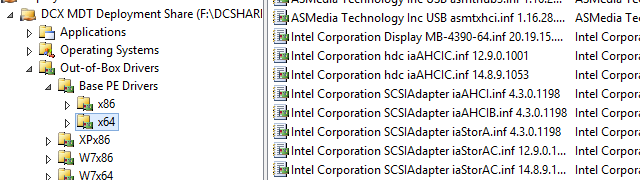
- Update the Deployment Share
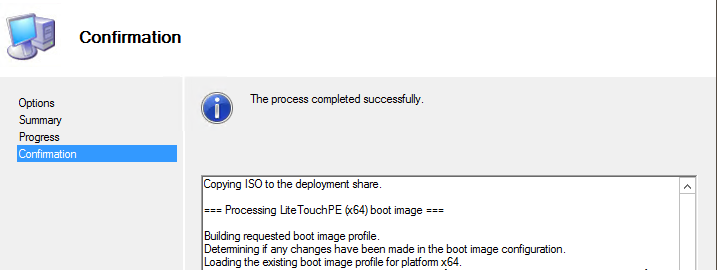
- Go to Windows Deployment Services, Boot Images
- Go to Add Boot Image (LiteTouchPE_x64.wim) if Lite Touch Windows PE x64 is not already present in WDS:
- If Lite Touch Windows PE (x64) is already in WDS Boot Images, right click on the image and choose Replace Image (and then select the location of LiteTouchPE_x64.wim).
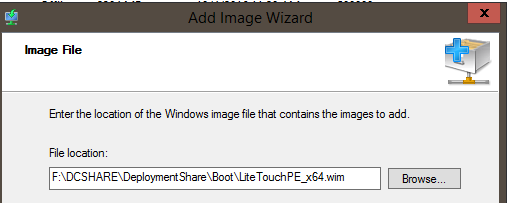
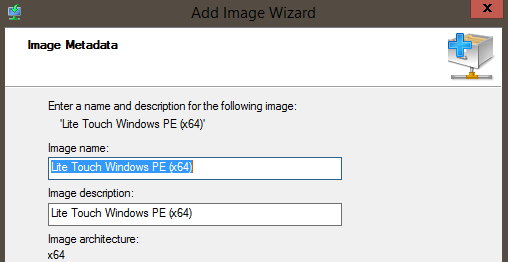
- If Lite Touch Windows PE (x64) is already in WDS Boot Images, right click on the image and choose Replace Image (and then select the location of LiteTouchPE_x64.wim).
Article Properties
Article Number: 000134992
Article Type: Solution
Last Modified: 30 Apr 2026
Version: 4
Find answers to your questions from other Dell users
Support Services
Check if your device is covered by Support Services.