Dell Customer Portal Information
Summary: This article contains general information for the Dell Customer Portal.
This article applies to
This article does not apply to
This article is not tied to any specific product.
Not all product versions are identified in this article.
Instructions
Table of Contents:
- Dell Customer Portal
- Logging Into the Dell Customer Portal (First Time)
- Dell Customer Portal Password Reset Email Not Received
Dell Customer Portal
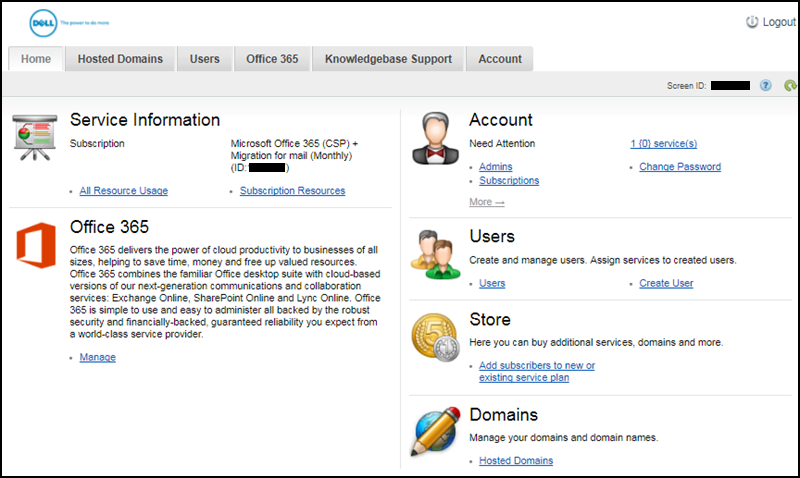
You can use the Dell Customer Portal to manage your Office 365 subscription.
Functions include:
- Managing your Office 365 subscription that includes adding and editing licenses.
- Managing Domains.
- Creating and managing Users.
- Adding and managing Administrator rights.
- Augmenting licenses.
Logging Into the Dell Customer Portal (First Time)
Follow these steps to log in to the Dell Customer Portal for the first time:
- Use your Username found in your welcome email from Dell.

- Go to the Dell Customer Portal.
Note: For Canadian Customers, use the following link to log in: Canadian Dell Customer Portal
- Enter your Username and click "Forgot password?" if you are logging in for the first time.
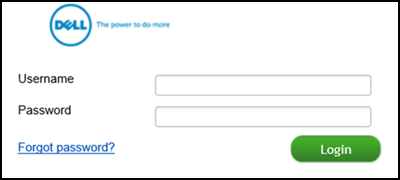
Note: This is the same process if you forget your password.
Dell Customer Portal Password Reset Email Not Received
If you have been unsuccessful in attempting to log in to the Dell Customer Portal and have requested a password reset email but have not received it. Contact Dell Support for further assistance.
Dell Sales Support
 To talk to one of our phone experts (Mon - Fri 9:00 AM to 6:00 PM EST), call this phone number: 888 927 4010
 For email, send your message to Salessupport@Office365.Dell.com.
Microsoft 365 Technical Support
Dell Support is available by phone, email, and chat for Microsoft365 software purchased from Dell.
These are dedicated support contacts for Microsoft 365 software purchased from Dell, this is not technical support for Dell hardware (Laptops, Desktops, Monitors, and so forth).
Use the following link for technical support for Dell hardware: Contact Technical Support
Information for Microsoft 365 Technical Support can be found in the following article: Microsoft 365 from Dell Support Contact Information
Azure Technical Support
We are available to help you with Microsoft 365 software in English 24x7 by email. For technical support on your Dell hardware go to Dell.com.
Note: Azure technical support is only available by email as of 2024.
 For email, send your message to: Support@Cloudstore.Dell.com
Affected Products
Microsoft 365 from DellArticle Properties
Article Number: 000187500
Article Type: How To
Last Modified: 10 May 2026
Version: 11
Find answers to your questions from other Dell users
Support Services
Check if your device is covered by Support Services.