CSM: How to Get Support
Summary: This article explains the ways to get support for the Container Storage Modules (CSM) and Container Storage Interface (CSI) Drivers.
This article applies to
This article does not apply to
This article is not tied to any specific product.
Not all product versions are identified in this article.
Instructions
To open a Service Request (SR) for Container Storage Modules (CSM) Driver break fix issues, the following options exist. Including logs for the issue can be helpful for support. See article CSI Drivers: How to collect logs provides details to help collect logs.
Phone
Call 1-800-782-4362 to open an SR by phone. A Global Inbound Support Technician opens an SR using the Serial Number, Asset ID, or Location ID. Where possible, provide the product identifier associated to the CSM component.
Chat
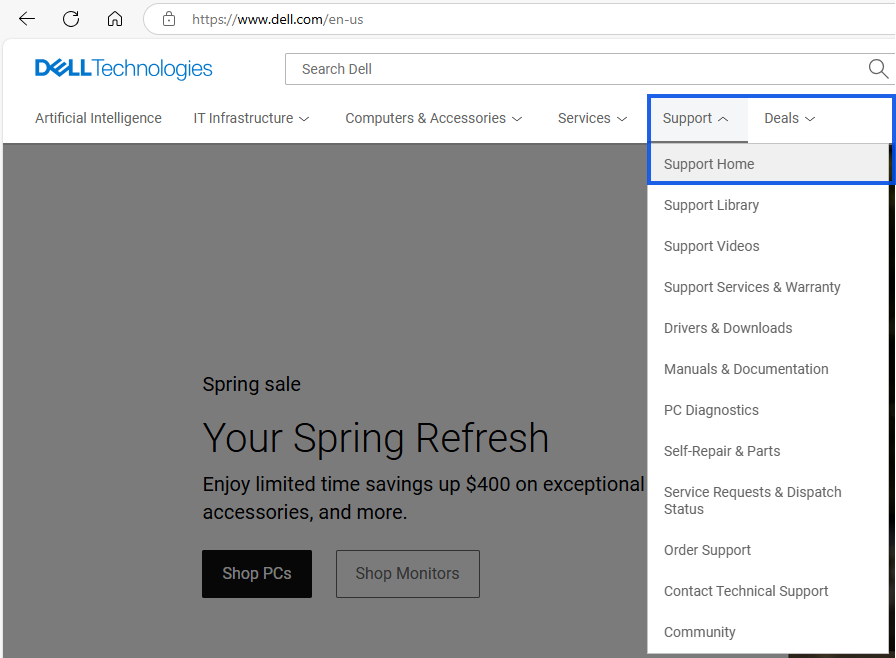
- Access Dell Support or from Dell's home page go to Support, then click Home.
- Click Sign in to your Dell Online business-level account indicated by a black check mark next to the username.
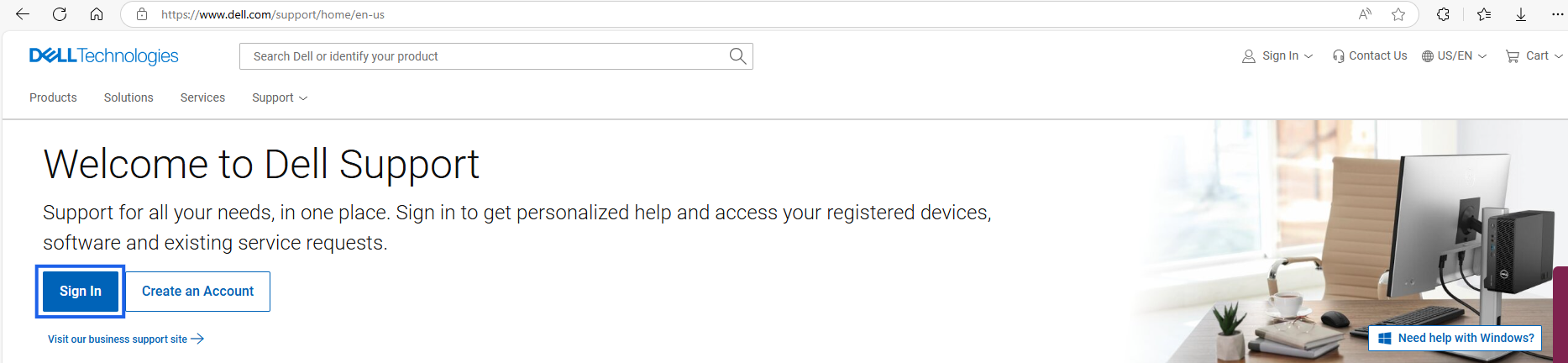
- Once logged with business account indicated by the black checkmark,

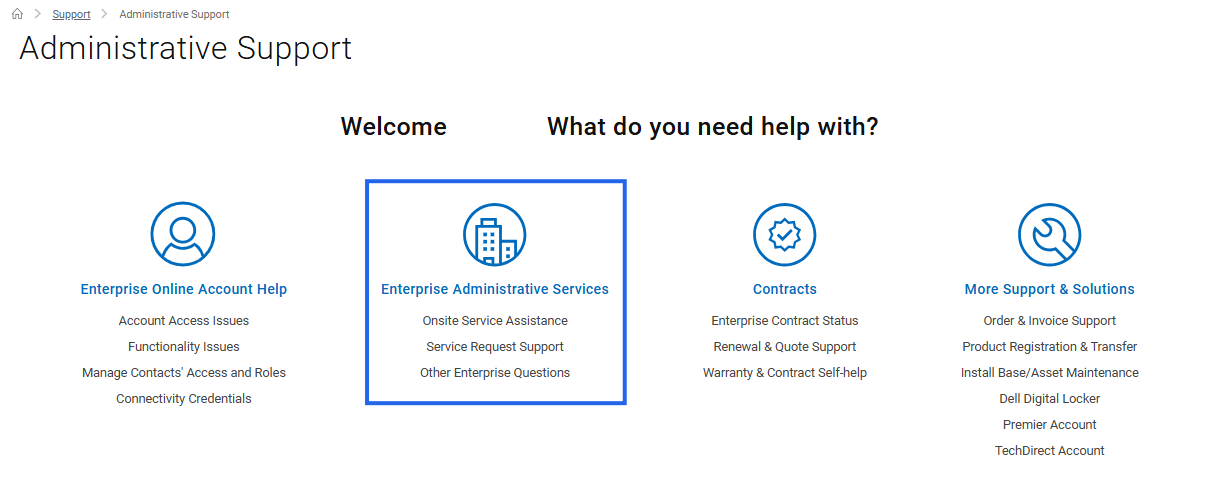
- Scroll down toward the bottom of the page and click Administrative Support under More Options to Explore or click and open the Administrative Support web page.

- Click the Enterprise Administrative Services options.
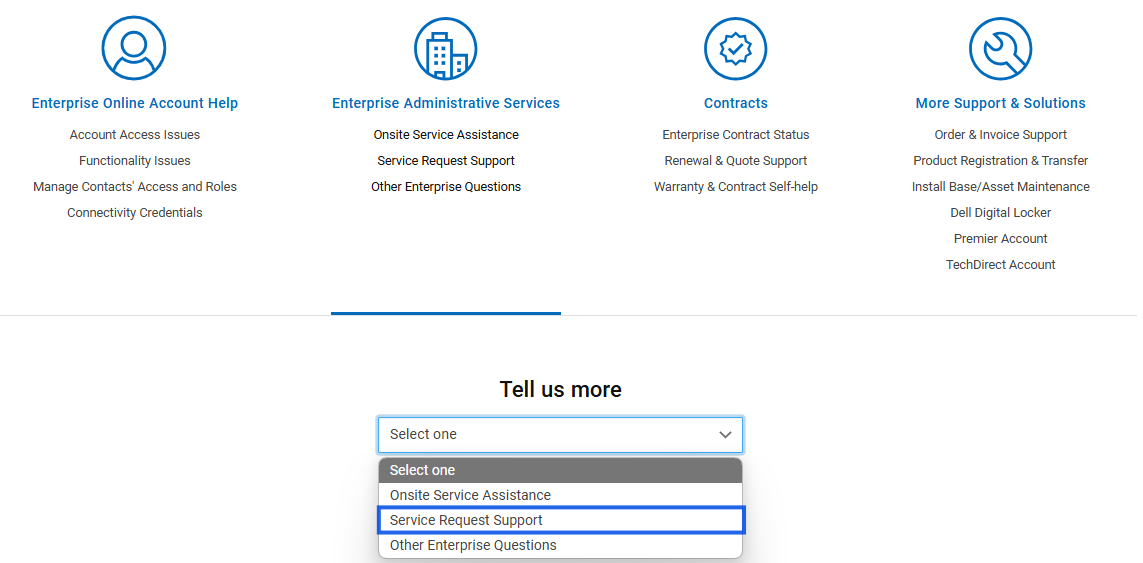
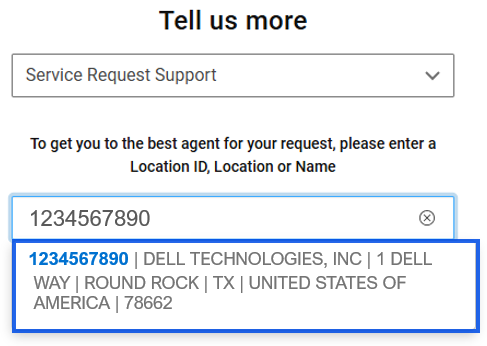
- From the Tell us more dropdown list, choose Service Request Support.
- Enter a valid Location ID (use manual entry if no locations appear).
- Select the required Location.
- Click Start Chat.
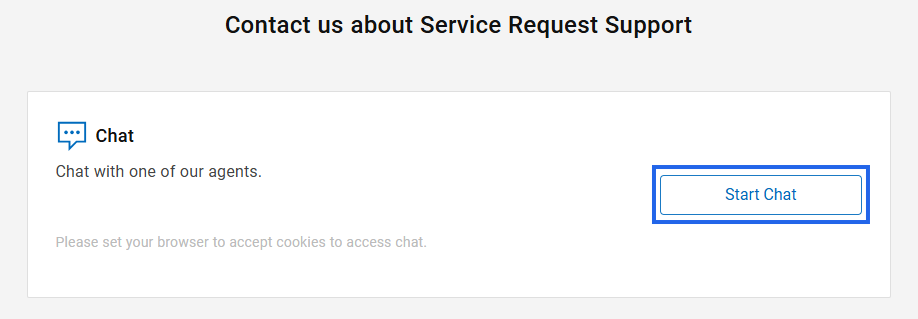
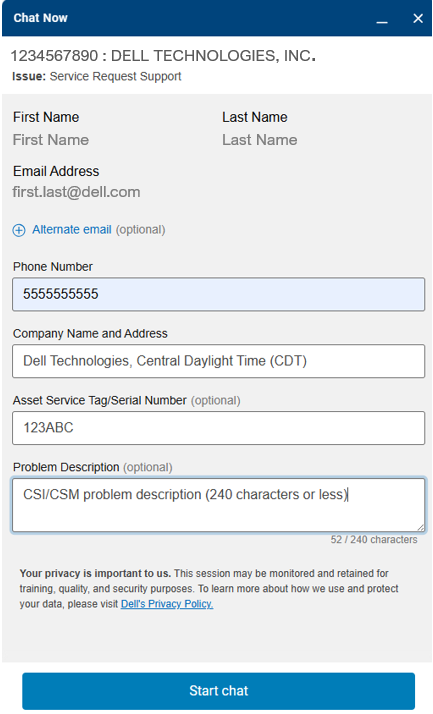
- Input a valid phone number for contact if further information is needed.
- Provide your Company Name, Time Zone, and Address.
- Enter the Asset Service Tag or Serial Number of the hardware product (optional but helpful for troubleshooting).
- In the Problem Description field, summarize the issue in 240 characters or less, specifying the CSM Driver component requiring support.
- Click Start chat button
Affected Products
Container Storage ModulesProducts
Container Storage Modules FamilyArticle Properties
Article Number: 000188046
Article Type: How To
Last Modified: 30 Jan 2026
Version: 29
Find answers to your questions from other Dell users
Support Services
Check if your device is covered by Support Services.