ECS GeoDrive-mappen saknas
Summary: ECS GeoDrive-mappen saknas på den lokala enheten.
This article applies to
This article does not apply to
This article is not tied to any specific product.
Not all product versions are identified in this article.
Symptoms
Användaren ser att GeoDrive-mappen eller en undermapp saknas på den lokala enheten på värden.
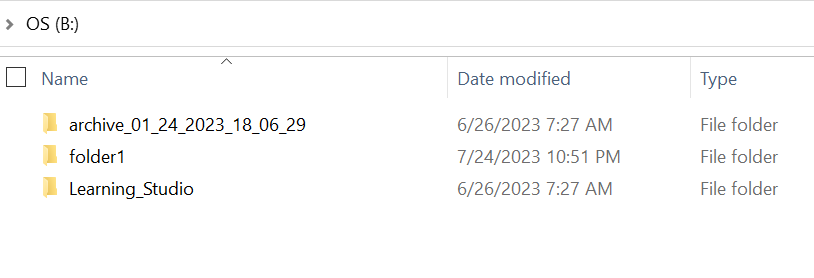
Mappen har data, men den är osynlig/dold.
- En mapp "folder1" saknas till exempel i GeoDrive.

- Försök att skapa en ny mapp med samma namn. Sedan får du en uppmaning om att mappen faktiskt finns.
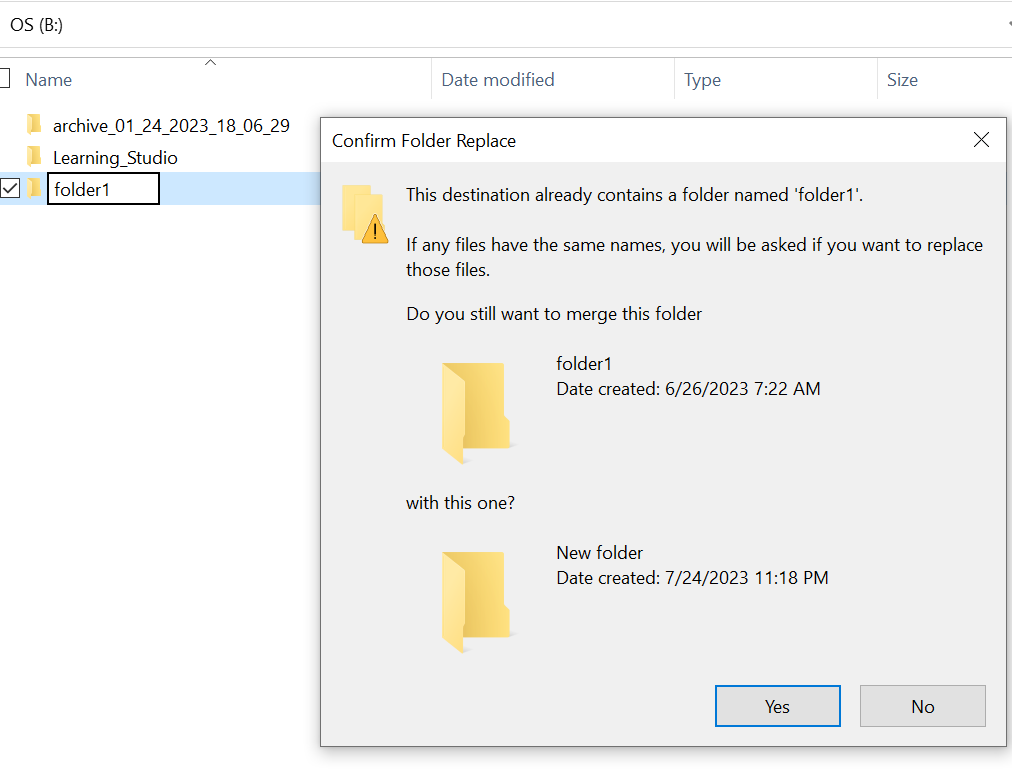
- Sök efter den mappsökväg som saknas i utforskaren. Vi bör kunna se innehållet.

Cause
Det beror på de DOLDA attribut och SYSTEM-attribut som ställts in i mappen.
Resolution
Följ stegen nedan.
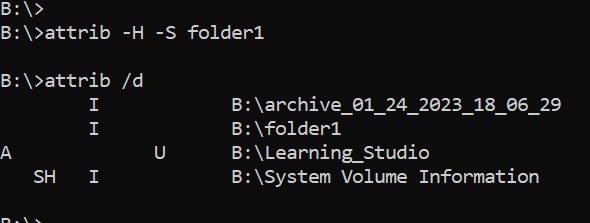
När du har kört det här kommandot kontrollerar du den lokala enheten igen. Den saknade mappen återställs till det normala.
- Gå till Windows-kommandotolken på värdsystemet.
- cd till den överordnade katalogen där mappen saknas och kör "attrib /d".
- Du bör se en lista över kataloger och den saknade mappen bör finnas i listan.
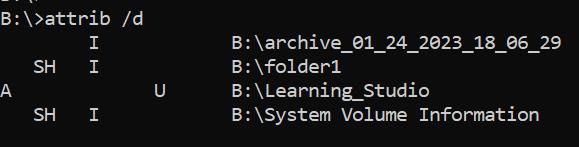
- Bokstäverna innan anger attributen. Du bör se SH före filen (SYSTEM och HIDDEN).
- Kör sedan det här kommandot för att ta bort de två attributen ovan: attrib -H -S folder_name
Additional Information
Det finns många andra alternativ för attrib-kommando.
B:\>attrib /?
Displays or changes file attributes.

ATTRIB [+R | -R] [+A | -A] [+S | -S] [+H | -H] [+O | -O] [+I | -I] [+X | -X] [+P | -P] [+U | -U]
       [drive:][path][filename] [/S [/D]] [/L]

  +   Sets an attribute.
  -   Clears an attribute.
  R   Read-only file attribute.
  A   Archive file attribute.
  S   System file attribute.
  H   Hidden file attribute.
  O   Offline attribute.
  I   Not content indexed file attribute.
  X   No scrub file attribute.
  V   Integrity attribute.
  P   Pinned attribute.
  U   Unpinned attribute.
  B   SMR Blob attribute.
  [drive:][path][filename]
      Specifies a file or files for attrib to process.
  /S  Processes matching files in the current folder
      and all subfolders.
  /D  Processes folders as well.
  /L  Work on the attributes of the Symbolic Link versus
      the target of the Symbolic Link
Affected Products
ECS, Elastic Cloud StorageArticle Properties
Article Number: 000215245
Article Type: Solution
Last Modified: 18 May 2026
Version: 4
Find answers to your questions from other Dell users
Support Services
Check if your device is covered by Support Services.