OpenShift 虛擬化:無法從 OpenShift 虛擬化 UI 拍攝 VM 快照。
Summary: 如果 OCP 叢集的 VM 中有執行 IO,透過 OpenShift 虛擬化 UI 取得 VM 快照會失敗。
This article applies to
This article does not apply to
This article is not tied to any specific product.
Not all product versions are identified in this article.
Symptoms
透過 OpenShift 虛擬化 UI 取得 VM 快照失敗。
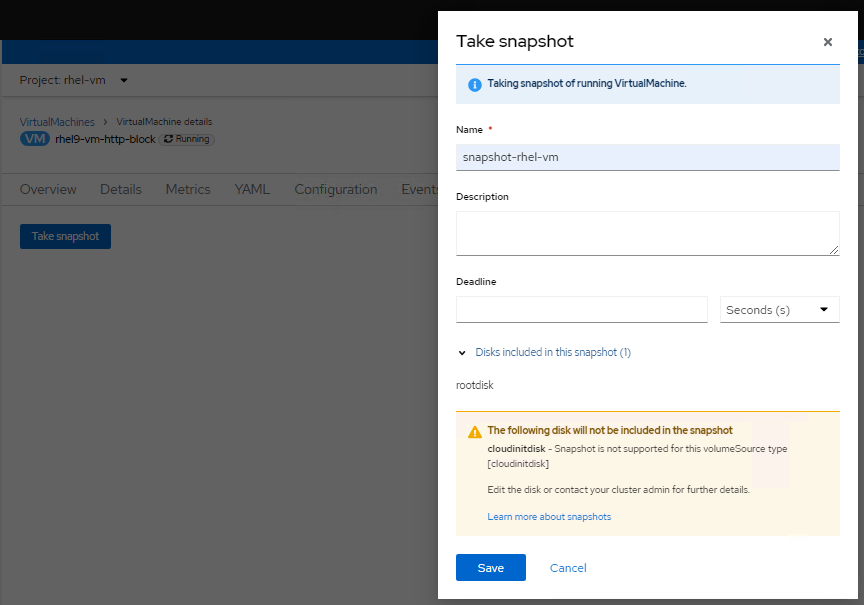
檢查 virt-handler pod (openshift-cnv 命名空間) 的記錄,會顯示如下錯誤:
檢查 virt-handler pod (openshift-cnv 命名空間) 的記錄,會顯示如下錯誤:
2023-08-14T02:23:33.722372232Z {“component”:“virt-handler”,“kind”:“”,“level”:“error”,“msg”:“無法凍結 VMI”,“name”:“rhel9-vm-http-block”、
“namespace”:“rhel-vm”,“pos”:“lifecycle.go:124”,“reason”:“server error.
命令凍結失敗:\“LibvirtError(Code=1, Domain=10, Message='internal error: 無法執行 QEMU 代理程式 命令 'guest-fsfreeze-freeze':
無法開啟 /zoner/sda:權限遭拒')\“”,“timestamp”:“2023-08-14T02:23:33.722321Z”,“uid”:“c6894dc7-f29c-43e7-9817-3b12643040d1”}
“namespace”:“rhel-vm”,“pos”:“lifecycle.go:124”,“reason”:“server error.
命令凍結失敗:\“LibvirtError(Code=1, Domain=10, Message='internal error: 無法執行 QEMU 代理程式 命令 'guest-fsfreeze-freeze':
無法開啟 /zoner/sda:權限遭拒')\“”,“timestamp”:“2023-08-14T02:23:33.722321Z”,“uid”:“c6894dc7-f29c-43e7-9817-3b12643040d1”}
Cause
建立虛擬機器 透過 OpenShift 虛擬化,所建立 LUN 的掛載點不會標記為受信任。因此,在虛擬機快照過程中,QEMU 代理無法打開掛載點(在此 KB 中,掛載點為 /zoner/sda),並在嘗試執行 fsfreeze 時被拒絕許可權。
Resolution
以下解決方案步驟會假設「/zoner/sda」作為固定點。
請使用「df -h」命令,並從錯誤記錄中檢查,以確認 VM 的實際錯誤報告掛載點。
1.透過以下命令確認掛載點的 SELinux 內容顯示「unlabeled_t」:
# ls -lZd /zoner/sda/
2.如果顯示「unlabeled_t」,則有兩個選項可解決此問題。
- 選項 1:讓 QEMU 代理程式讀取未標記的檔案。
# setsebool -P virt_qemu_ga_read_nonsecurity_files 1
- 選項 2:標記裝入點。
# restorecon -v /zoner/sda/
Affected Products
APEX Cloud Platform for Red Hat OpenShiftArticle Properties
Article Number: 000217270
Article Type: Solution
Last Modified: 19 Feb 2026
Version: 3
Find answers to your questions from other Dell users
Support Services
Check if your device is covered by Support Services.