SCG: Error de vCenter 7.0: Error al implementar el paquete OVF
Summary: En este artículo, se explica cómo resolver el error: En ocasiones, se produce un error al implementar el paquete OVF cuando se intenta implementar Secure Connect Gateway Virtual Edition en vCenter 7.0. ...
This article applies to
This article does not apply to
This article is not tied to any specific product.
Not all product versions are identified in this article.
Instructions
Problema: No se pudo implementar el paquete OVF. ThrowableProxy.cause Se produjo un error general del sistema: La transferencia falló: Servidor no confiable: certificate_unknown(46) el proxy HTTP/s está configurado para la transferencia.
Captura de pantalla del error:
Causa: En los ajustes de VMware, el proxy está habilitado, por lo que recibe un error mientras la implementación de OVF y la transferencia fallan.
Resolución:
- Inicie sesión en VAMI yendo a https://vcentrename:5480 con credenciales raíz.
- Haga clic en Networking en el menú de navegación.
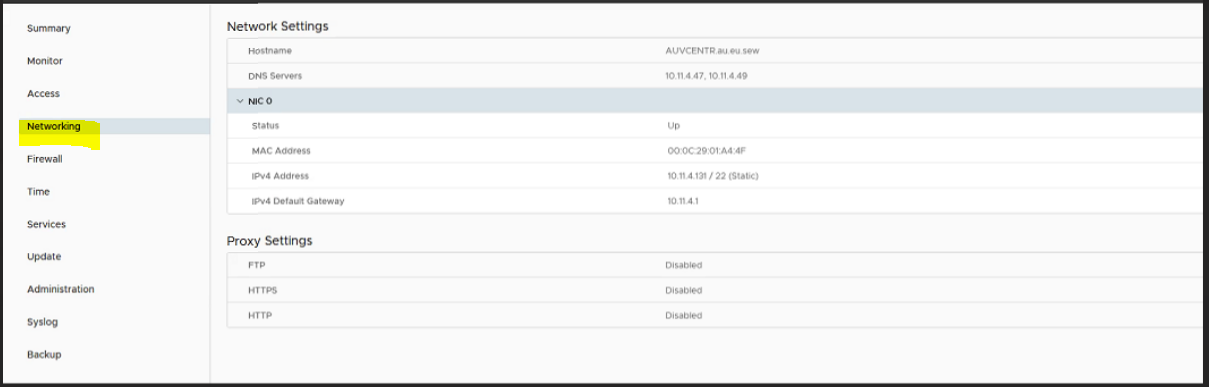
- Haga clic en Editar junto a Configuración de proxy.
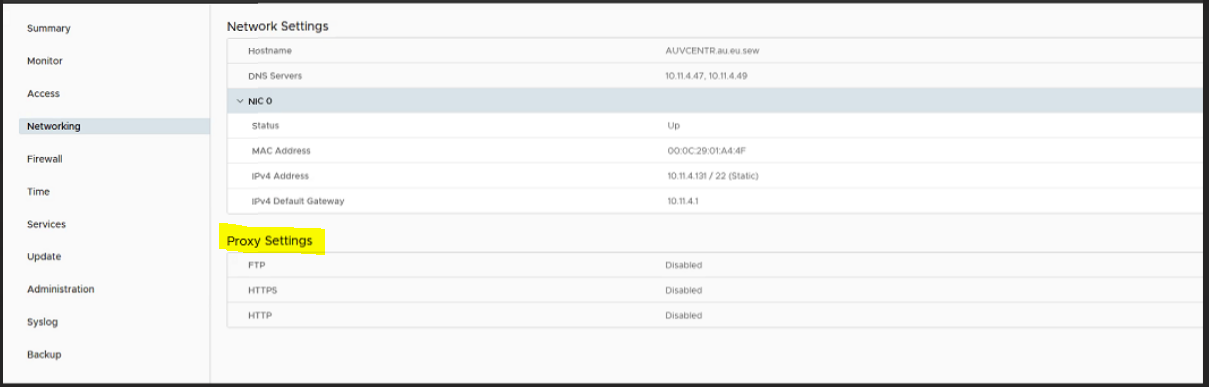
- Aquí debemos editar la configuración de proxy Habilitar para Deshabilitar y hacer clic en Guardar.
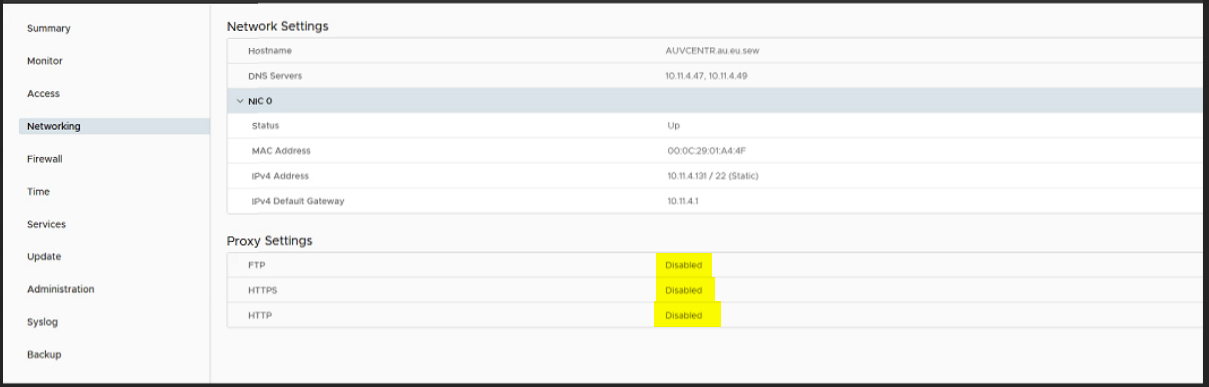
- Ahora vuelva a intentar implementar la VM.
Affected Products
Secure Connect Gateway, Secure Connect Gateway - Virtual Edition, VMware ESXi 7.xProducts
C Series, Modular Infrastructure, Rack Servers, Tower ServersArticle Properties
Article Number: 000219268
Article Type: How To
Last Modified: 20 May 2025
Version: 3
Find answers to your questions from other Dell users
Support Services
Check if your device is covered by Support Services.