VxRail: vCenter vSphere Client Refresh Button Spinning Continually
Summary: vCenter servers where the refresh button in the vSphere Client constantly spins.
This article applies to
This article does not apply to
This article is not tied to any specific product.
Not all product versions are identified in this article.
Symptoms
The refresh button in the vSphere Client on vCenter servers constantly spins.

Cause
The issue is caused by being joined to the VMware Customer Experience Improvement Program (CEIP), but having all VMware sites/internet access blocked.
Resolution
To resolve this issue, leave the CEIP and restart the vCenter server to clear up the issue.
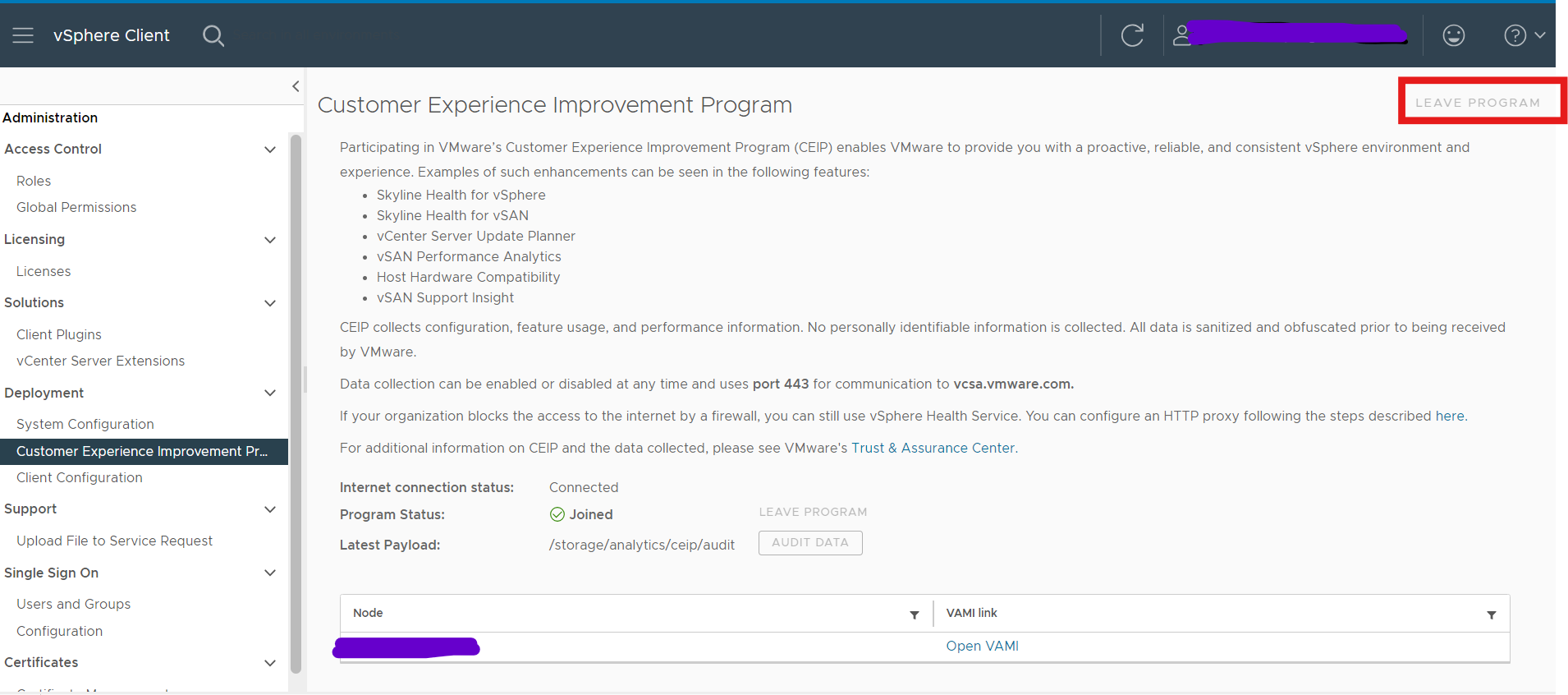
- Log in to vCenter Server by using the credentials of the administrator account.
- On the vSphere Client home page, click Administration.
- Under Deployment, click Customer Experience Improvement Program
- Click Join to join the CEIP or Leave CEIP to leave the Program.
- Restart vCenter server
Affected Products
VxRail, VxRail Appliance Family, VxRail Appliance SeriesArticle Properties
Article Number: 000228894
Article Type: Solution
Last Modified: 01 Oct 2024
Version: 1
Find answers to your questions from other Dell users
Support Services
Check if your device is covered by Support Services.