Data Domain Management Center: How To Collect a Support Bundle
Resumen: This article provides instructions for collecting a PowerProtect DD Management Center (DDMC) support bundle in versions 2.0.1.0 and higher.
Este artículo se aplica a
Este artículo no se aplica a
Este artículo no está vinculado a ningún producto específico.
No se identifican todas las versiones del producto en este artículo.
Instrucciones
- Log in to the DDMC GUI from your web browser
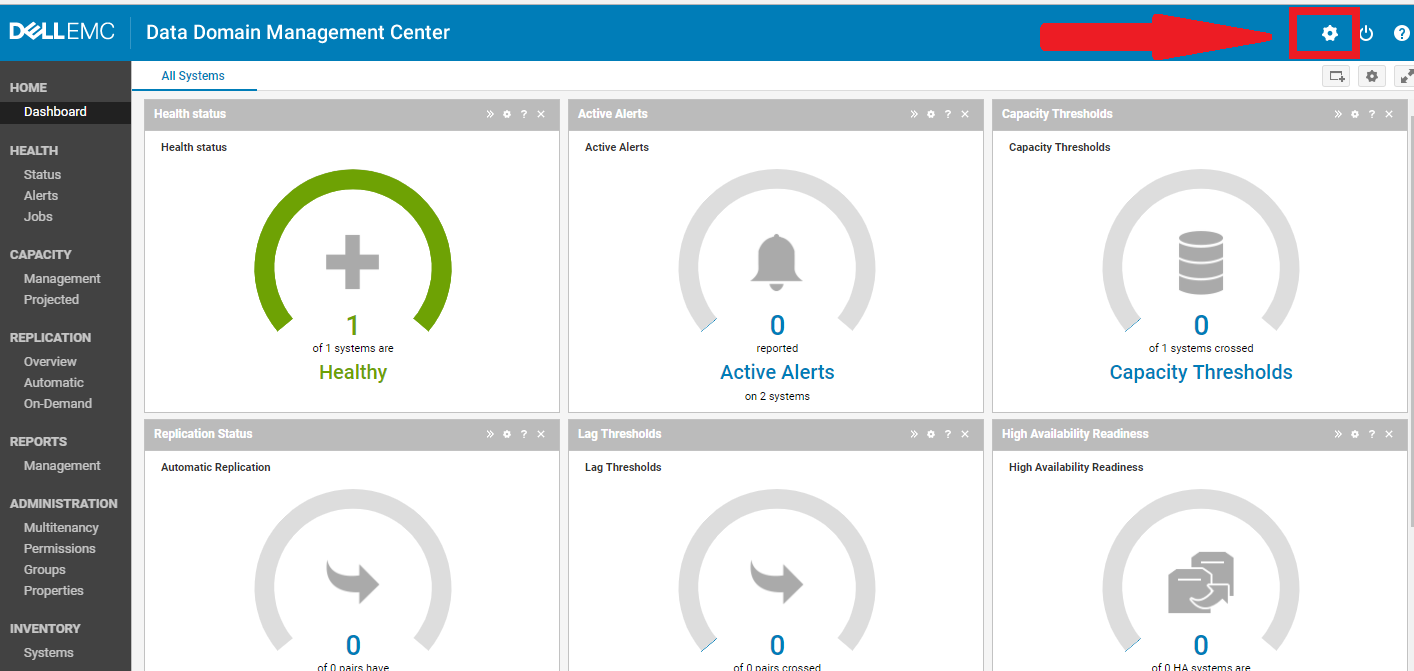
- Click on the settings gear icon in the upper right side of the screen (Fig. 1)
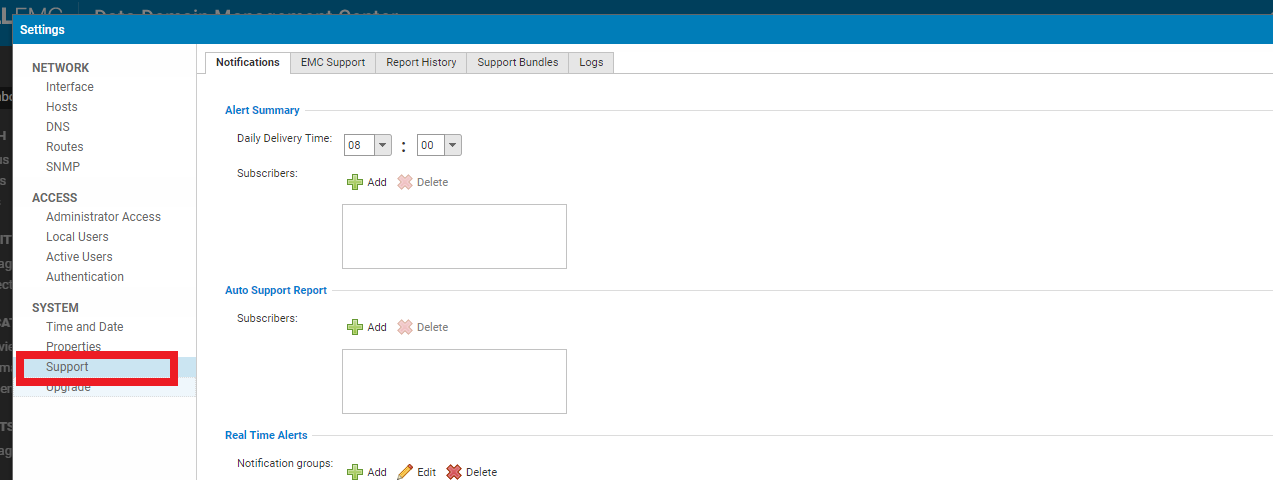
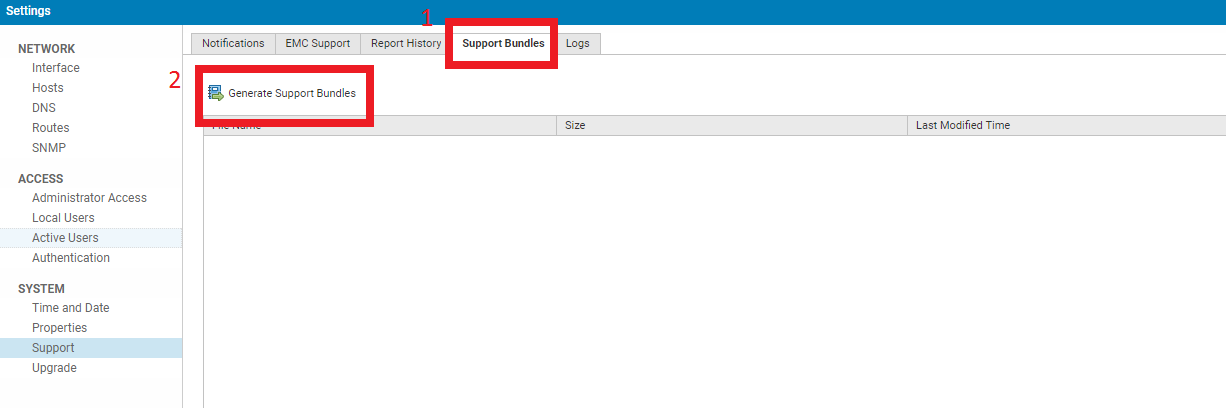
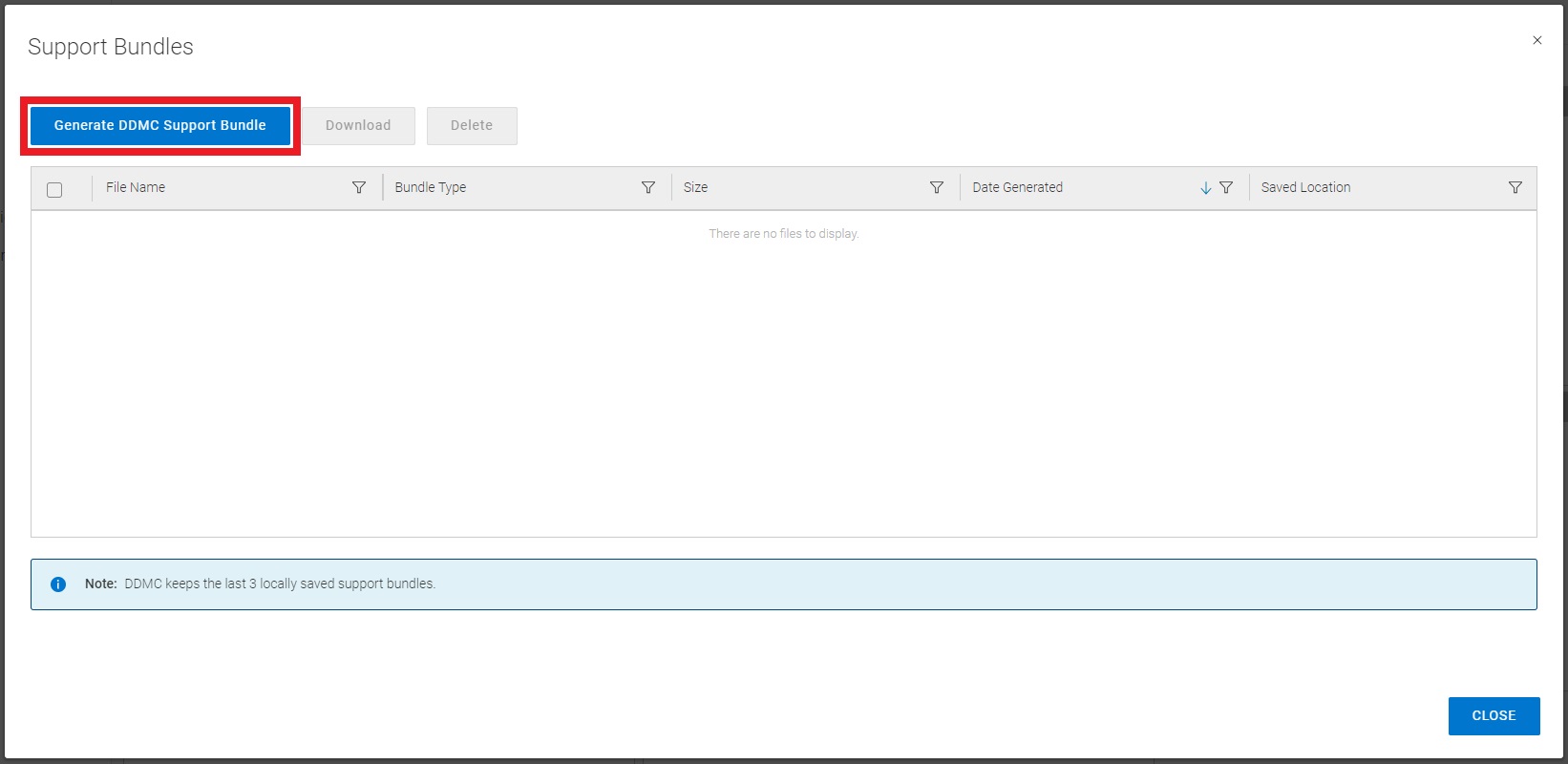
- For DDMC versions 2.0-7.6:
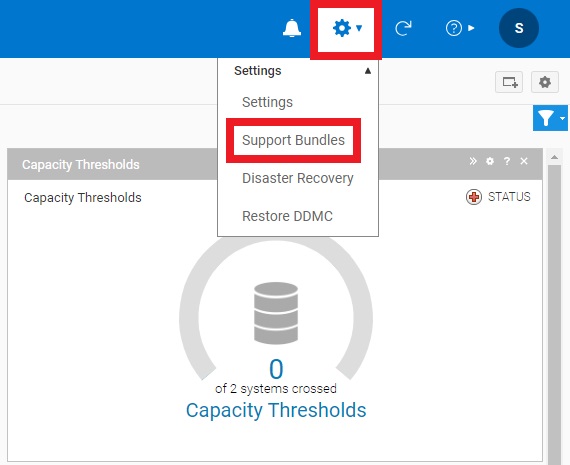
- For DDMC versions 7.7 and higher:
- After generating the support bundle, download it to your PC and upload to the related Service Request on the Dell Technologies support portal (requires login) or to a temporary FTP site as provided by a support technician
Productos afectados
Data Domain, PowerProtect Data Domain Management CenterProductos
Data DomainPropiedades del artículo
Número del artículo: 000010273
Tipo de artículo: How To
Última modificación: 12 ene 2026
Versión: 4
Encuentre respuestas a sus preguntas de otros usuarios de Dell
Servicios de soporte
Compruebe si el dispositivo está cubierto por los servicios de soporte.