Data Domain Management Center: How To Collect a Support Bundle

Resumen: This article provides instructions for collecting a PowerProtect DD Management Center (DDMC) support bundle in versions 2.0.1.0 and higher.

Este artículo se aplica a Este artículo no se aplica a Este artículo no está vinculado a ningún producto específico. No se identifican todas las versiones del producto en este artículo.

Instrucciones

  1. Log in to the DDMC GUI from your web browser
  2. Click on the settings gear icon in the upper right side of the screen (Fig. 1)
  3. For DDMC versions 2.0-7.6:
    1. On the setting screen, go to the left menu, look under the System heading and click "Support" (Fig. 2)
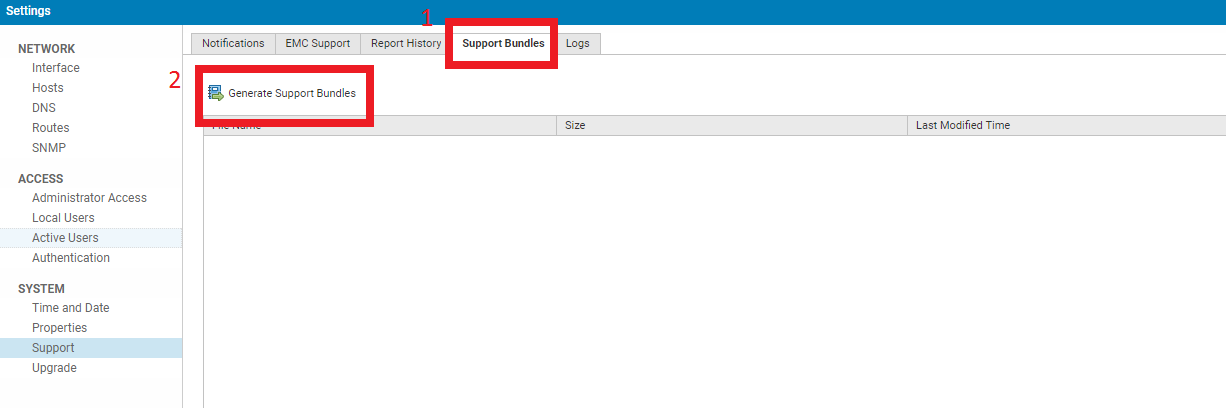
    2. Click the "Support Bundles" tab on the top of the screen and click "Generate Support Bundle" (Fig. 3)
  4. For DDMC versions 7.7 and higher:
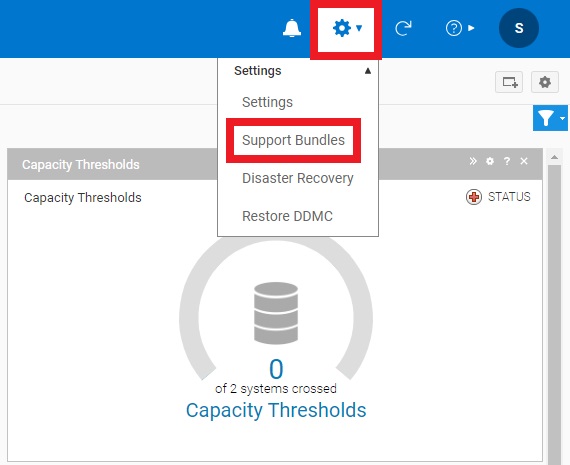
    1. Click "Support Bundles" in the dropdown menu that appears after clicking the gear icon (Fig. 4)
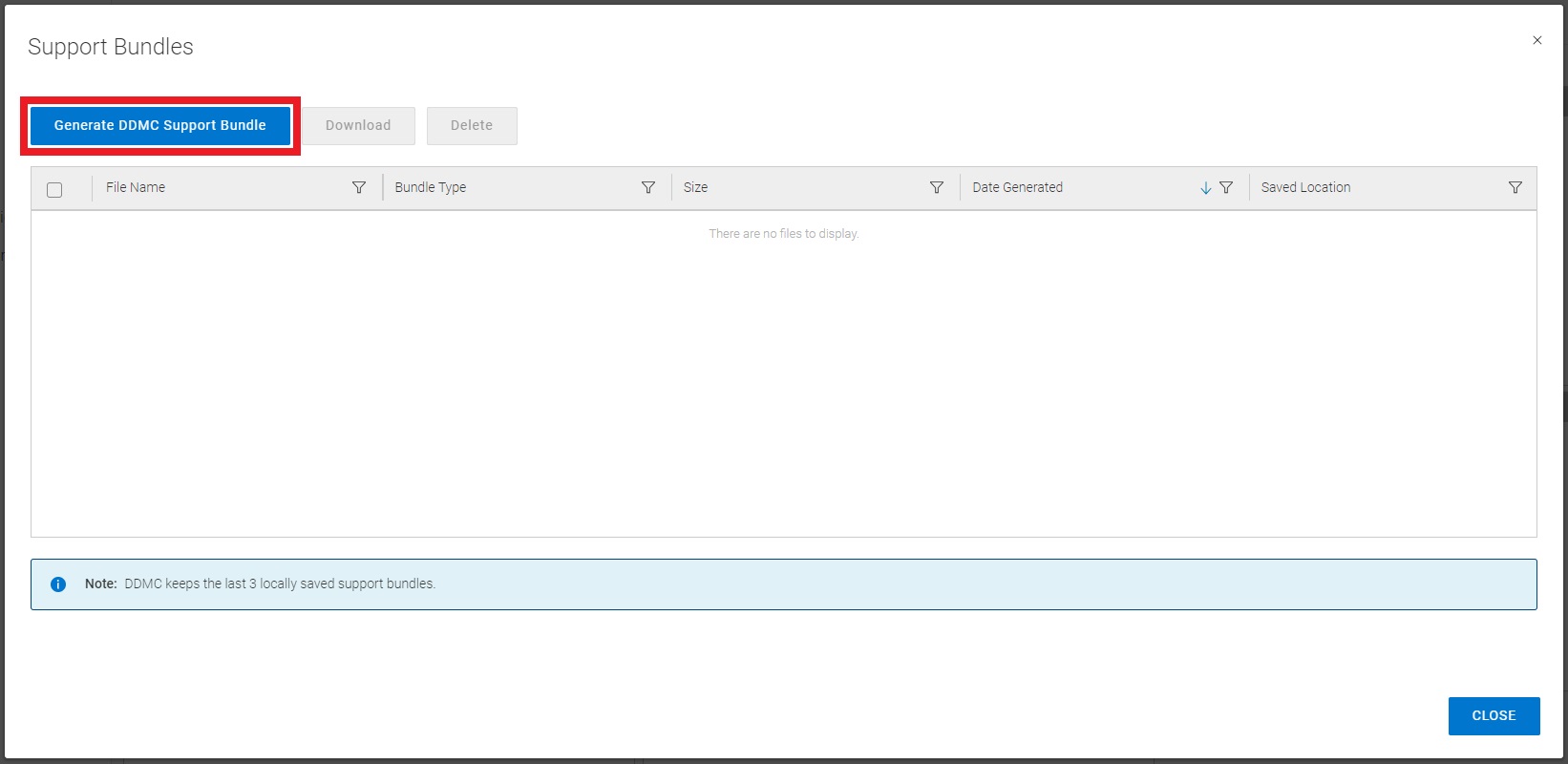
    2. Click "Generate DDMC Support Bundle" in the pane that appears (Fig. 5)
  5. After generating the support bundle, download it to your PC and upload to the related Service Request on the Dell Technologies support portal (requires login) or to a temporary FTP site as provided by a support technician
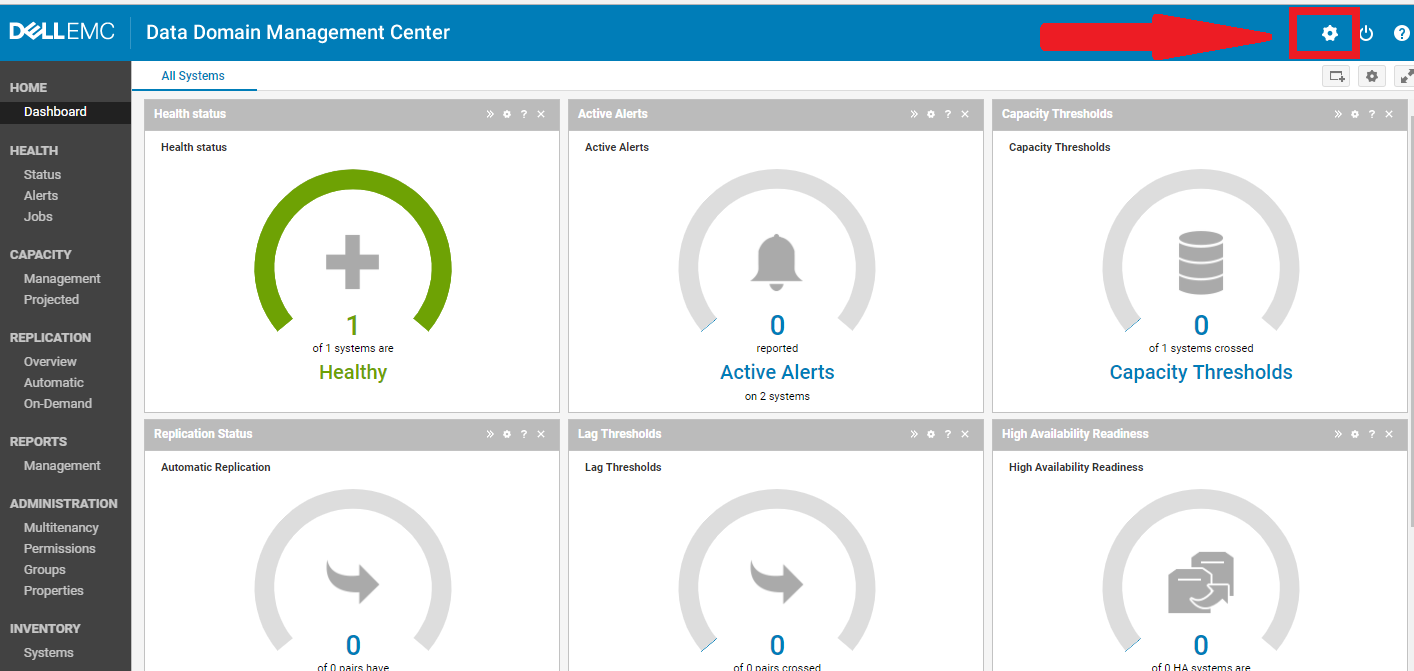
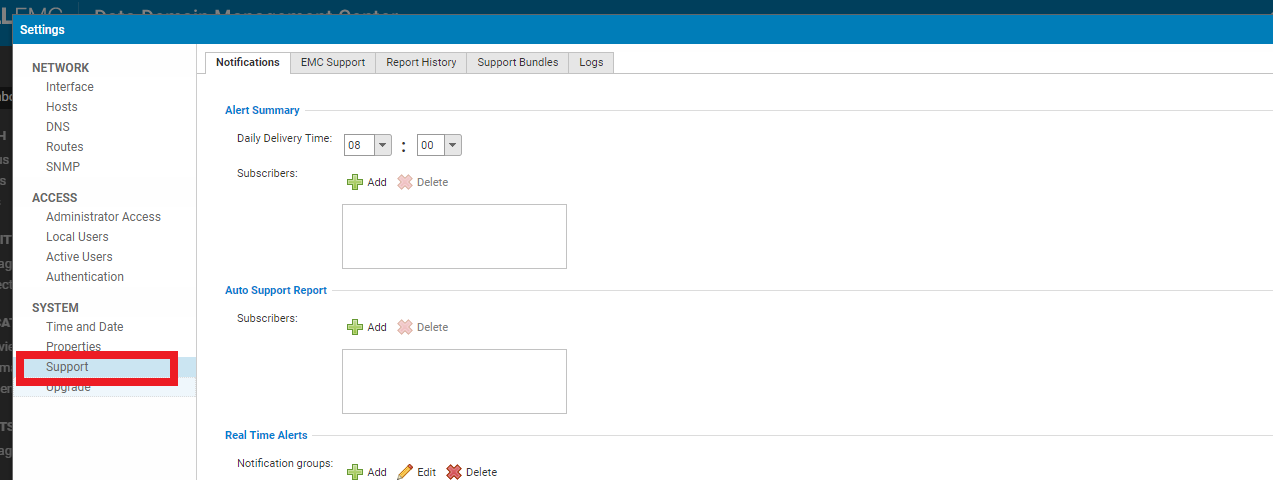
Fig. 1:
Screenshot of the DDMC user interface. A gear-shaped icon for "settings" is emphasized with a red box and arrow drawn on the image.

Fig. 2:
Screenshot of the Settings menu in version 6.x of the DDMC user interface. A tab labeled "Support" is highlighted with a red box drawn on the image.

Fig. 3:
Screenshot of the Support Bundle window in version 6.x of the DDDMC user interface. A tab labeled "Support Bundles" and a button labeled "Generate Support Bundles" are emphasized with red boxes drawn on the image, numbered 1 and 2 in that order.

Fig. 4:
Screenshot of the upper right corner of the DDMC 7.7 user interface. The gear-shaped settings menu icon and a dropdown menu option labeled "Support Bundles" are highlighted with red boxes drawn on the image. 

Fig. 5:
Screenshot of the Support Bundle window in the DDMC 7.7 user interface. A blue button labeled "Generate DDMC Support Bundle" is highlighted with a red box drawn on the image. 

Productos afectados

Data Domain, PowerProtect Data Domain Management Center

Productos

Data Domain
Propiedades del artículo
Número del artículo: 000010273
Tipo de artículo: How To
Última modificación: 12 ene 2026
Versión:  4
Encuentre respuestas a sus preguntas de otros usuarios de Dell
Servicios de soporte
Compruebe si el dispositivo está cubierto por los servicios de soporte.