No se puede instalar el controlador de gráficos Intel
Resumen: Cómo instalar el controlador de video Intel si la instalación presenta errores.
Este artículo se aplica a:
Este artículo no se aplica a:
Este artículo no está vinculado a ningún producto específico.
En este artículo no se identifican todas las versiones de los productos.
Síntomas
Este artículo contiene información sobre el controlador gráfico Intel que no se instala en el sistema.
Controlador de gráficos Intel
Cuando se instala el controlador de gráficos Intel, puede ocurrir un error. El motivo más común es que el hardware no es compatible.
Este es un método alternativo para instalar el controlador de gráficos Intel:
- Descargue los controladores correspondientes desde Dell.com/Support/Drivers y extraiga el archivo (Figura 1). En lugar de instalar la controladora en una nueva carpeta.
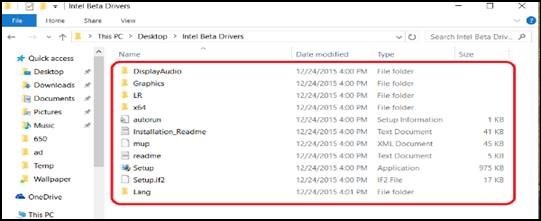
Figura 1
- Vaya al Administrador de dispositivos (Figura 2).
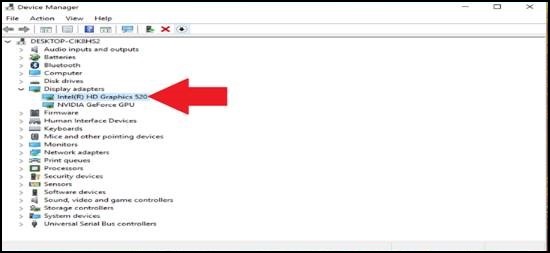
Figura 2
- Haga clic con el botón secundario en Intel HD Graphics (Figura 3).
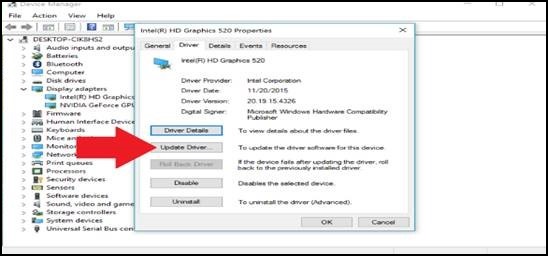
Figura 3
- Seleccione “Buscar software de controlador en el equipo” (Figura 4).
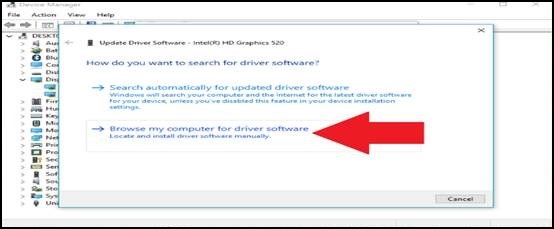
Figura 4
- Haga clic en “Elegir en una lista de controladores disponibles en el equipo” (Figura 5).
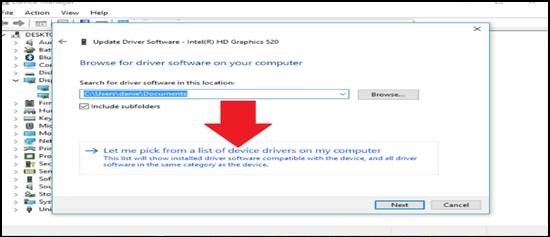
Figura 5
- Seleccione el botón “Usar disco…” situado en el área de la parte inferior derecha (Figura 6).
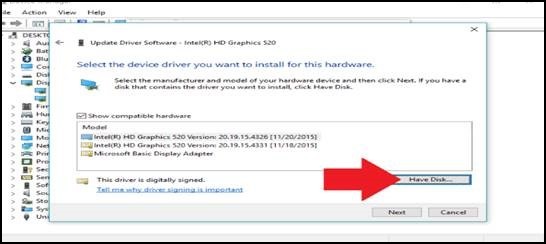
Figura 6
- Navegue a la carpeta en la que extrajo los controladores.
- Vaya a la carpeta Graphics (Gráficos) y seleccione el archivo que solicita (Figura 7).
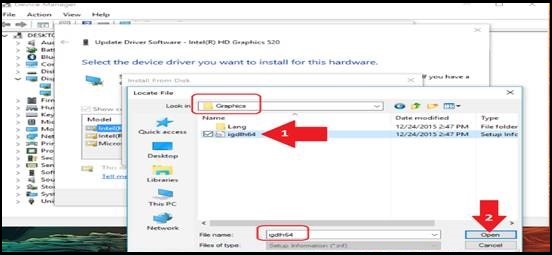
Figura 7
- En la ventana "Install From Disk", seleccione "OK" (Figura 8).
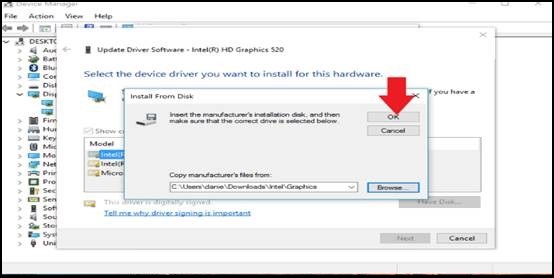
Figura 8
- Seleccione “Siguiente” (Figura 9).
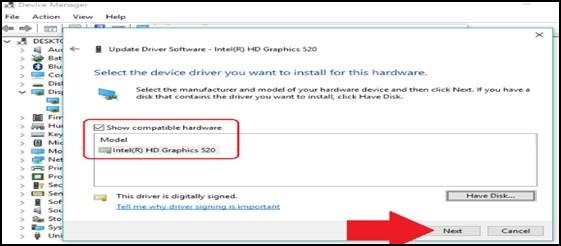
Figura 9
- Ahora, debería aparecer la ventana Actualizar software del controlador con el progreso de la instalación. Su pantalla puede parpadear, ya que se elimina el controlador antiguo y se agrega el nuevo (Figura 10).
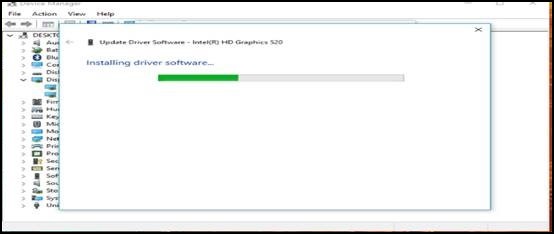
Figura 10
- Debería ver una pantalla con el mensaje “Windows ha actualizado correctamente el controlador” (Figura 11).
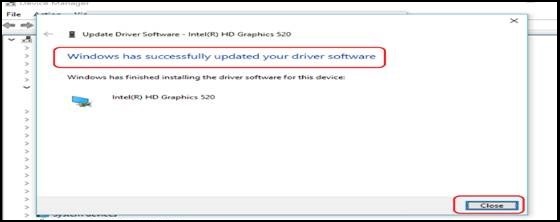
Figura 11
Si tiene más preguntas acerca de esta solución, comuníquese con el soporte técnico de Dell.
Propiedades del artículo
Número de artículo: 000126557
Tipo de artículo: Solution
Última modificación: 19 abr 2026
Versión: 4
Encuentra las respuestas que necesitas con la ayuda de otros usuarios de Dell
Servicios de asistencia
Comprueba si tu dispositivo está cubierto por los servicios de asistencia.