Intune Fails to Deploy Dell Optimizer Version 4.2.2 When Downloaded from the Microsoft Store
Resumen: Information about Intune not deploying Dell Optimizer version 4.2.2 if it is downloaded from the Microsoft Store.
Este artículo se aplica a
Este artículo no se aplica a
Este artículo no está vinculado a ningún producto específico.
No se identifican todas las versiones del producto en este artículo.
Síntomas
App Does Not Have a Valid Latest Package Version Error
Intune shows an error message, "The selected app does not have a valid latest package version" (Figure 1).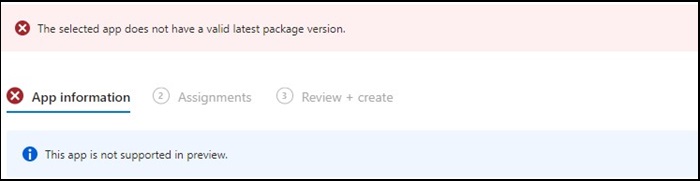
Figure 1
Note: Available exclusively on select Dell Latitude, Precision, OptiPlex, and Rugged PCs.
Causa
Dell Optimizer did not pass the Intune verification that requires apps to install on all hardware (Dell and non-Dell).
Resolución
Manually Deploy Dell Optimizer
As a workaround, IT Admin can try the following to manually deploy Dell Optimizer through Intune.
- Download the Dell Optimizer installer from Dell.com
- Follow the below instructions:
- Install the software using this command:
Install command: Dell-Optimizer-Application_xxxxx_WIN_x.x.x.x_A00.EXE /passthrough /silent /InstallDotNet=true /FACTORY=TRUE

Note: To uninstall, use the following command:
Uninstall command: Dell-Optimizer-Application_xxxxx_WIN_x.x.x.x_A00.EXE /passthrough /silent /remove
Productos afectados
Alienware, Inspiron, OptiPlex, Vostro, XPS, G Series, G Series, Alienware, Inspiron, Latitude, Vostro, XPS, Fixed Workstations, Mobile WorkstationsPropiedades del artículo
Número del artículo: 000224821
Tipo de artículo: Solution
Última modificación: 17 jul 2025
Versión: 7
Encuentre respuestas a sus preguntas de otros usuarios de Dell
Servicios de soporte
Compruebe si el dispositivo está cubierto por los servicios de soporte.