How to reset a lost Cloudlink console password if secadmin password is available
Resumen: Article shows a way to reset a lost Cloudlink console password using REST API. It is possible to perform the password reset from Cloudlink WebGUI. User must be able to log into WebGUI as secadmin. ...
Este artículo se aplica a
Este artículo no se aplica a
Este artículo no está vinculado a ningún producto específico.
No se identifican todas las versiones del producto en este artículo.
Instrucciones
1. Open the ABOUT section on the left pane.
2. Select the REST Documentation page
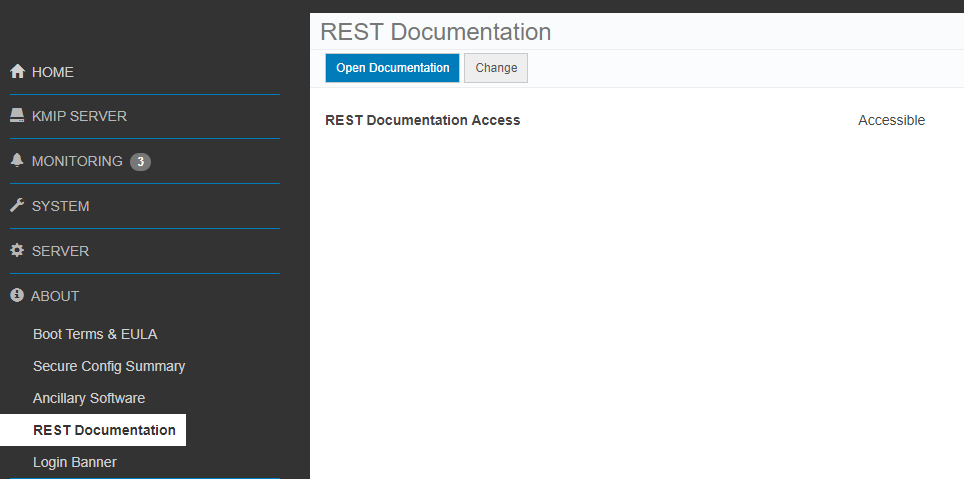
3. Click Open Documentation button.
Cloudlink Center REST API documentation page opens on a new tab.
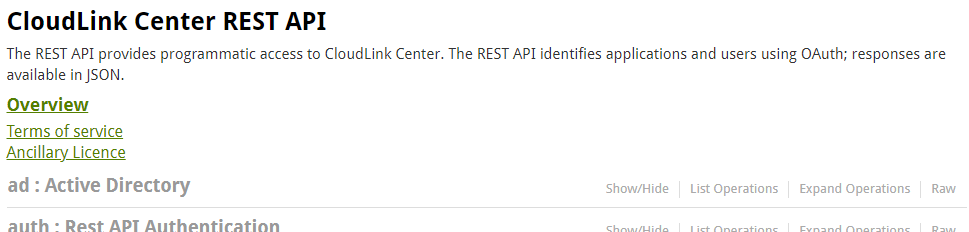
4. Scroll down to server:Server Configuration section.
5. Click Show/Hide to expand section.

6. Click set console cloudlink password.
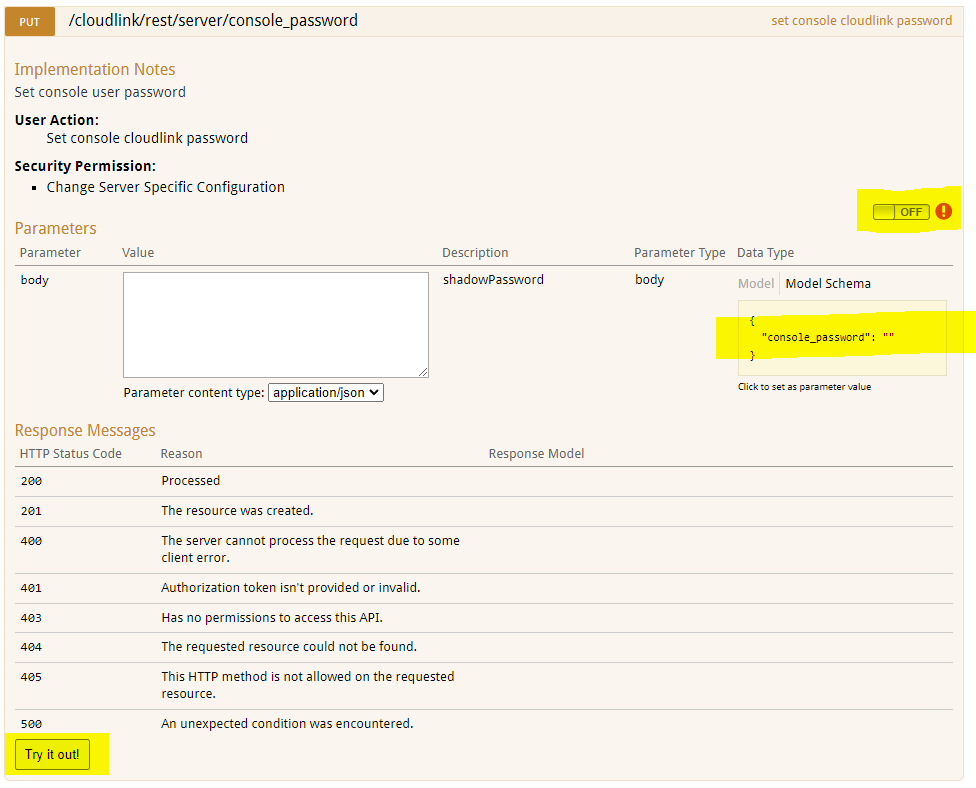
7. Click the OFF switch to authenticate. OAuth2.0 Scopes selection dialog pops up.

8. Select all, click Authorize.
9. The Login screen appears. User needs to enter secadmin credentials.(Not present in 7.1.x and higher.)
10. Click Model Schema yellow box. The content of the box is copied to white box body.

11. Type the new Cloudlink console password in the body box.
12. Click Try it out! button.
13. Result of the action is displayed.

Response Code 200 indicates successful password change.
2. Select the REST Documentation page
3. Click Open Documentation button.
Cloudlink Center REST API documentation page opens on a new tab.
4. Scroll down to server:Server Configuration section.
5. Click Show/Hide to expand section.
6. Click set console cloudlink password.
7. Click the OFF switch to authenticate. OAuth2.0 Scopes selection dialog pops up.
8. Select all, click Authorize.
9. The Login screen appears. User needs to enter secadmin credentials.(Not present in 7.1.x and higher.)
10. Click Model Schema yellow box. The content of the box is copied to white box body.
11. Type the new Cloudlink console password in the body box.
12. Click Try it out! button.
13. Result of the action is displayed.
Response Code 200 indicates successful password change.
Productos afectados
CloudLink SecureVM, CloudLinkPropiedades del artículo
Número del artículo: 000203931
Tipo de artículo: How To
Última modificación: 23 feb 2023
Versión: 5
Encuentre respuestas a sus preguntas de otros usuarios de Dell
Servicios de soporte
Compruebe si el dispositivo está cubierto por los servicios de soporte.