CSM: How to Get Support
Riepilogo: This article explains the ways to get support for the Container Storage Modules (CSM) and Container Storage Interface (CSI) Drivers.
Questo articolo si applica a
Questo articolo non si applica a
Questo articolo non è legato a un prodotto specifico.
Non tutte le versioni del prodotto sono identificate in questo articolo.
Istruzioni
To open a Service Request (SR) for Container Storage Modules (CSM) Driver break fix issues, the following options exist. Including logs for the issue can be helpful for support. See article CSI Drivers: How to collect logs provides details to help collect logs.
Phone
Call 1-800-782-4362 to open an SR by phone. A Global Inbound Support Technician opens an SR using the Serial Number, Asset ID, or Location ID. Where possible, provide the product identifier associated to the CSM component.
Chat
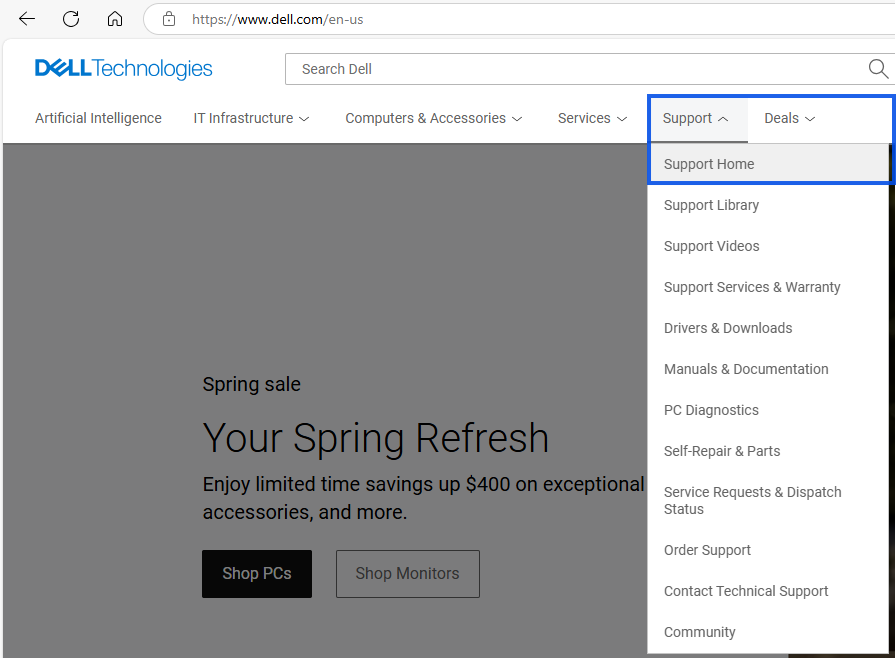
- Access Dell Support or from Dell's home page go to Support, then click Home.
- Click Sign in to your Dell Online business-level account indicated by a black check mark next to the username.
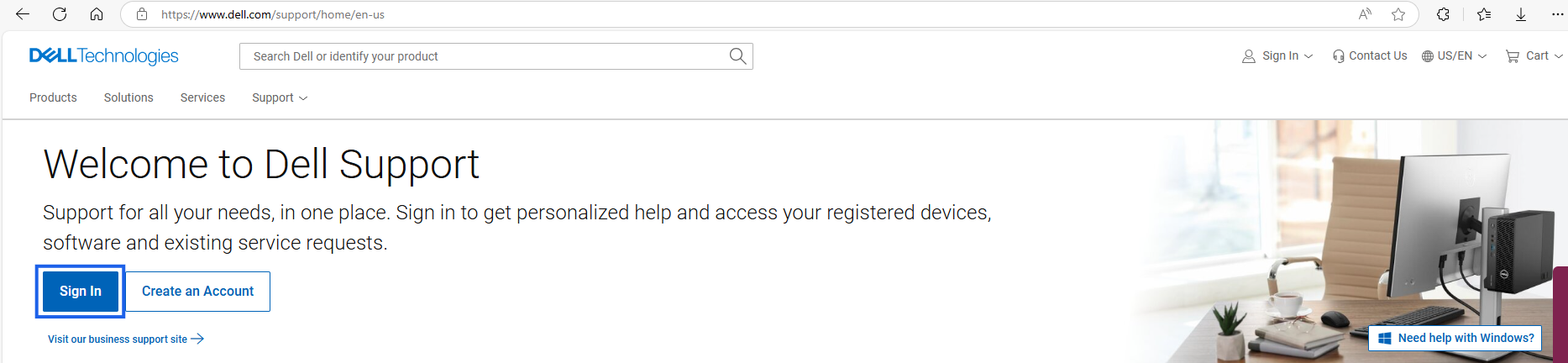
- Once logged with business account indicated by the black checkmark,

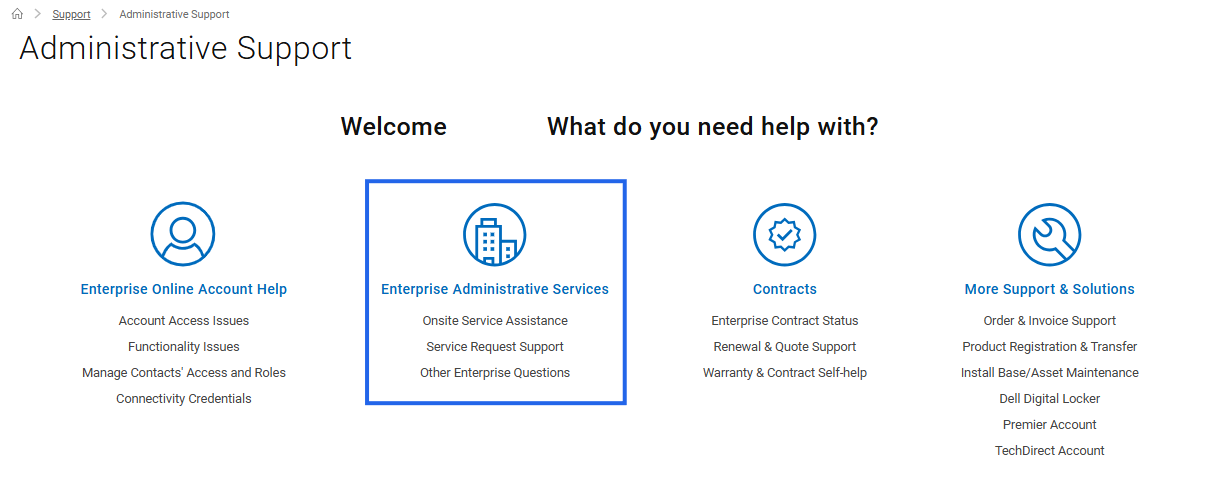
- Scroll down toward the bottom of the page and click Administrative Support under More Options to Explore or click and open the Administrative Support web page.

- Click the Enterprise Administrative Services options.
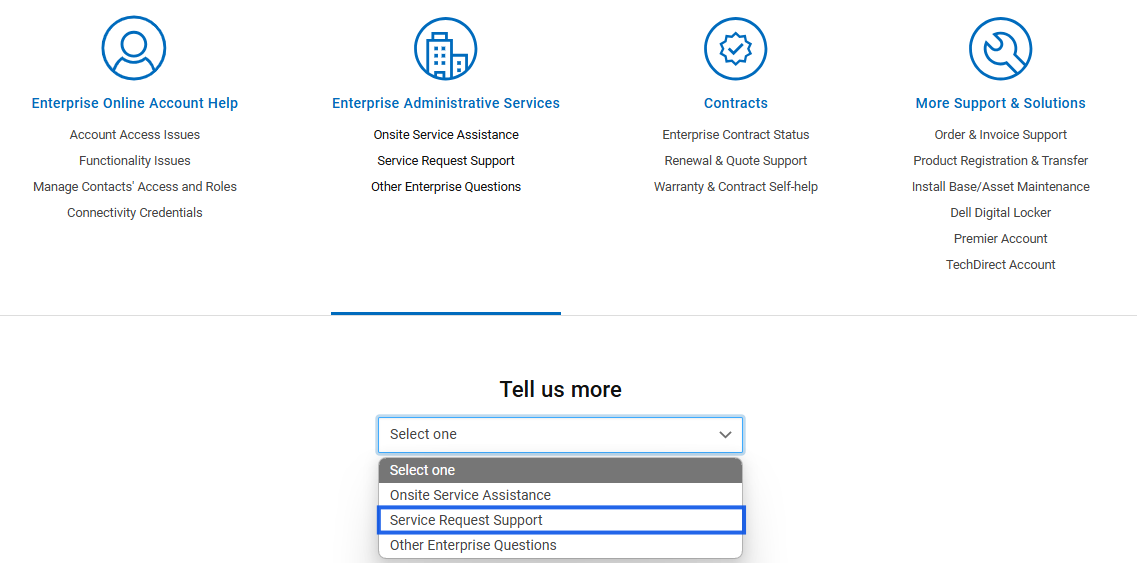
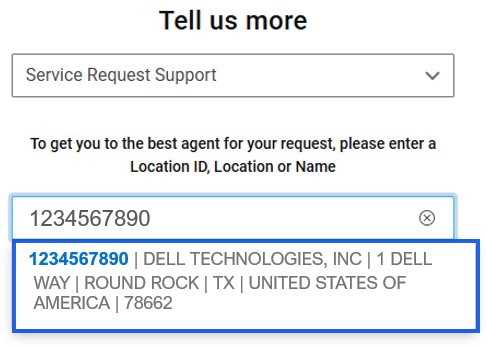
- From the Tell us more dropdown list, choose Service Request Support.
- Enter a valid Location ID (use manual entry if no locations appear).
- Select the required Location.
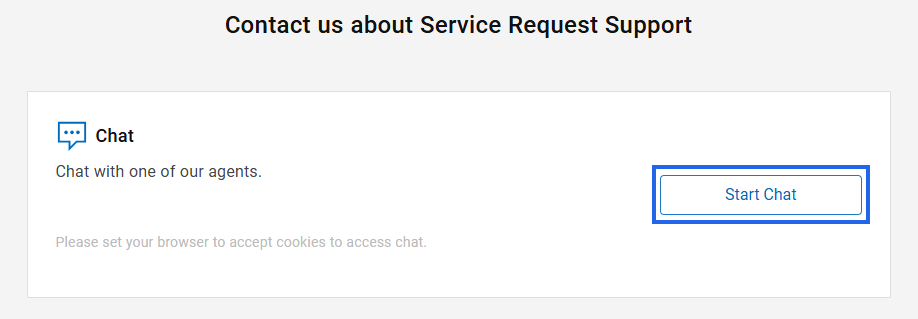
- Click Start Chat.
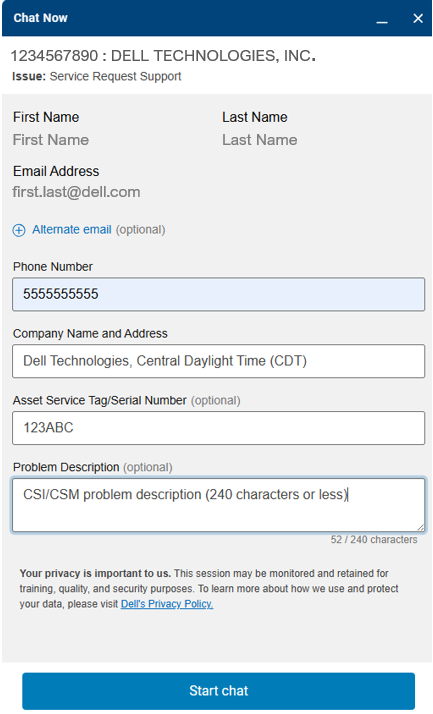
- Input a valid phone number for contact if further information is needed.
- Provide your Company Name, Time Zone, and Address.
- Enter the Asset Service Tag or Serial Number of the hardware product (optional but helpful for troubleshooting).
- In the Problem Description field, summarize the issue in 240 characters or less, specifying the CSM Driver component requiring support.
- Click Start chat button
Prodotti interessati
Container Storage ModulesProdotti
Container Storage Modules FamilyProprietà dell'articolo
Numero articolo: 000188046
Tipo di articolo: How To
Ultima modifica: 30 giu 2026
Versione: 30
Trova risposta alle tue domande dagli altri utenti Dell
Support Services
Verifica che il dispositivo sia coperto dai Servizi di supporto.