VMware vSphere 7 shows Persistent Memory (NVDIMM-N) as 0 MB after DIMM error
Riepilogo: This article shows how to resolve an issue where vSphere 7.0 shows Persistent Memory (NVDIMM-N) as "0 MB" after a DIMM error, Persistent Memory (PMEM) namespace shows as "Not in Use."
Questo articolo si applica a
Questo articolo non si applica a
Questo articolo non è legato a un prodotto specifico.
Non tutte le versioni del prodotto sono identificate in questo articolo.
Istruzioni
Symptom
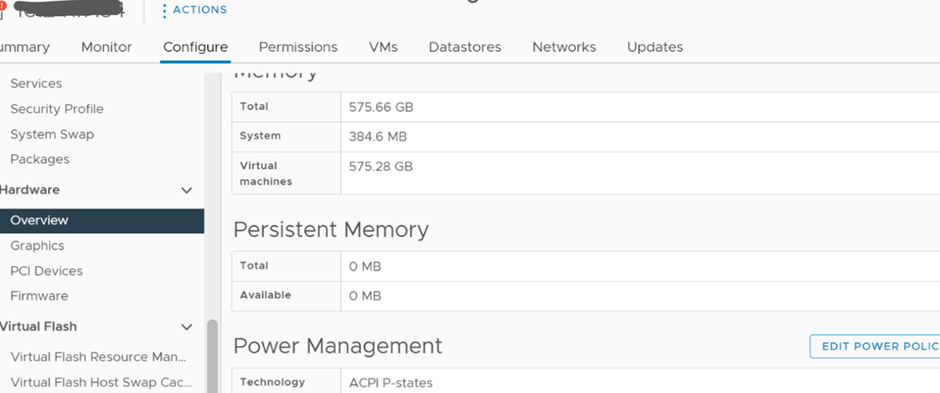
The vSphere Web UI shows "Persistent Memory" as "0 MB" after a DIMM error.
Note: This issue happens after the physical DIMM issue has been fixed.
Solution
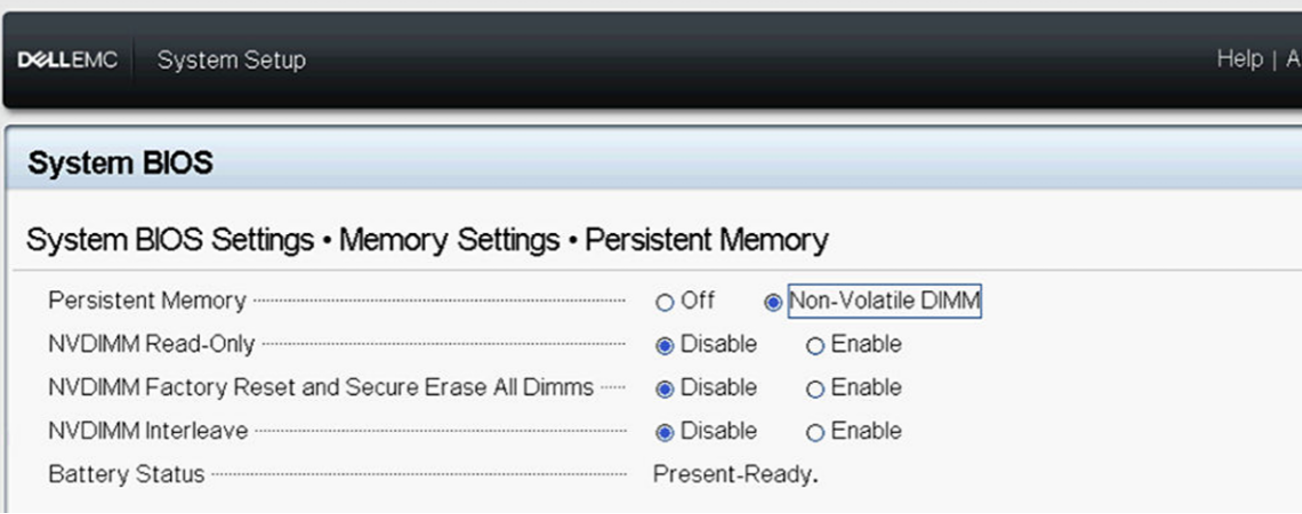
1) Ensure that the Persistent Memory is enabled in the BIOS as show below:
2) Log in to the ESXi host UI to check the Persistent Memory namespace setting.
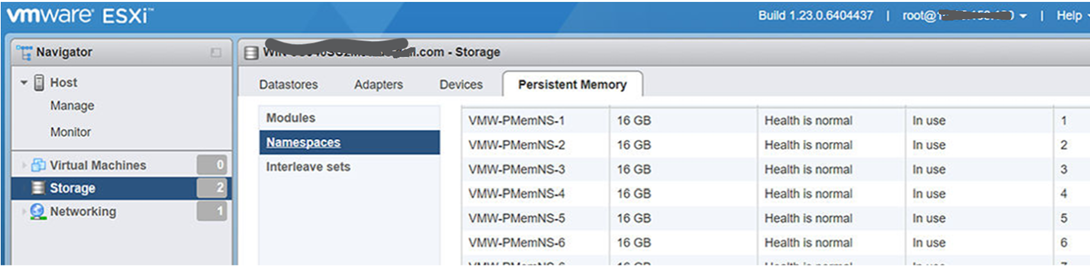
Delete the namespace if it shows as "Not in use," then reboot the host to let ESXi auto re-create the namespace.
3) Once rebooted, the namespace is re-created and functions again.
Prodotti interessati
VMware ESXi 6.7.X, VMware ESXi 7.x, VMware ESXi 8.xProprietà dell'articolo
Numero articolo: 000211598
Tipo di articolo: How To
Ultima modifica: 17 mag 2026
Versione: 5
Trova risposta alle tue domande dagli altri utenti Dell
Support Services
Verifica che il dispositivo sia coperto dai Servizi di supporto.