De Dell Data Protection Remote Management Console installeren
概要: Volg deze instructies voor het installeren van de Dell Data Protection Remote Management Console.
この記事は次に適用されます:
この記事は次には適用されません:
この記事は、特定の製品に関連付けられていません。
すべての製品パージョンがこの記事に記載されているわけではありません。
手順
Dell Data Protection Enterprise Edition en Dell Data Protection Virtual Edition servers vereisen de Remote Management Console voor het beheren van:
- Beleid
- Rapporten
- Coderingssleutels
Betreffende producten:
- Dell Data Protection Enterprise Edition
- Dell Data Protection Virtual Edition
Betreffende versies:
- 8.0 t/m 9.1
Betreffende besturingssystemen:
- Windows
De onderstaande stappen behandelen het installeren van de Remote Management Console (RMC) voor zowel Dell Data Protection Enterprise Edition als Dell Data Protection Virtual Edition versie 8.0 tot 9.1. Versie 9.2 en nieuwer gebruiken een browsergebaseerde beheerconsole. Raadpleeg voor informatie over versiebeheer De versie van de Dell Data Security Server identificeren. Het RMC-installatieprogramma bevindt zich in het Dell Data Protection Virtual Edition-pakket.
- Klik met de rechtermuisknop en Pak de software uit.
 Opmerking: Raadpleeg voor meer informatie over het downloaden van de serversoftware Dell Security Management Server downloaden.
 - Ga in de uitgepakte installatiebestanden naar:
- x64-bits:
Installers\Remote Console\x64 - x86-bits:
Installers\Remote Console\x86
- x64-bits:
- Dubbelklik op setup.exe.

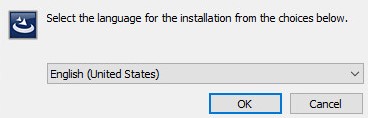
- Selecteer een taal en klik op OK.
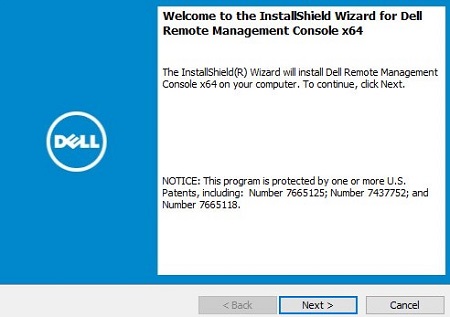
- Klik op Volgende.
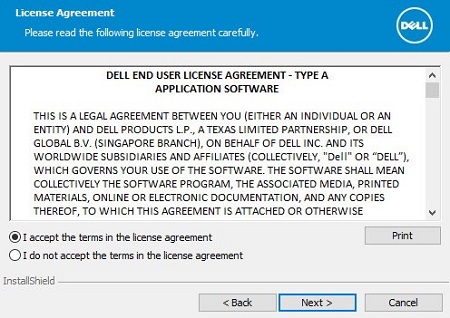
- Klik op I accept the terms in the license agreement en klik vervolgens op Next.
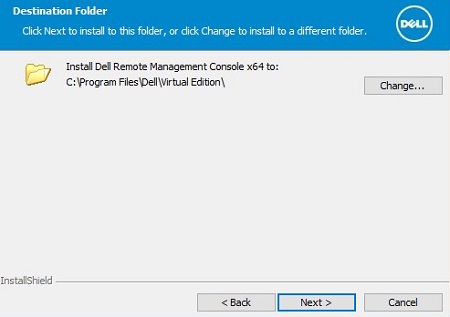
- Klik eventueel op Wijzigen om de installatielocatie te wijzigen en klik vervolgens op Volgende.
- Vul de volledig gekwalificeerde domeinnaam (FQDN) van de Dell Data Protection server in en klik vervolgens op Volgende.
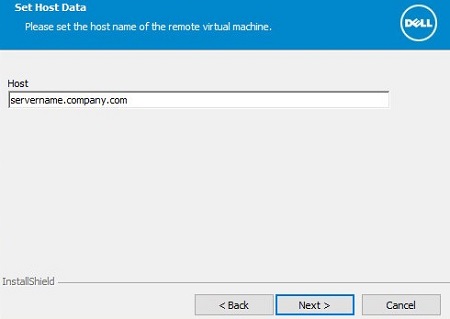
- Klik op Installeren.
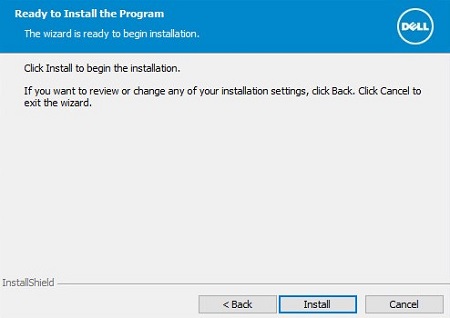
- Klik op Voltooien.
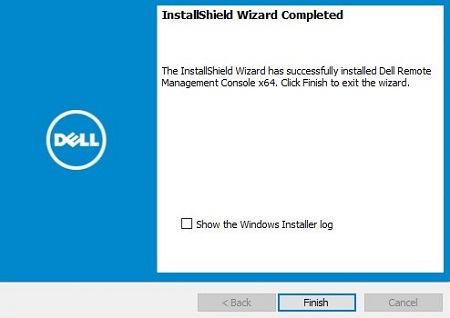
その他の情報
ビデオ
対象製品
Dell Encryption文書のプロパティ
文書番号: 000175222
文書の種類: How To
最終更新: 07 7月 2026
バージョン: 12
質問に対する他のDellユーザーからの回答を見つける
サポート サービス
お使いのデバイスがサポート サービスの対象かどうかを確認してください。