Avamar: Data Domain Capacity Resolution Path
概要: Data Domain Capacity Resolution Path.
この記事は次に適用されます:
この記事は次には適用されません:
この記事は、特定の製品に関連付けられていません。
すべての製品パージョンがこの記事に記載されているわけではありません。
現象
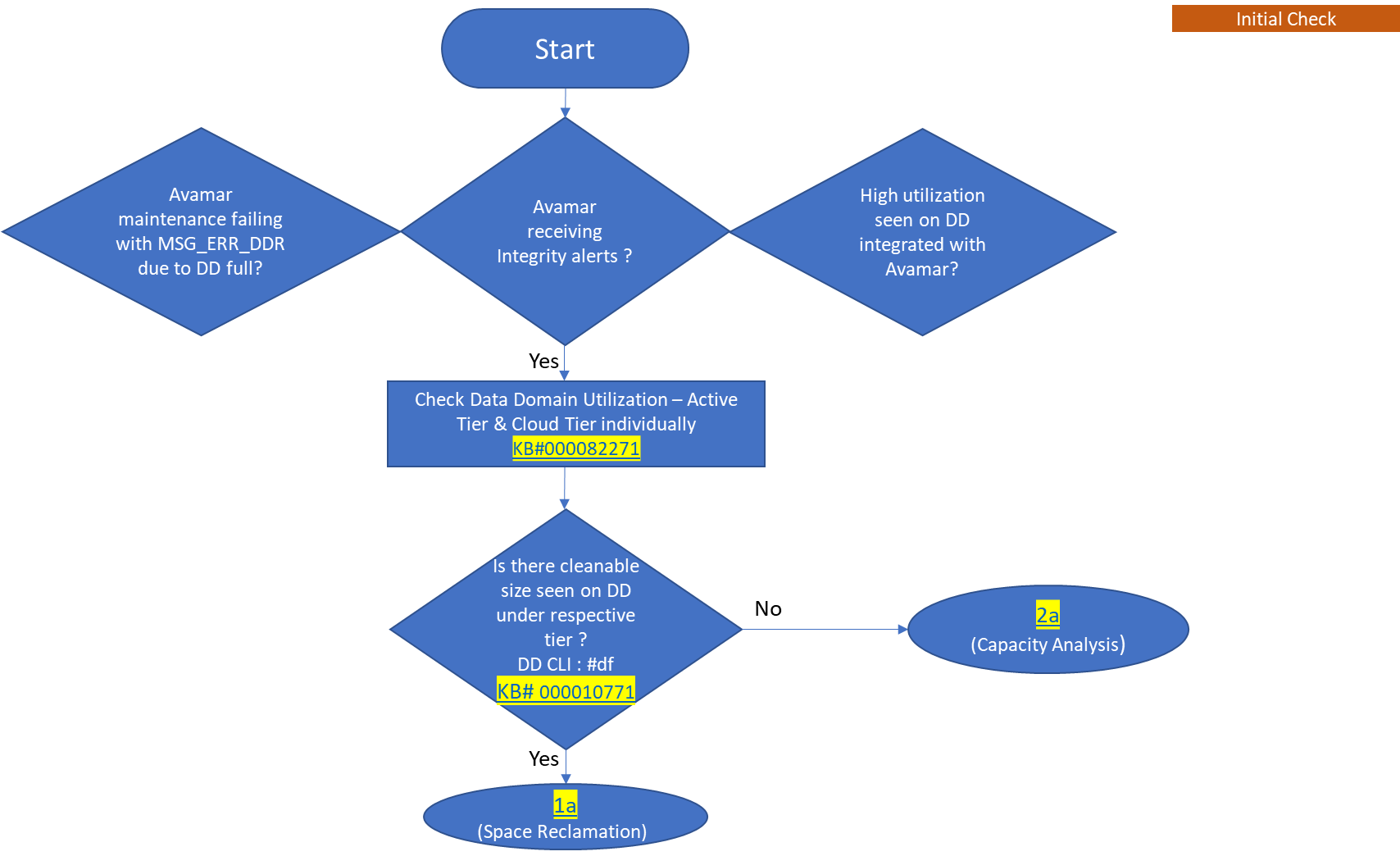
- Avamar maintenance is failing with MSG_ERR_DDR due to Data Domain full.
- Avamar is receiving Integrity alerts.
- High utilization is seen on Data Domain that is integrated with Avamar.
原因
This Resolution Path explains how to do Capacity Management when Data Domain has Avamar as the source of data ingest. In other words, when Avamar backups are residing on Data Domain.
解決方法
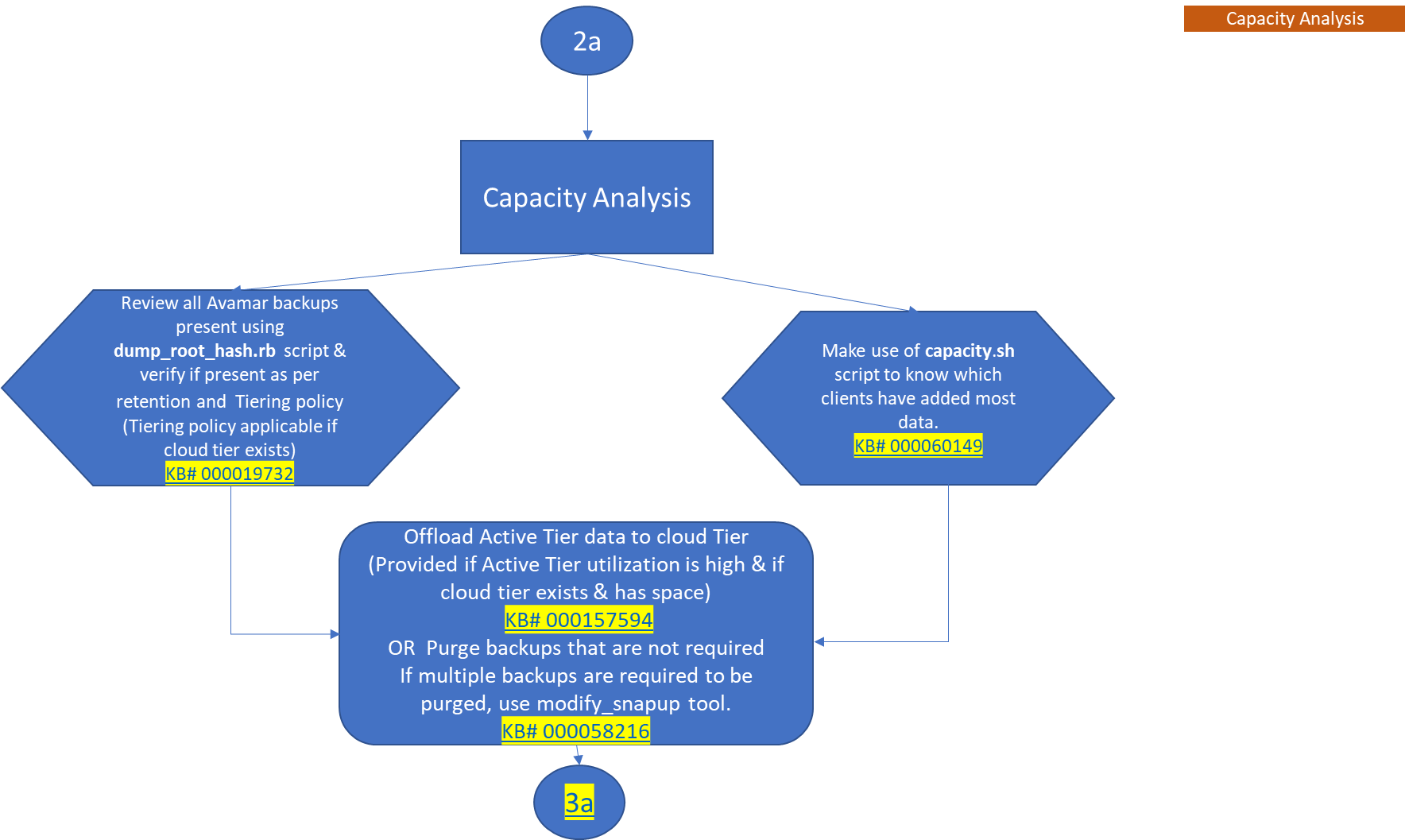
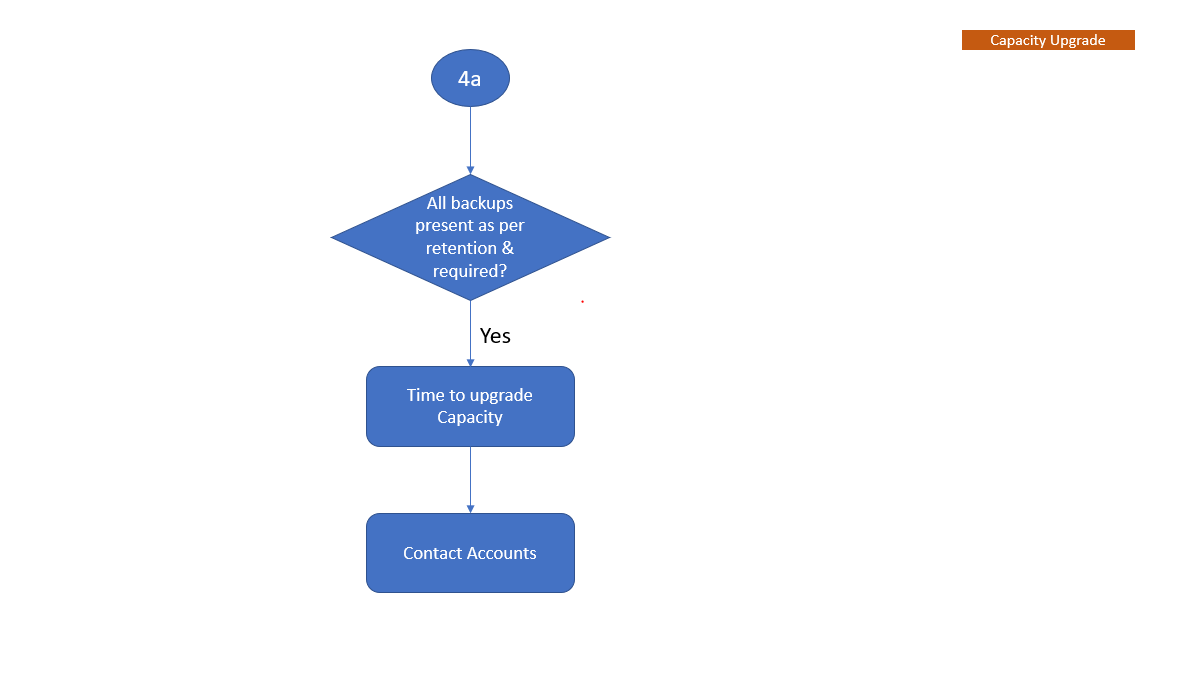
The flow chart depicts the capacity management workflow to help understand when Data Domain is integrated with Avamar.
Note: Sign in to download the PDF attached for referenced KBs.
-
Initial Check
Watch on YouTube
-
Space Reclamation
Watch on YouTube
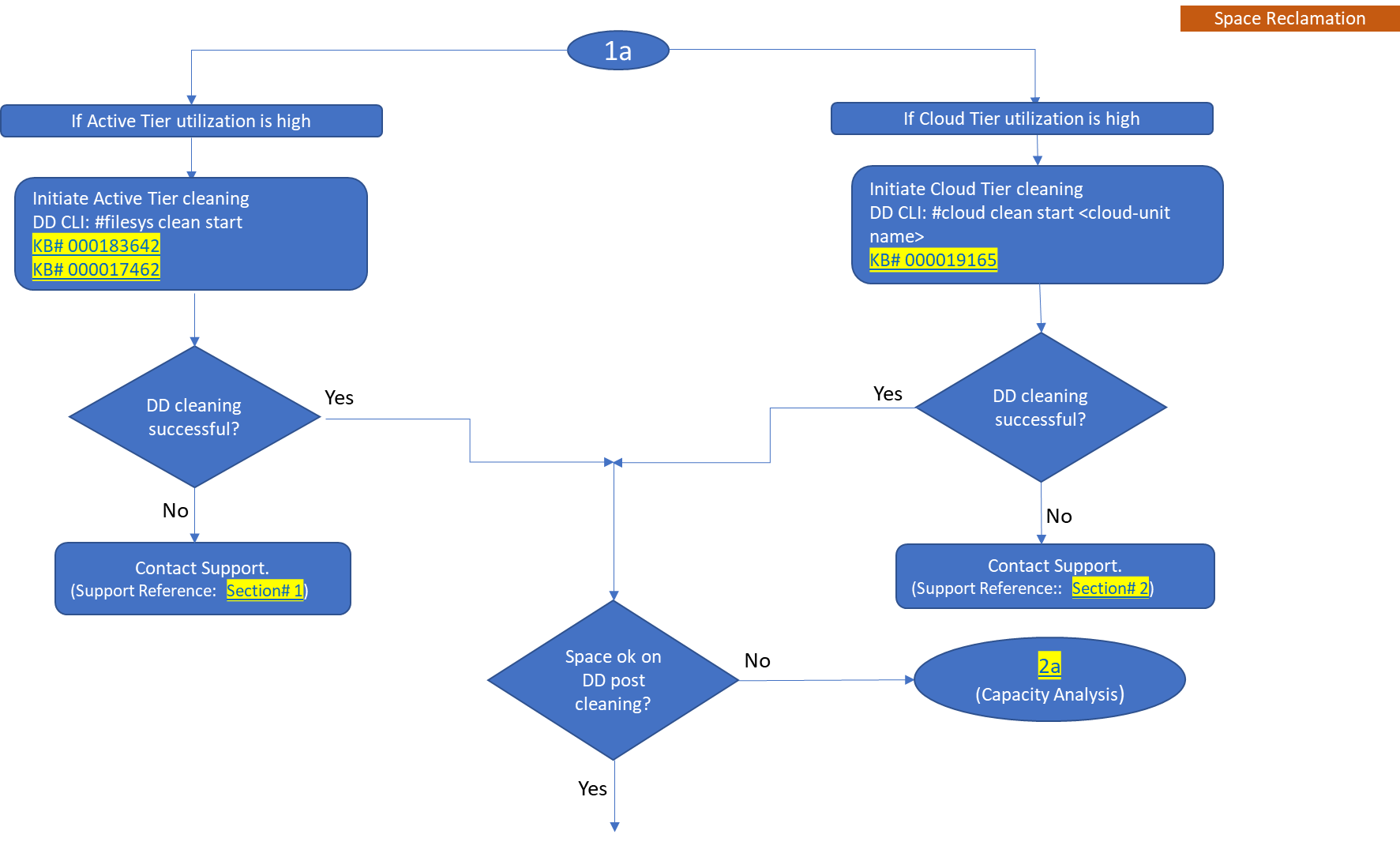
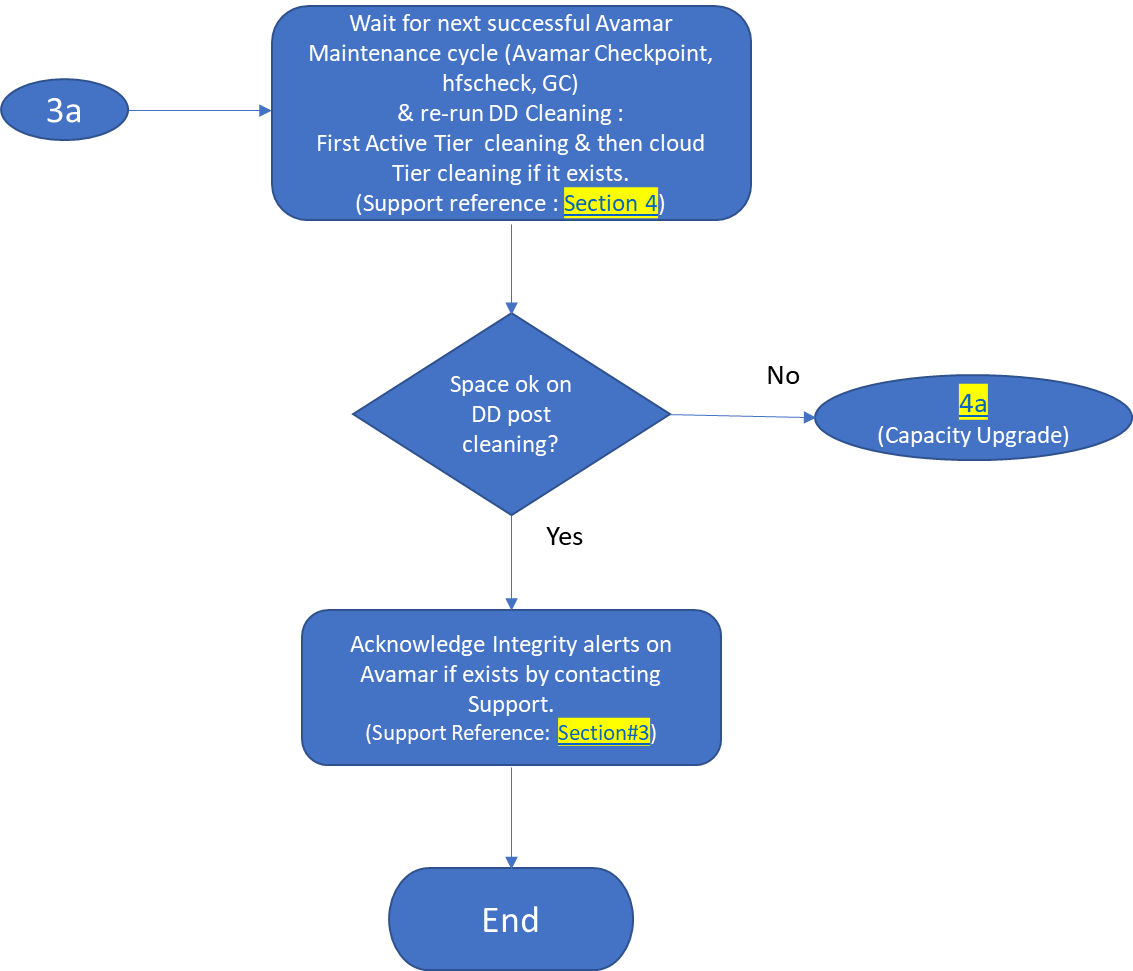
NOTE: Also, know about Automatic Cleaning, the new feature on Data Domain.
See Dell KB article 199927: PowerProtect DP Series: Protection Storage: Data Domain: Automatic Cleaning.
Click on below video to know "How to setup Automatic Cleaning on Data Domain"
Watch on YouTube
-
Capacity Analysis
Watch on YouTube
-
Capacity Upgrade
対象製品
Avamar, Data Domain添付ファイル
文書のプロパティ
文書番号: 000192662
文書の種類: Solution
最終更新: 12 5月 2026
バージョン: 12
質問に対する他のDellユーザーからの回答を見つける
サポート サービス
お使いのデバイスがサポート サービスの対象かどうかを確認してください。