Third-Party XMP Memory Does Not Support Overclocking
概要: This article provides information about overclocking is not supported when using third-party XMP memory in Alienware Command Center (AWCC) or in the computers BIOS.
この記事は次に適用されます:
この記事は次には適用されません:
この記事は、特定の製品に関連付けられていません。
すべての製品パージョンがこの記事に記載されているわけではありません。
現象
Affected Platforms:
- Alienware Area-51 AAT2250
- Alienware Area-51 AAT2265
- Alienware Aurora ACT1250
The overclocking settings are available in AWCC, after installing third-party memory in Alienware laptops running an older BIOS. The overclocking settings are no longer available after updating the BIOS.
Note: The overclocking settings are not available in the computers BIOS or in AWCC.
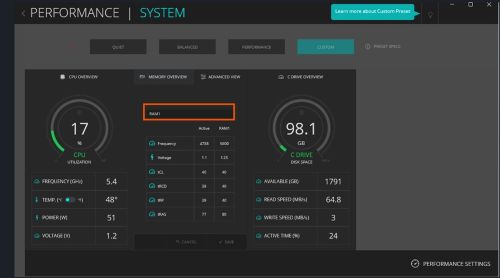
Old BIOS:
Overclocking settings in AWCC
- Alienware Area51 AAT2250: Before 1.4.3
- Alienware Aurora ACT1250: Before 1.4.2
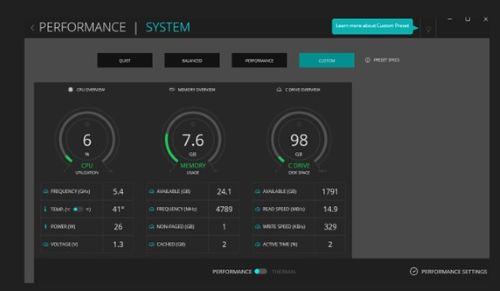
After updating to the latest BIOS:
There is no overclocking setting in AWCC.
原因
Dell computers do not support overclocking for third-party memory.
解決方法
This is working as designed. The computer only supports overclocking when using Dell qualified XMP memory.
対象製品
Alienware Area-51 AAT2250, Alienware Area-51 AAT2265, Alienware Aurora ACT1250, Alienware Command Center文書のプロパティ
文書番号: 000336267
文書の種類: Solution
最終更新: 28 7月 2026
バージョン: 7
質問に対する他のDellユーザーからの回答を見つける
サポート サービス
お使いのデバイスがサポート サービスの対象かどうかを確認してください。