Line Defects, Mura, or Abnormal Display on Alienware Monitors
概要: This article provides more information about troubleshooting line defects, subtle visual defect (mura), or abnormal display on Alienware OLED monitors.
この記事は次に適用されます:
この記事は次には適用されません:
この記事は、特定の製品に関連付けられていません。
すべての製品パージョンがこの記事に記載されているわけではありません。
現象
Affected Products:
- Alienware 34 Curved OLED Monitor AW3423DW
- Alienware 34 Curved QD OLED Gaming Monitor AW3423DWF
- Alienware 27 280 Hz QD OLED Gaming Monitor AW2725D
- Alienware 27 360 Hz QD OLED Gaming Monitor AW2725DF
- Alienware 27 4K QD OLED Gaming Monitor AW2725Q
- Alienware 27 240Hz QD-OLED Gaming Monitor AW2726DM
- Alienware 32 4K QD OLED Gaming Monitor AW3225QF
- Alienware 34 240 Hz QD-OLED Gaming Monitor AW3425DW
- Alienware 34 280Hz QD-OLED Gaming Monitor AW3426DW
- Alienware 39 5K OLED Gaming Monitor AW3926QW
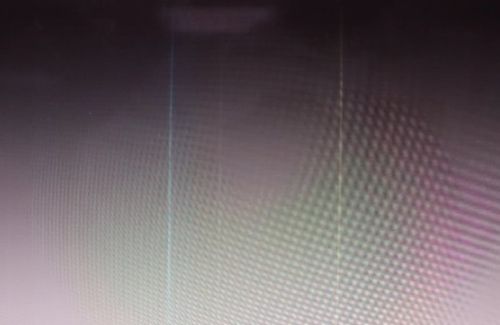
Customers may experience various issues on Alienware QLED monitors:
- Line defects
- Mura (unevenness or inconsistencies in brightness and color)
- Abnormal display
原因
Not Applicable
解決方法
To resolve the line defects, run the pixel refresh to remove the screen defects:
Open the OSD > Others > OLED Panel Maintenance > Pixel Refresh
Note: If the pixel refresh does not resolve the issues, proceed with the standard troubleshooting.
対象製品
Alienware 27 280Hz QD-OLED Gaming Monitor AW2725D, Alienware 27 360Hz QD OLED Gaming Monitor AW2725DF, Alienware 27 4K QD-OLED Gaming Monitor AW2725Q, Alienware 27 240Hz QD-OLED Gaming Monitor AW2726DM, Alienware 32 4K QD OLED Gaming Monitor AW3225QF
, Alienware 34 Curved OLED Monitor AW3423DW, Alienware 34 Curved QD OLED Gaming Monitor AW3423DWF, Alienware 34 240Hz QD-OLED Gaming Monitor AW3425DW, Alienware 34 280Hz QD-OLED Gaming Monitor AW3426DW, Alienware 39 5K OLED Gaming Monitor AW3926QW
...
文書のプロパティ
文書番号: 000372929
文書の種類: Solution
最終更新: 13 7月 2026
バージョン: 9
質問に対する他のDellユーザーからの回答を見つける
サポート サービス
お使いのデバイスがサポート サービスの対象かどうかを確認してください。