How to Capture a HAR file for Dell Device Management Console
概要: Learn how to capture HAR files for troubleshooting Dell Device Management Console by following these instructions.
この記事は次に適用されます:
この記事は次には適用されません:
この記事は、特定の製品に関連付けられていません。
すべての製品パージョンがこの記事に記載されているわけではありません。
手順
How to capture a HAR file for Dell Device Management Console.
Affected Product:
- Dell Device Management Console
The process to capture a HAR file for Dell Device Management Console differs between Chromium Browsers (Google Chrome or Microsoft Edge) and Mozilla Firefox. Select the appropriate browser for more information.
Chromium Browsers (Google Chrome or Microsoft Edge)
- Go to Dell Device Management Console.
- Sign in with your account.
Note: To avoid capturing authentication information, do not start logging of the HAR file prior to authentication. Credentials may be in the log if HAR file logging is started first.
- Once authenticated into Dell Device Management Console, press F12 and then click Network
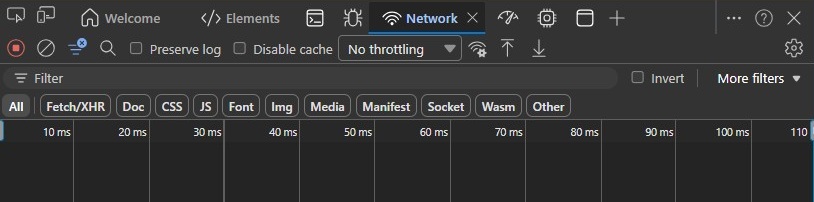
- Clear the log by clicking the Clear Network Log button or by pressing CTRL + L.

- Reproduce the issue. Once complete, click the Export HAR button.

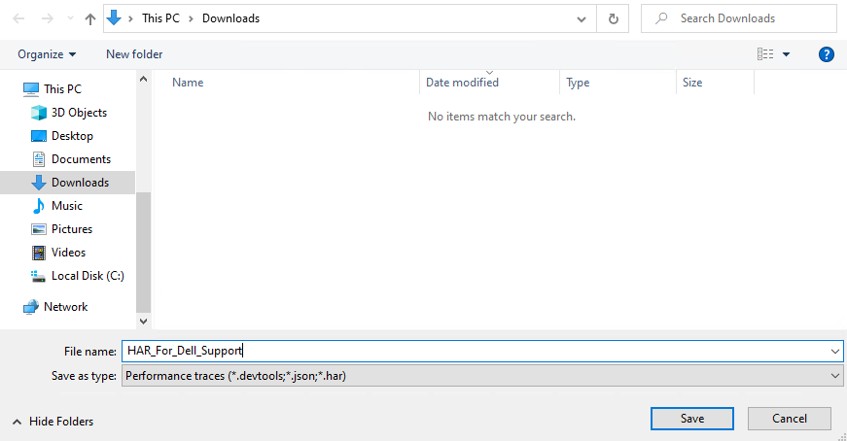
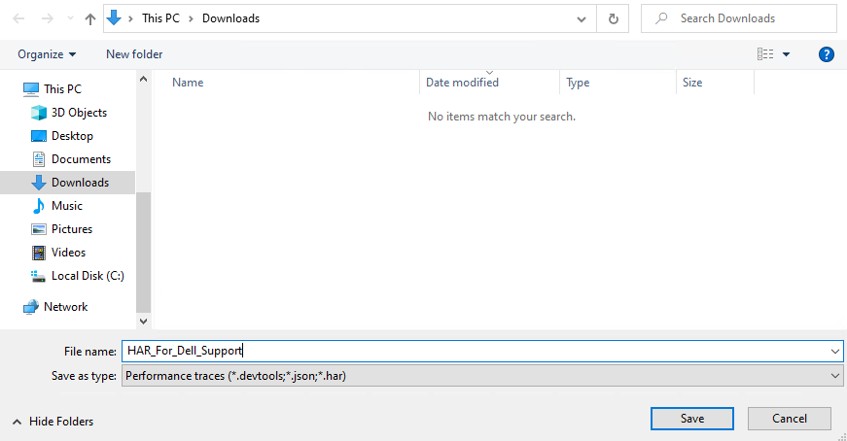
- Name and save the HAR file.
- Provide the Dell Support representative with access to the HAR file.
Mozilla Firefox
- Go to Dell Device Management Console.
- Sign in with your account.
Note: To avoid capturing authentication information, do not start logging of the HAR file prior to authentication. Credentials may be in the log if HAR file logging is started first.
- Once authenticated into Dell Device Management Console, press F12 and then click Network
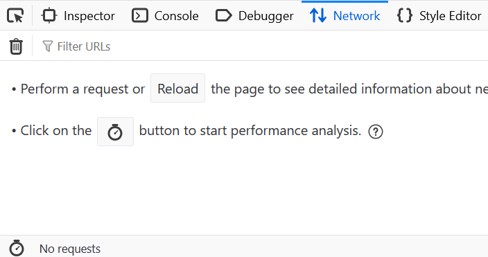
- Click the log by clicking the Clear button.

- Reproduce the issue. Once complete, click the gear icon and select Save All As HAR.
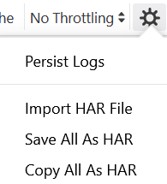
- Name and Save the HAR file.
対象製品
Dell Device Management Console文書のプロパティ
文書番号: 000489533
文書の種類: How To
最終更新: 15 7月 2026
バージョン: 1
質問に対する他のDellユーザーからの回答を見つける
サポート サービス
お使いのデバイスがサポート サービスの対象かどうかを確認してください。