PowerFlex : Failed to Add Acceleration Device DAX after NVDIMM Replacement
概要: After sanitizing or replacing an NVDIMM, adding the acceleration/dax devices back into PowerFlex Manager will generate an IO error if the namespace or region is in an error state. This will hinder the ability to add the devices back into PowerFlex as expected. ...
この記事は次に適用されます:
この記事は次には適用されません:
この記事は、特定の製品に関連付けられていません。
すべての製品パージョンがこの記事に記載されているわけではありません。
現象
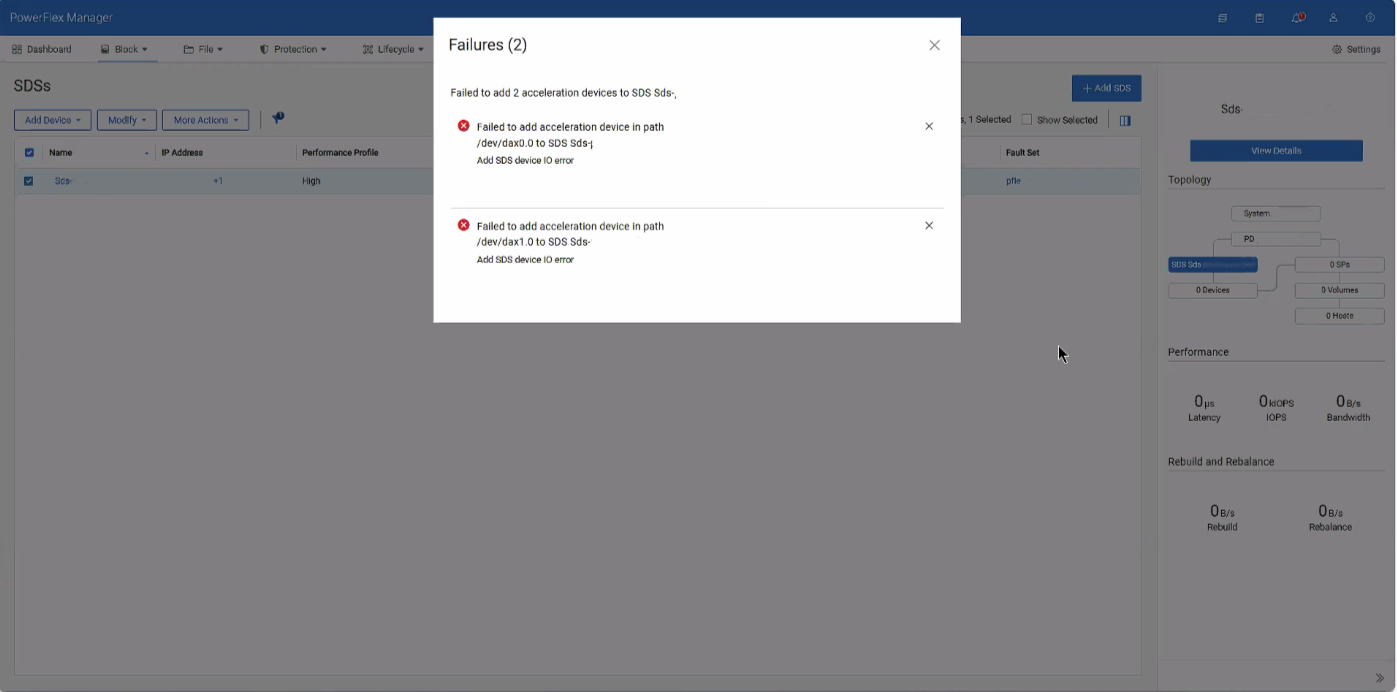
When attempting to add the dax device back after sanitizing or replacing an NVDIMM, an error is given for IO errors on the dax device, despite being healthy.
原因
These errors occur due to conflicting namespace and regions within the SDS after removing the dax devices.
解決方法
1- SSH into the impacted SDS and destroy both namespaces of the dax devices
ndctl destroy-namespace namespace0.0

ndctl destroy-namespace namespace1.0
2- Disable the corresponding region of the dax devices
ndctl disable-region region0

ndctl disable-region region1
3- Re-enable the regions for the dax devices
ndctl enable-region region0

ndctl enable-region region1
4- Create the namespace for each dax device based on the namespace you destroyed from above
ndctl create-namespace --mode=devdax --region +region0 --align +4k

ndctl create-namespace --mode=devdax --region +region1 --align +4k
5- Afterwards, go to PowerFlex Manager and add the dax devices as needed.
Related article: PowerFlex: How to Replace NVDIMM in 15G and later PowerEdge Node
対象製品
ScaleIO文書のプロパティ
文書番号: 000496145
文書の種類: Solution
最終更新: 07 8月 2026
バージョン: 1
質問に対する他のDellユーザーからの回答を見つける
サポート サービス
お使いのデバイスがサポート サービスの対象かどうかを確認してください。