De Dell Data Security Uninstaller downloaden: https://www.dell.com/support/article/sln318621/.
Summary: Leer hoe u de Dell Data Security Uninstaller kunt downloaden door deze instructies te volgen.
This article applies to
This article does not apply to
This article is not tied to any specific product.
Not all product versions are identified in this article.
Instructions
Opmerking:
- Producten die worden vermeld in de lijst Betreffende producten hebben mogelijk geen actieve status. Raadpleeg voor de meest recente informatie over de ondersteuning van een product Beleid voor productlevenscyclus (einde support/einde levensduur) voor Dell Data Security. Als u vragen heeft over alternatieve artikelen, neem dan contact op met uw verkoopteam of neem contact op met endpointsecurity@dell.com.
- Raadpleeg Eindpuntbeveiliging voor meer informatie over huidige producten.
De Dell Data Security Uninstaller biedt een gestroomlijnde verwijderingsmethode voor de vermelde Windows Dell Data Security (voorheen Dell Data Protection) Getroffen producten. Dit artikel bevat stappen voor het verkrijgen van de Dell Data Security Uninstaller voor deze producten.
Betreffende producten:
- Dell Encryption Enterprise
- Dell Data Protection | Enterprise Edition
- Dell Encryption Personal
- Dell Data Protection | Mobile Edition
- Dell Encryption External Media
- Dell Data Protection—External Media Encryption
- Dell Data Guardian
- Dell Encryption Enterprise Self-Encrypting Drive Manager – Actief
- Dell BitLocker Manager vereist:
- Dell Full Disk Encryption
- Dell Data Protection | Secure Lifecycle
- Dell Data Protection | Mobile Edition
- Dell Endpoint Security Suite Enterprise
- Dell Endpoint Security Suite Pro
- Dell Threat Defense
- Dell Data Protection | Cloudversleuteling
- Dell Data Protection | Security Tools
Betreffende versies:
- v8.0.X en later
Betreffende besturingssystemen:
- Windows
- Ga in een webbrowser naar https://dellservices.lightning.force.com/lightning/page/home
- Klik op Door alle producten bladeren.
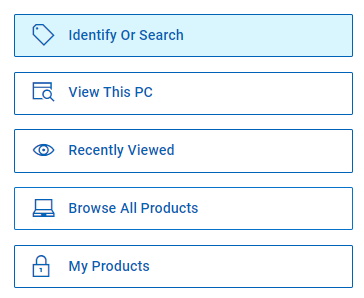
- Klik op Software & Solutions.
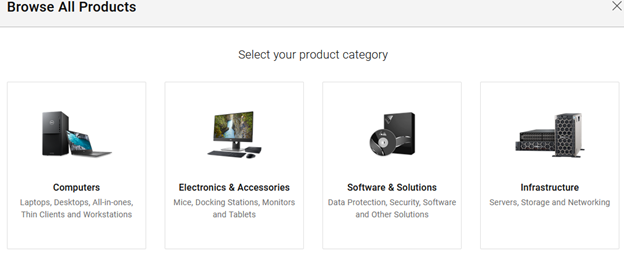
- Klik op Beveiliging.

- Klik op Dell Data Security.

- Klik op Dell Encryption.
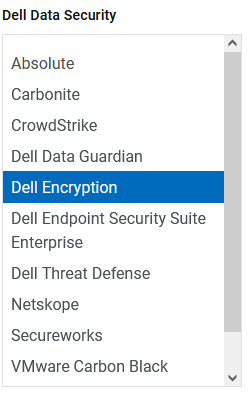
- Klik op Dit product selecteren.
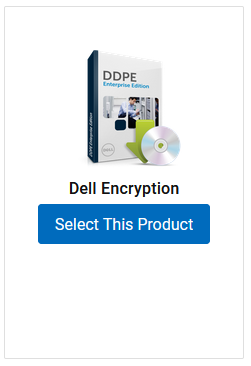
- Klik op Drivers en downloads.

- Selecteer in de vervolgkeuzelijst Besturingssysteem Windows 7 [X-bit], Windows 8 [X-bit], Windows 8.1 [X-bit], Windows 10 [X-bit] of Windows 11.

- Klik rechts van Dell Data Guardian op Downloaden.
 De releasedatum kan afwijken van de bovenstaande schermopname.
Affected Products
Dell Data Guardian, Dell Encryption, Dell Threat Defense, Dell Endpoint Security Suite Pro, Dell Endpoint Security Suite EnterpriseArticle Properties
Article Number: 000130754
Article Type: How To
Last Modified: 05 aug. 2026
Version: 15
Find answers to your questions from other Dell users
Support Services
Check if your device is covered by Support Services.