OpenShift Virtualization: Failed to take VM snapshot from OpenShift Virtualization UI.
Summary: Take VM snapshot via OpenShift Virtualization UI fails if there is IO running in the VM in OCP cluster.
Acest articol se aplică pentru
Acest articol nu se aplică pentru
Acest articol nu este legat de un produs specific.
Acest articol nu acoperă toate versiunile de produs existente.
Symptoms
Take VM snapshot via OpenShift Virtualization UI failed.
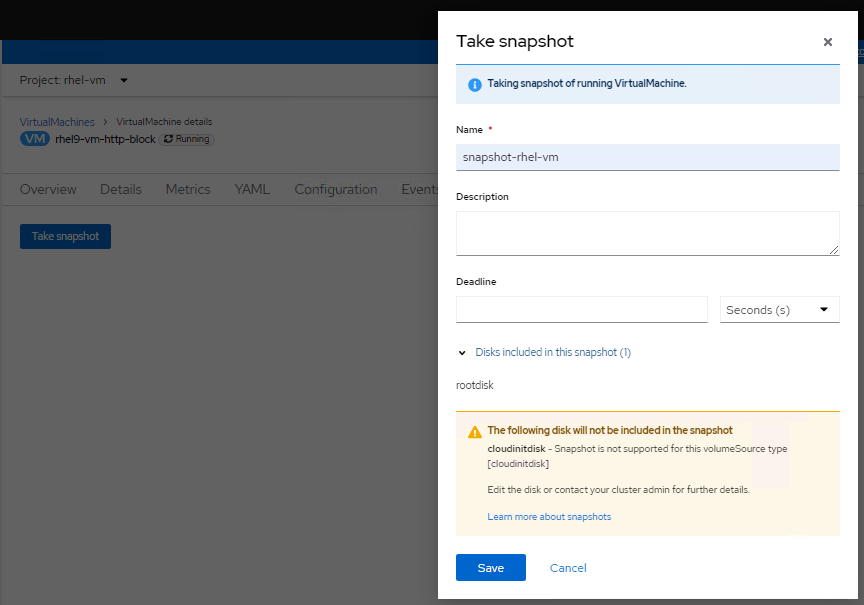
Checking logs of virt-handler pod (openshift-cnv namespace), it shows errors like below:
Checking logs of virt-handler pod (openshift-cnv namespace), it shows errors like below:
2023-08-14T02:23:33.722372232Z {"component":"virt-handler","kind":"","level":"error","msg":"Failed to freeze VMI","name":"rhel9-vm-http-block",
"namespace":"rhel-vm","pos":"lifecycle.go:124","reason":"server error.
command Freeze failed: \"LibvirtError(Code=1, Domain=10, Message='internal error: unable to execute QEMU agent command 'guest-fsfreeze-freeze':
failed to open /zoner/sda: Permission denied')\"","timestamp":"2023-08-14T02:23:33.722321Z","uid":"c6894dc7-f29c-43e7-9817-3b12643040d1"}
"namespace":"rhel-vm","pos":"lifecycle.go:124","reason":"server error.
command Freeze failed: \"LibvirtError(Code=1, Domain=10, Message='internal error: unable to execute QEMU agent command 'guest-fsfreeze-freeze':
failed to open /zoner/sda: Permission denied')\"","timestamp":"2023-08-14T02:23:33.722321Z","uid":"c6894dc7-f29c-43e7-9817-3b12643040d1"}
Cause
Create a VM via OpenShift Virtualization, the mount point from the created LUN is not labelled as trusted. So during VM snapshot process, the QEMU agent fails to open the mount point (in this KB, the mount point is /zoner/sda) and gets permission denied while it tries to do fsfreeze.
Resolution
Below resolution steps will suppose "/zoner/sda" as the mount point.
Please use "df -h" command and check from your error logs to confirm the actual error reporting mount point of your VM.
1. Confirm the SELinux context of the mount point is showing "unlabeled_t" by below command:
# ls -lZd /zoner/sda/
2. If it shows "unlabeled_t", there are two options to resolve it.
- Option1: To enable QEMU agent to read non-labelled files.
# setsebool -P virt_qemu_ga_read_nonsecurity_files 1
- Option2: To label the mount point.
# restorecon -v /zoner/sda/
Produse afectate
APEX Cloud Platform for Red Hat OpenShiftProprietăți articol
Article Number: 000217270
Article Type: Solution
Ultima modificare: 18 sept. 2026
Version: 4
Găsiți răspunsuri la întrebările dvs. de la alți utilizatori Dell
Servicii de asistență
Verificați dacă dispozitivul dvs. este acoperit de serviciile de asistență.