Audio Driver Issue After Windows 10 Update KB4343909
摘要: This article contains information about how to fix audio driver issues after installing Windows 10 Update KB4343909.
本文适用于
本文不适用于
本文并非针对某种特定的产品。
本文并非包含所有产品版本。
症状
After updating Windows 10, your system audio may stop working, and the Device Manager will have an error for the audio device.
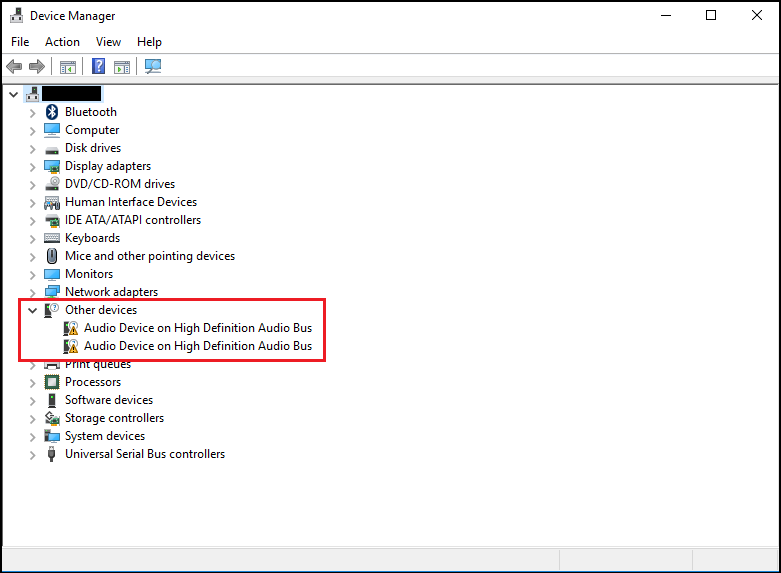
The error may say Code 31 or 38, error message "device drivers could not be installed."
原因
No cause information is available.
解决方案
Device Manager
The following steps should resolve this issue.
- Open Device Manager. Press the Windows logo key and the R key simultaneously. This should open a Run Box.

- Type
devmgmt.mscand click OK or press Enter. - Device Manager opens.
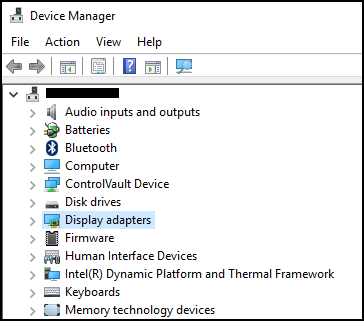
- In Device Manager, right-click the problem driver and select update driver.
- Choose "Browse my computer for driver software."
- Select "Browse…" and select the folder that is located here: C:\Windows\WinSxS
- Ensure the "Include subfolders" box is selected, then click Next.
- Windows should install drivers successfully.
- Reboot your System.
- Now you can reinstall the Dell audio driver successfully from: Dell.com/Support/Drivers.
受影响的产品
Alienware, Dell All-in-One, Dell Pro All-in-One, Dell Pro Max Micro, Dell Pro Max Slim, Dell Pro Max Tower, Dell Pro Micro, Dell Pro Slim, Dell Pro Tower, Dell Slim, Dell Tower, Inspiron, OptiPlex, Vostro, XPS, G Series, G Series, Alienware
, Dell Laptops, Dell Plus, Dell Pro, Dell Pro Max, Dell Pro Plus, Dell Pro Premium, Inspiron, Latitude, Dell Pro Rugged, Vostro, XPS, Fixed Workstations, Mobile Workstations, Dell Pro Max Micro XE FCM2250, Dell Pro Max Slim XE FCS1250, Dell Pro Max Tower T2 XE FCT2250, Dell Pro Max 16 XE MC16250, Dell Pro Micro Plus XE QBM1250, Dell Pro Slim Plus XE5 QBS1250, Dell Pro Tower Plus XE5 QBT1250
...
文章属性
文章编号: 000123786
文章类型: Solution
上次修改时间: 14 7月 2025
版本: 9
从其他戴尔用户那里查找问题的答案
支持服务
检查您的设备是否在支持服务涵盖的范围内。