How to reset a lost Cloudlink console password if secadmin password is available
摘要: Article shows a way to reset a lost Cloudlink console password using REST API. It is possible to perform the password reset from Cloudlink WebGUI. User must be able to log into WebGUI as secadmin. ...
本文适用于
本文不适用于
本文并非针对某种特定的产品。
本文并非包含所有产品版本。
说明
1. Open the ABOUT section on the left pane.
2. Select the REST Documentation page
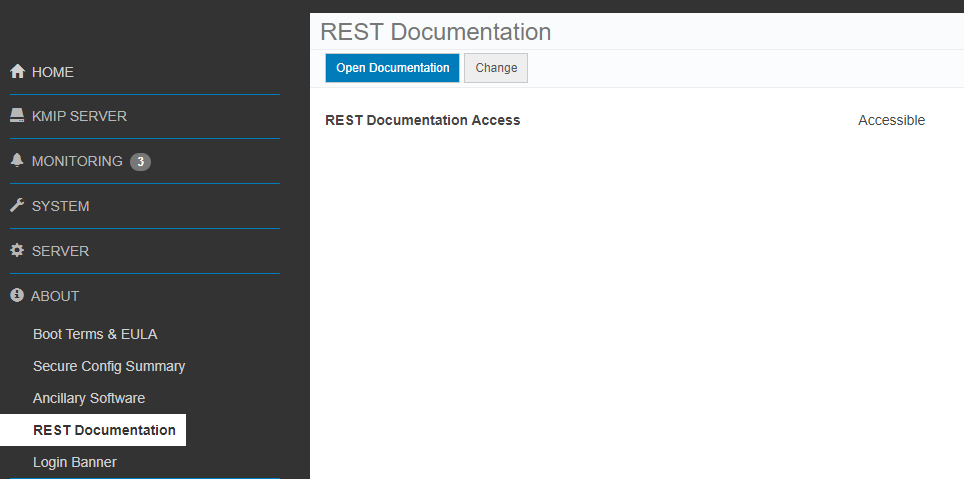
3. Click Open Documentation button.
Cloudlink Center REST API documentation page opens on a new tab.
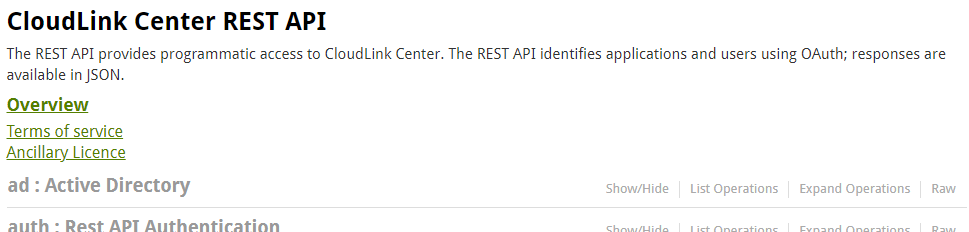
4. Scroll down to server:Server Configuration section.
5. Click Show/Hide to expand section.

6. Click set console cloudlink password.
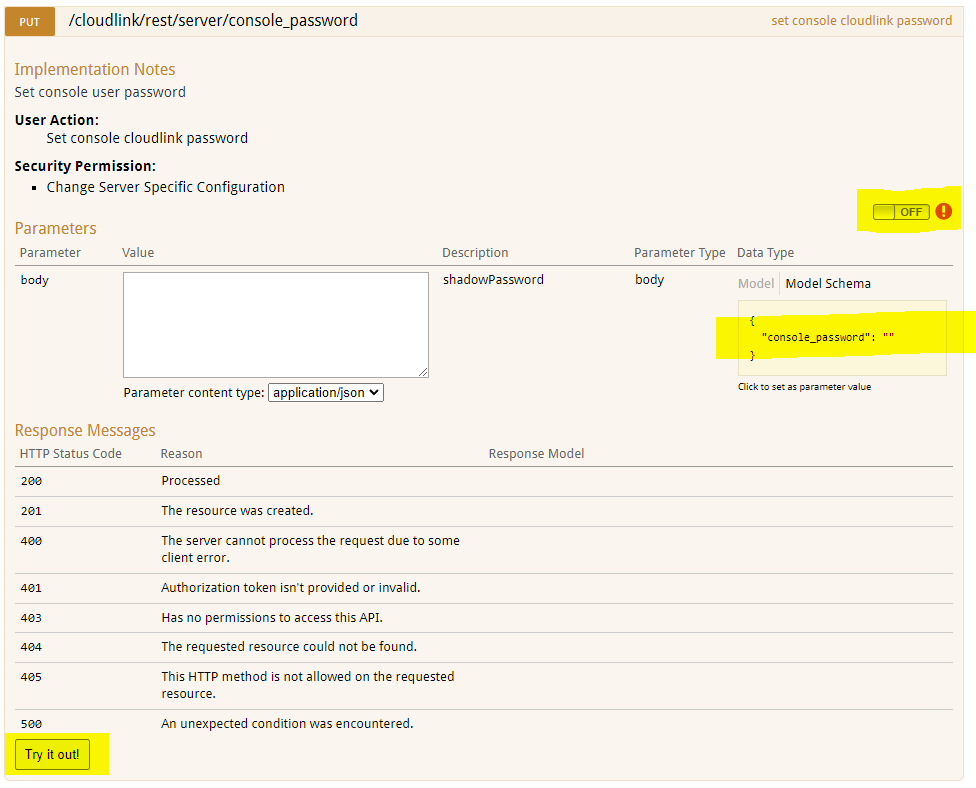
7. Click the OFF switch to authenticate. OAuth2.0 Scopes selection dialog pops up.

8. Select all, click Authorize.
9. The Login screen appears. User needs to enter secadmin credentials.(Not present in 7.1.x and higher.)
10. Click Model Schema yellow box. The content of the box is copied to white box body.

11. Type the new Cloudlink console password in the body box.
12. Click Try it out! button.
13. Result of the action is displayed.

Response Code 200 indicates successful password change.
2. Select the REST Documentation page
3. Click Open Documentation button.
Cloudlink Center REST API documentation page opens on a new tab.
4. Scroll down to server:Server Configuration section.
5. Click Show/Hide to expand section.
6. Click set console cloudlink password.
7. Click the OFF switch to authenticate. OAuth2.0 Scopes selection dialog pops up.
8. Select all, click Authorize.
9. The Login screen appears. User needs to enter secadmin credentials.(Not present in 7.1.x and higher.)
10. Click Model Schema yellow box. The content of the box is copied to white box body.
11. Type the new Cloudlink console password in the body box.
12. Click Try it out! button.
13. Result of the action is displayed.
Response Code 200 indicates successful password change.
受影响的产品
CloudLink SecureVM, CloudLink文章属性
文章编号: 000203931
文章类型: How To
上次修改时间: 23 2月 2023
版本: 5
从其他戴尔用户那里查找问题的答案
支持服务
检查您的设备是否在支持服务涵盖的范围内。