Add the products you would like to compare, and quickly determine which is best for your needs.

Add the products you would like to compare, and quickly determine which is best for your needs.
Dell Monitors

Best in eye comfort with
TÜV certified monitors

Boost visual comfort and well-being
Shop Now

Find your perfect computer monitor

1 Results

Filters

Selecting filter(s) will refresh the results and may change the availability of other options.

Applied Filters Clear All
1 Results
Select 2 or more products to compare them side by side Compare
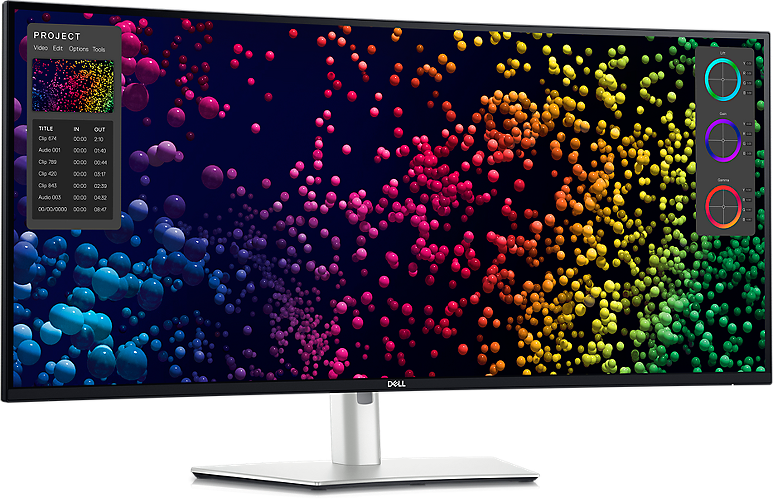
£1,568.40
£1,307.00 excluding VAT @20%

Specs

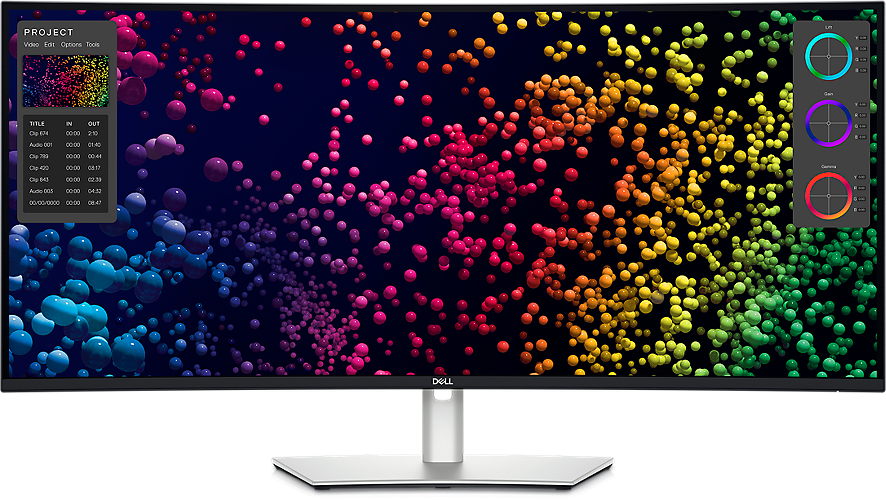
Diagonal Size 39.7" Resolution / Refresh Rate 5120 x 2160 at 120 Hz Panel Technology IPS Black Technology Adjustability Height, Tilt, Swivel Color Gamut DCI-P3 99%, Display P3 99%, sRGB 100%, BT.709 100%, DCI-P3, Display P3, sRGB & BT.709: Delta E < 2 (Average)
£1,568.40
£1,307.00 excluding VAT @20%

Special Offers

PayPal Credit

Get it now for as low as £65.35 over 24 months with 0% interest.

Subject to approval. Ts and Cs apply.

Top rated monitors

Learn more about our monitor technology

Dimensions
  • Choosing the right monitor: beyond screen size
    When shopping for a monitor, it’s crucial to consider not only the great visuals and screen size, but also its overall dimensions, to ensure it fits perfectly in your workspace.
  • Diagonal screen size vs. physical size
    The screen size, measured diagonally, doesn’t include the adjustable stand and bezel, which add to the monitor’s physical size. Make sure to check both the screen size and full dimensions to find the perfect fit.

Why Dell monitors?

  • Best selling
    As the world's number 1 monitor company,* we take pride in our unyielding commitment to quality and the utmost satisfaction of our customers.
  • A Brand You Can Rely on
    Your monitor comes with a 3-year Advanced Exchange Service*
Woman and Child at Desk with S2722DZ Monitor
Dell Support

Support for all your needs, in one place.

Learn More

Learn More About Dell Monitors

Dell monitors offer exceptional display quality and reliable performance. Whether you’re looking for a 4K monitor for gaming, a curved monitor for immersive experiences, or a budget-friendly option for everyday use, Dell offers a wide range of choices to meet your needs. With ultra-thin bezels, high refresh rates, and vivid colour accuracy, Dell monitors are perfect for both professional and personal use. Explore the latest computer monitors range and find the best fit for your setup. ...

FAQs:

When choosing a computer monitor, consider screen size, resolution, refresh rate, and connectivity options. At Dell, popular features include UltraSharp displays for colour accuracy, curved screens for immersive viewing, and USB-C ports for easy connectivity. 

Choosing the right screen size for a computer monitor depends on your needs. Common options range from 22 inches for compact spaces to 27 inches or larger for immersive work or gaming. For multitasking, graphic design, or gaming, consider a 27-inch monitor or a 32-inch UltraWide monitor. If space is a priority, a 24-inch monitor might be ideal. Larger screen sizes can enhance productivity and provide a better viewing experience for movies, gaming, or detailed tasks.

Refresh rate is crucial for gamers or anyone who values smooth visuals. A 60 Hz monitor is common for general tasks, but for competitive gaming, a 144 Hz or 240 Hz refresh rate is ideal, as it reduces motion blur and provides a smoother gaming experience. If you’re a casual gamer or work on typical office tasks, a 75 Hz refresh rate might be a good balance.

IPS (In-Plane Switching) panels offer the best colour accuracy and wide viewing angles, popular for graphic design. VA (Vertical Alignment) panels provide high contrast, good for watching videos, while TN (Twisted Nematic) panels are budget-friendly with fast response times, ideal for gaming.

Full HD monitor (1920x1080) is great for basic tasks, while 4K monitor (3840x2160) offers sharper images for gaming and design. 8K monitor (7680x4320) is best for ultra-detailed content, such as 3D rendering.

Look for monitors labelled as "flicker-free" or with "low blue light" technology. These features can help if you’re working long hours or gaming at night, making them a good choice for an ergonomic setup.

Ultrawide monitors, especially curved monitors, provide a seamless viewing experience with no bezel in between, making them great for immersive gaming and multitasking. However, dual monitors give you the flexibility to adjust or move screens independently, which can be better for specific workflows, especially if you work with different applications side-by-side.

Most monitors now come with HDMI, DisplayPort, and sometimes USB-C. If you’re connecting to a laptop, a monitor with USB-C that supports both power delivery and data transfer can be very convenient. HDMI and DisplayPort are widely compatible with desktops and gaming consoles. For multi-monitor setups, ensure your monitor has multiple input ports to make connections flexible and easy.

Dell offers a range of exclusive discounts on high-quality displays. Whether you need a monitor for work, gaming, or entertainment, we have the perfect deal to suit your needs. See our monitor deals here.