
Intel® Core™ Ultra Processors
Learn More about Intel
Dell Outlet laplink PC mover

The EASIEST way to move to a new PC
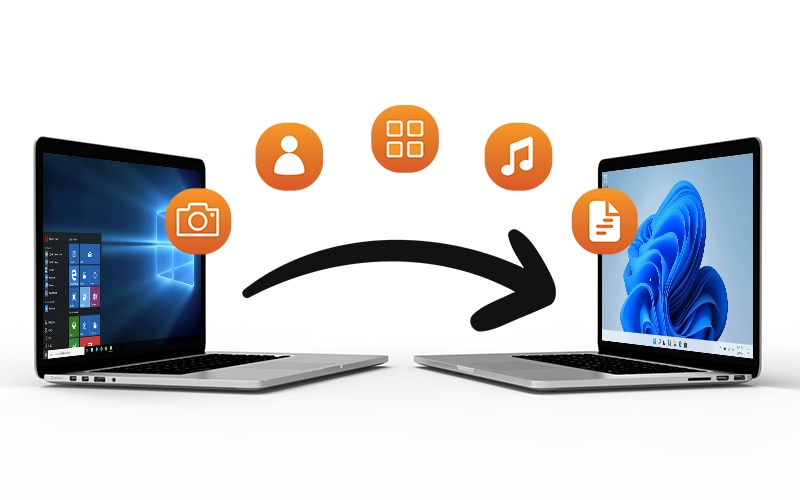
PCmover is the ONLY software that automatically moves your applications, files, settings, and user profiles from an old PC to a new one, or from an old operating system to a new one. Most applications are transferred and installed ready-to-use on the new PC, so there’s no need to track down old CDs, previously downloaded programs, serial numbers, or license codes.
Simple Setup - Set it and Forget it!


Dell Outlet x Laplink PC Mover
The only software that moves your applications, files, and settings.
PCmover is the easiest way to restore or move to a new PC without leaving anything behind, even when there are different versions of Windows on the old and new PC. Nothing is changed on the old PC and nothing is overwritten on the new PC. PCmover is fully compatible with all versions of Windows.

Easy to use
PCmover makes upgrading to a new PC effortless. Install it on both computers, follow the simple setup, and start the transfer. PCmover handles the rest. With AI-assisted guidance and Wi-Fi Direct, migration is faster and more intuitive, ensuring a seamless transition without the hassle of reinstalling programs or adjusting settings.

Keep everything
Enjoy complete control over your PC transfer with PCmover’s selective transfer feature. Choose specific applications, files, folders, and settings to transfer for a tailored experience. Whether you want to move everything or just the essentials, PCmover ensures your new PC is set up exactly how you want it.

Easy "Undo" feature
Quickly reverse changes made to your New PC. Whether changing your mind or redoing transfers, PCmover simplifies the process, ensuring a smooth and stress-free transfer. The easy "undo" feature provides peace of mind, allowing you to revert changes effortlessly without starting over.
Free transfer assistance
Includes 24/7 free transfer assistance to guide you through the process. Expert transfer support is just a call away, ensuring a hassle-free experience from start to finish. Whether you need help troubleshooting or have questions about your transfer, Laplink’s dedicated support team is available to assist you at no extra cost.
Fast and Easy PC transfer
PCmover now integrates generative AI to make transfers smarter and more user-friendly. The AI Assistant offers real-time guidance, a clear summary of what will or won’t be transferred, and allows users to ask questions or adjust settings using natural language. Additionally, PCmover intelligently selects the fastest transfer method, including new support for Wi-Fi Direct connections.
 |  |  |  |
|---|---|---|---|
Transfer Applications | ✔ | ✔ | ✔ |
Transfer Files, Settings and Data | ✔ | ✔ | ✔ |
Transfer User Profiles | ✔ | ✔ | ✔ |
Laplink AI-assistance | ✔ | ✔ | ✔ |
Laplink Transfer Cable Included | 1000+ Mbps Transfer Speed | 5000+ Mbps Transfer Speed | |
Includes SafeErase Software | ✔ | ✔ | |
Free 24/7 Live Transfer Assistance | ✔ | ✔ | ✔ |
30 day money-back guarantee | ✔ | ✔ | ✔ |
Intel® Core™ Ultra Processors
Learn More about Intel