Data Domain: alert emails not sent from DDMC
Summary: DataDomain Alerts relating to the Filesystem do not generate Emails from the DDMC
This article applies to
This article does not apply to
This article is not tied to any specific product.
Not all product versions are identified in this article.
Symptoms
This is an expected behaviour. DataDomain Alert emails get triggered from DataDomains only. DDMC sends out emails only for local DDMC issues, not for DataDomains that it manages.
DataDomain Alerts relating to the Filesystem do not generate Emails from the DDMC.
Cause
When an Alert is received from a Datadomain system it is presented on the Alerts page of the managing DDMC.
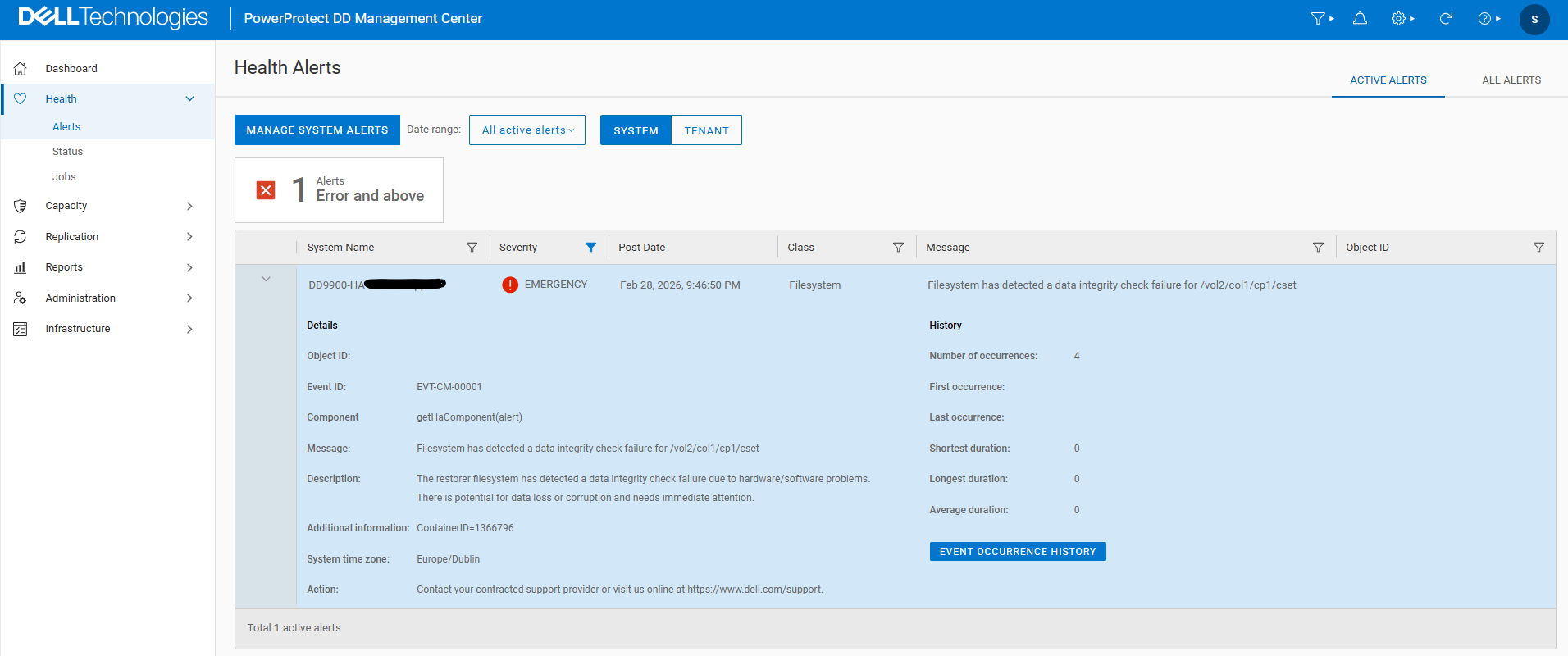
This will not result in an Alert Email being triggered for this issue from the DDMC.
However, an Alert Email will be sent from the DataDomain system itself.
Example:
======
Event ID: EVT-CM-00001
Component: getHaComponent(alert)
Message: Filesystem has detected a data integrity check failure for /vol2/col1/cp1/cset
Description: The restorer filesystem has detected a data integrity check failure due to hardware/software problems. There is potential for data loss or corruption and needs immediate attention.
Additional information:
ContainerID=1366796
System time zone: Europe/Dublin
Action: Contact your contracted support provider or visit us online at https://www.dell.com/support
Resolution
As the Alert is only sent from the managed DataDomain it is important to ensure that the Email settings are correct on the individual DataDomain systems as per the Administration guide for the version of DDOS that is running on the particular DataDomain.
For troubleshooting steps if there is an issue with receiving Emails then please see the following KB article:
Configuring and Verifying the SMTP Server on the Data Domain System
Data Domain - Configuring and Verifying the SMTP Server on the Data Domain System (Requires Login to view)
Affected Products
Data Domain, PowerProtect Data Domain Management CenterArticle Properties
Article Number: 000064366
Article Type: Solution
Last Modified: 15 سبتمبر 2026
Version: 4
Find answers to your questions from other Dell users
Support Services
Check if your device is covered by Support Services.