PowerFlex: Update MVM OS Password for Single Management Node Hosted MVMs
Summary: This article lists the correct steps to update MVMs OS password for single management node deployment
This article applies to
This article does not apply to
This article is not tied to any specific product.
Not all product versions are identified in this article.
Instructions
Typically, the admin guide procedure to update MVM os password should be applied for the 3 Nodes MVM cluster See Updating passwords for nodes
However Documented procedure does not apply for the single node management deployment. There is no Resource Credential or Resource Group in PFMP for Single Management Node, the correct steps for Single Management Nodes are listed below
Procedure for Single Management node hosted MVMs
- Validate current password (Run on one of the 3 MVMs)
kubectl -n powerflex get secret platform-nodes-credentials -o jsonpath='{.data.platform_nodes_credentials\.json}' | base64 -d > platform_nodes_credentials.jsoncat platform_nodes_credentials.json | jqExample:
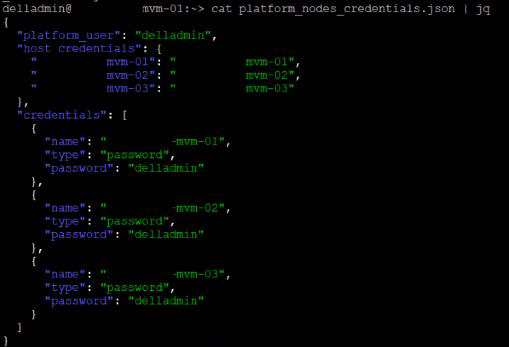
- SSH to the 3 MVMs
- Run "
passwd" on the 3 MVMs and enter current password. Enter new password twice to apply the change. - Validate the change is successful. Open a duplicate session for the 3 MVMs and validate new password is set.
- Login to the PFxM UI
- Change the password in the UI to reflect the updated MVM passwords
Settings => Update Management VM (MVM) Credentials
Paste in new password 3 times and click Update
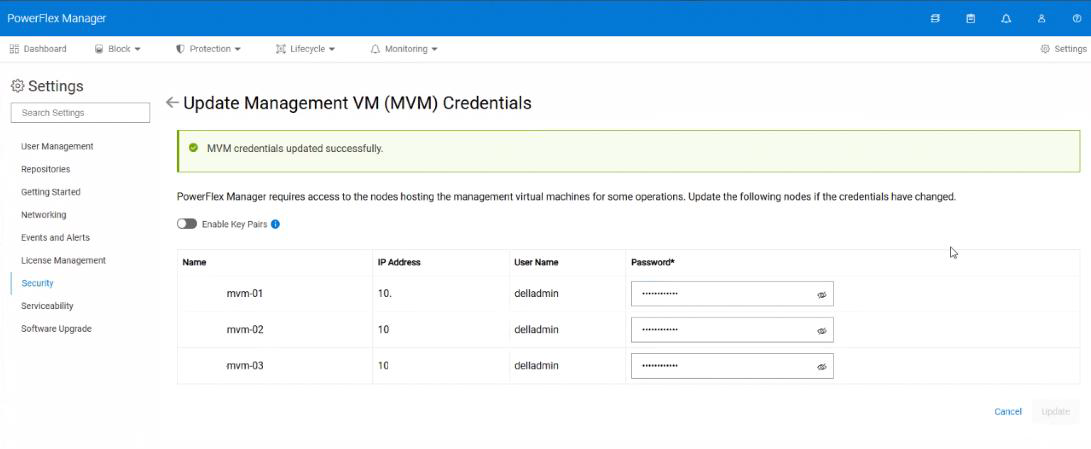
The result is the platform_node_credentials secret is updated with the new password. This credential is used to populate thecredentials for PFMP upgrades.
Example:
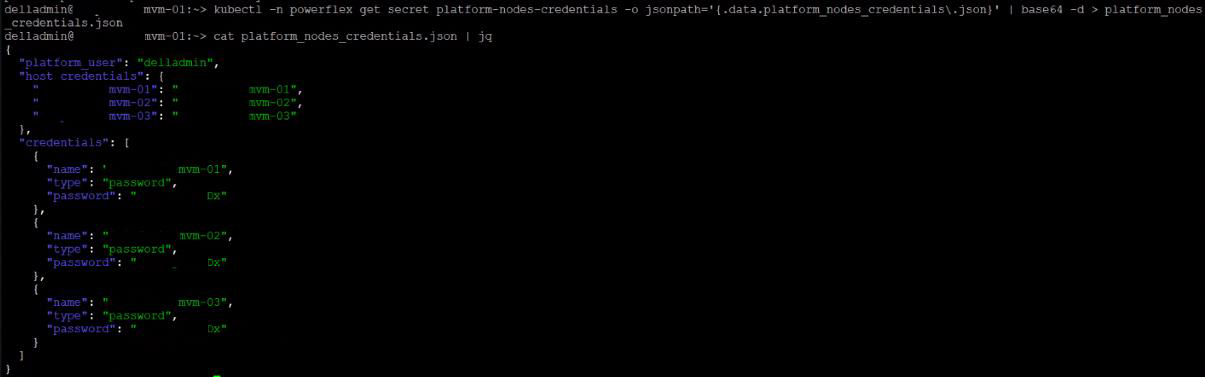
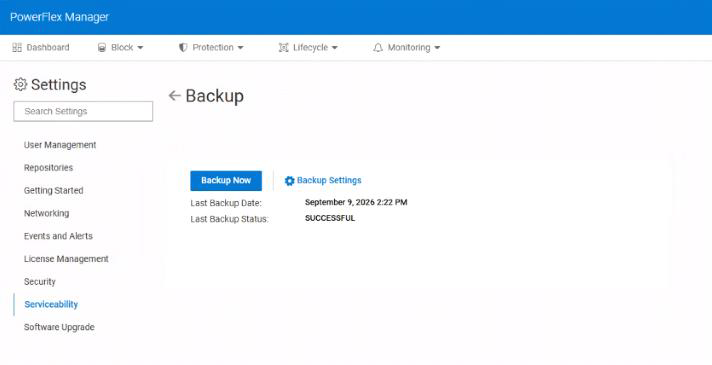
- Update the backup config with the new MVM password.
- Go to PFMP > Settings > Backup > Backup Settings
- Change the password defined at the bottom of the backup config for the 3 MVMs.
- Click Save
- Click Backup Now and scroll to the bottom and Click Backup Now
Example:
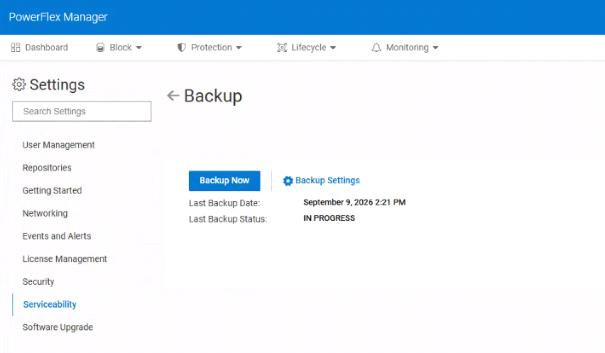
Success
Additional Information
Related articles:
Affected Products
PowerFlex rack, ScaleIOArticle Properties
Article Number: 000507728
Article Type: How To
Last Modified: 11 أيلول 2026
Version: 1
Find answers to your questions from other Dell users
Support Services
Check if your device is covered by Support Services.