Data Protection Advisor:カスタム レポートをプレビューするときのエラー500
Summary: スケジュールするとレポートは正常に実行されますが、カスタム レポートをプレビューすると、Data Protection Advisorにエラー500が発生すると表示されます。
This article applies to
This article does not apply to
This article is not tied to any specific product.
Not all product versions are identified in this article.
Symptoms
Data Protection Advisor (DPA)でカスタム レポートをプレビューすると、次のエラー500が表示されます。
RendererFactory could not create the RendererParametersXML
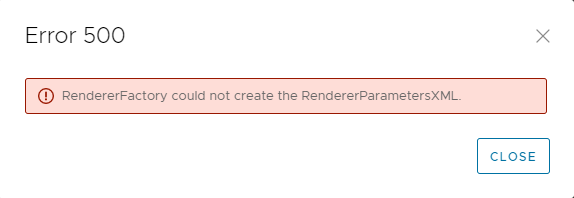
レポートはスケジュールどおりに実行されます。
この問題は、 Custom Report Templatesでレポートをプレビューしている場合にのみ発生します
以下のメッセージは、アプリケーションサーバの DPA server.logに記録されます。
2022-11-07 15:00:07,170 ERROR [com.emc.dpa.command.reporter.execution.ReportRendererMDB] (Thread-56839) Error getting response from report engine for run id 7d326f70-0ac2-4d48-9b3d-300c306b86ad: com.emc.dpa.
datamodel.render.RendererServiceException: RendererFactory could not create the RendererParametersXML
...
Caused by: com.ctc.wstx.exc.WstxUnexpectedCharException: Unexpected character ' ' (code 32) (missing name?)
at [row,col {unknown-source}]: [3,69]
Cause
この問題は、レポートのタイトルに特殊文字「&」が含まれていると発生します。
メモ: これはカスタム レポート テンプレートの名前ではありません。これは、Report Formatオプションで構成されるレポートのタイトルです。
Resolution
レポートのタイトルから「&」記号を削除する必要があります。
- Custom Report Templatesでレポートを選択し、EDITをクリックします。
- [Preview]タブをクリックし、[REPORT FORMAT] > [TABLE FORMAT]をクリックします。
- [Table Format]画面で、[Title]フィールドのテキストから「&」記号を削除します。
- レポートを保存し、プレビューがエラーなしで実行されることを確認します。
詳細情報については、Dellテクニカル サポートにお問い合わせください。
Affected Products
Data Protection AdvisorArticle Properties
Article Number: 000205086
Article Type: Solution
Last Modified: 15 سبتمبر 2026
Version: 6
Find answers to your questions from other Dell users
Support Services
Check if your device is covered by Support Services.