Security Vulnerability scanning detected HSTS vulnerabilities on Search version 19.6.3.4628
Summary: The article provides a workaround for the "HSTS Missing From HTTPS Server (RFC 6797)" vulnerability detected on Search for Ports 442 and 445.
This article applies to
This article does not apply to
This article is not tied to any specific product.
Not all product versions are identified in this article.
Symptoms
Integrated Data Protection Appliance (IDPA) version 2.7.6 comes with Search version 19.6.3.4628 and is impacted.
The HTTP Strict Transport Security (HSTS) was enforced by default on Search version 19.6.3.4628 for port 443, but not for ports 442 and 445.
Cause
The following Nmap result shows that ports 442 and 445 have no HTTP Strict Transport Security (HSTS) configured.
Note: Nmap is not installed in Search. The installation of Nmap in this case is only for demo purposes.
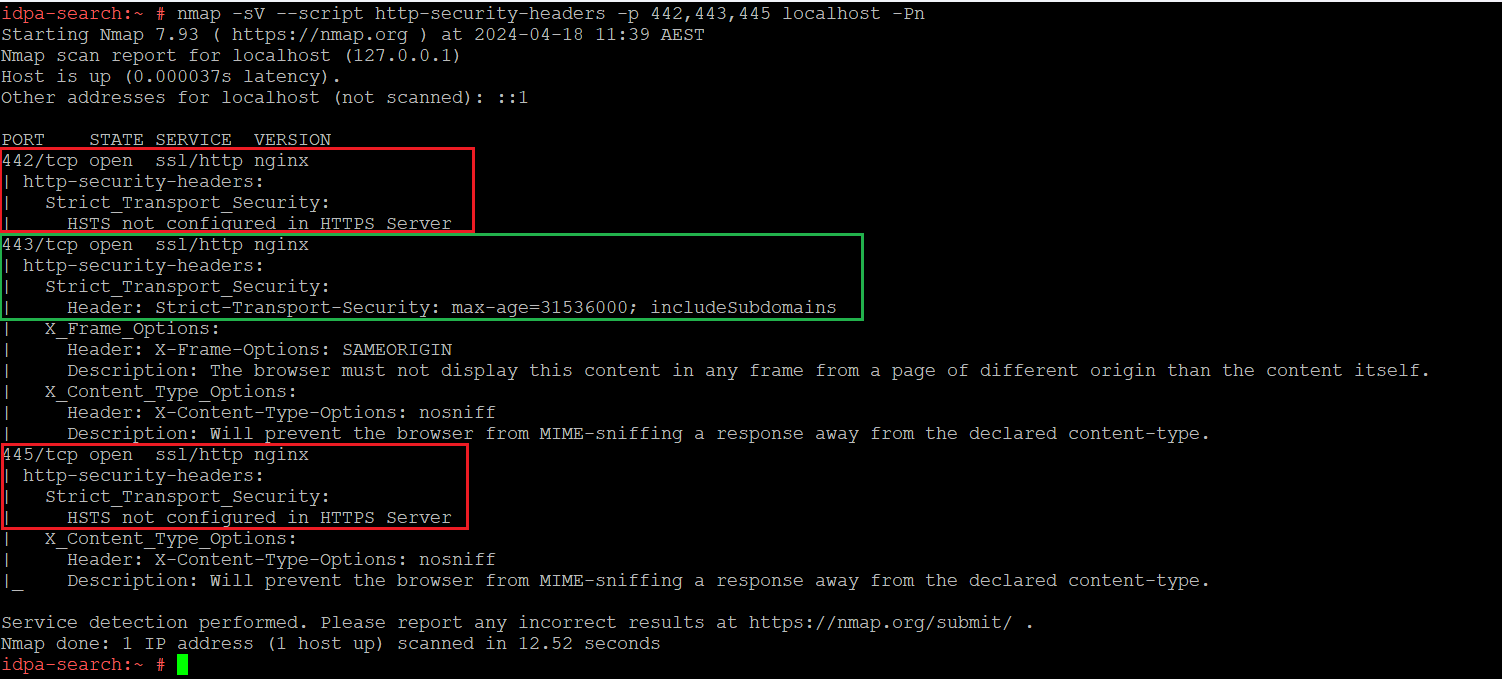
Figure 1: A port scan shows that HSTS is not configured on Ports 442 and 445 by default.
Resolution
Follow these steps to mitigate the issue:
1. Open a PuTTY session to the Search index control node and log in as the "root" user.
2. Change the working directory to "/etc/nginx" using the following command:
cd /etc/nginx
3. Make a copy of the current "nginx.cis.conf" file:
cp nginx.cis.conf nginx.cis.conf.default
4. Update the "nginx.cis.conf" file by adding the following line below the "ssl_ciphers" lines, there are two locations that must be updated:
add_header Strict-Transport-Security "max-age=31536000; includeSubdomains" always;
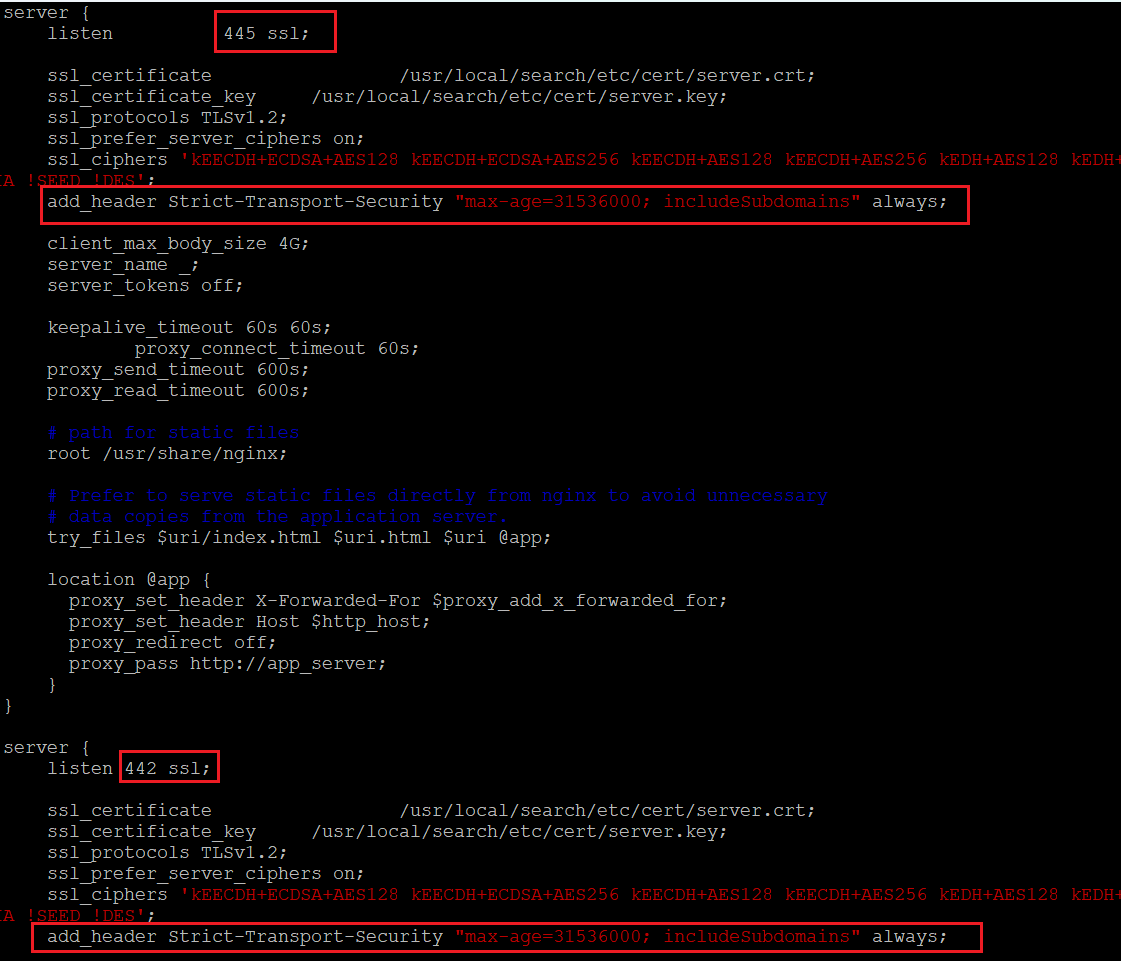
Figure 2: How the nginx.cis.conf should look after the edit.
5. Reboot the Search server.
systemctl reboot
6. After the Search finishes the reboot, ports 442 and 445 should have HTTP Strict Transport Security configured. 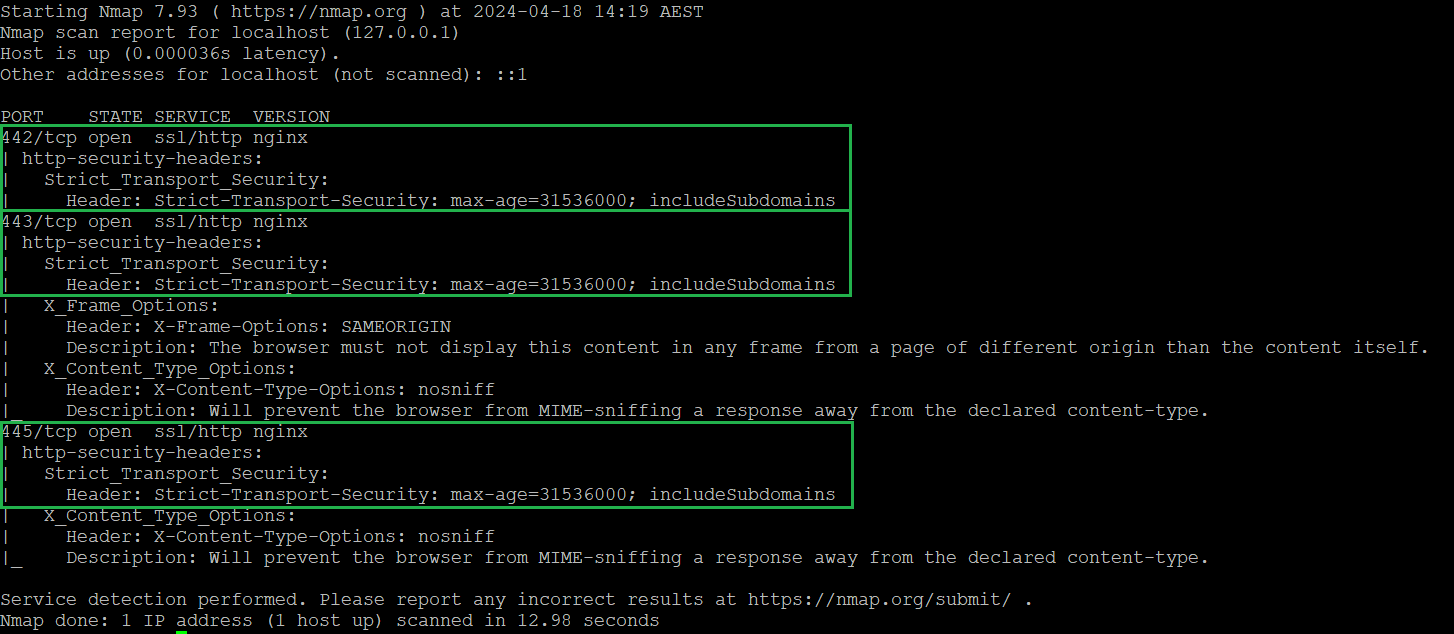
Figure 3: An example showing that after implementing the workaround, ports 442 and 445 have HTTP Strict Transport Security enabled.
Affected Products
Data Protection Search, PowerProtect Data Protection Appliance, PowerProtect DP4400, Data Protection Search, PowerProtect DP5300, PowerProtect DP5800, PowerProtect DP8300, PowerProtect DP8800, Integrated Data Protection Appliance Family
, Integrated Data Protection Appliance Software, PowerProtect DP5900, PowerProtect DP8400, PowerProtect DP8900
...
Article Properties
Article Number: 000224261
Article Type: Solution
Last Modified: 11 صفر 1447
Version: 3
Find answers to your questions from other Dell users
Support Services
Check if your device is covered by Support Services.