PowerEdge XE Series: Kernel Panic With NVIDIA A100 MIG Enabled on Certain 570.x Drivers
Summary: PowerEdge XE Systems using NVIDIA A100 GPUs may experience boot failure or kernel panic after enabling MIG with driver 570.86.15 or 570.124.06
This article applies to
This article does not apply to
This article is not tied to any specific product.
Not all product versions are identified in this article.
Symptoms
After updating to driver version 570.86.15 or 570.124.06 and enabling Multi-Instance GPU (MIG), affected systems may experience one of the following:
- Boot failure or system hangs during NVIDIA driver load
- Kernel panic when installing
kmod-nvidia-latest-dkms-570.86.15-1.el8.x86_64 - When MIG is disabled, no issues are observed
- The issue happens after rebooting or reloading the NVIDIA driver
- From dmesg, looking at "RIP' message:
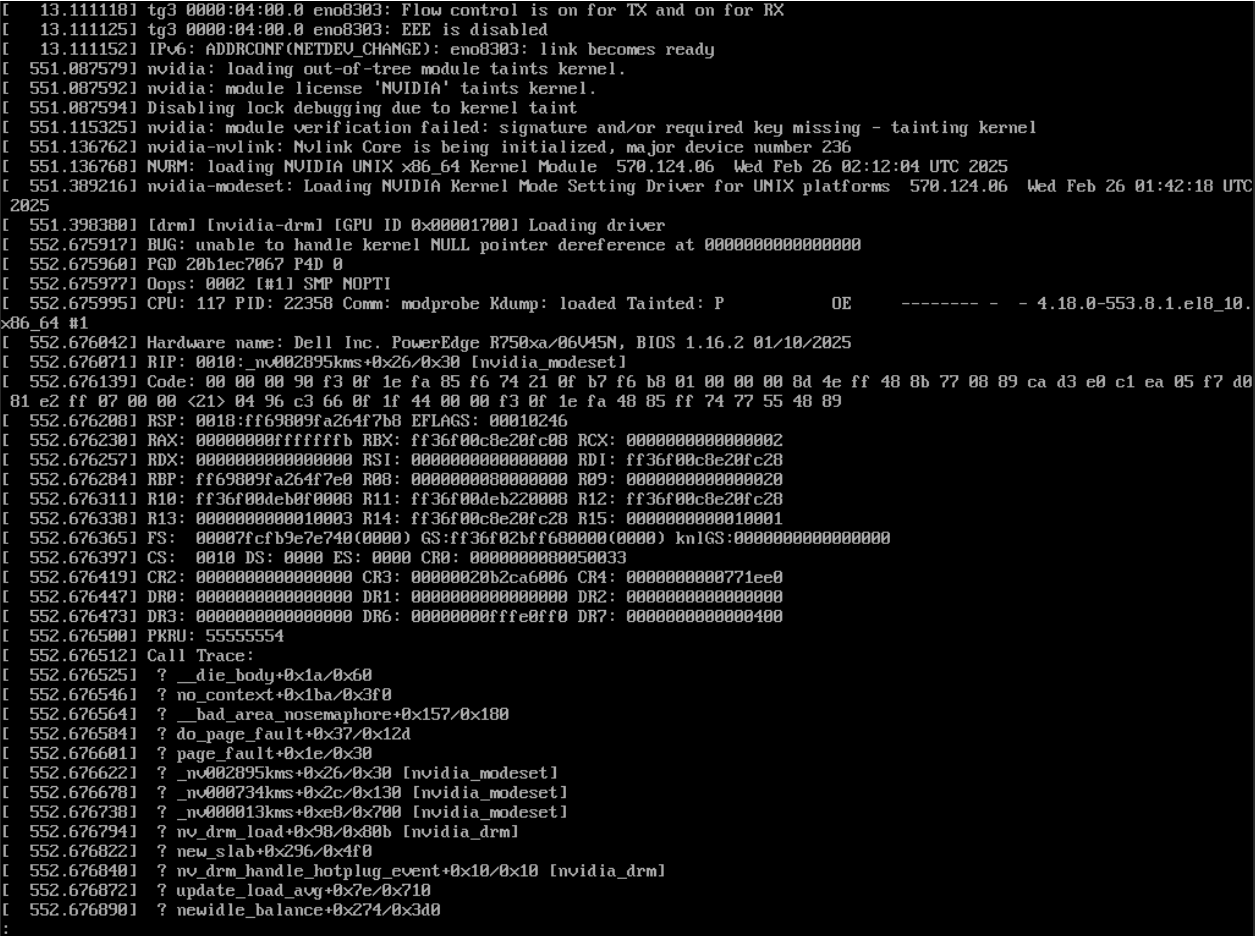
Cause
The issue stems from a configuration conflict when enabling MIG mode. On affected systems, the driver may incorrectly allow display-related components to initialize in MIG mode, which is not a supported configuration. This behavior is corrected in later driver versions.
Resolution
To resolve the issue, update the NVIDIA driver to version 570.148.02 or newer:
- Download the latest compatible driver from the NVIDIA Driver Downloads page.
- Remove the existing driver.
- Install the updated driver package.
- Reboot the system.
- Re-enable MIG if needed.
Affected Products
PowerEdge XE8640, PowerEdge XE9640, PowerEdge XE9680Article Properties
Article Number: 000322398
Article Type: Solution
Last Modified: 23 رجب 1447
Version: 2
Find answers to your questions from other Dell users
Support Services
Check if your device is covered by Support Services.