ViPR SRM 如何在 Unisphere for VMAX 和 ViPR SRM 之間設定警示通知
Summary: 說明如何在 Unisphere 中為 VMAX 啟用 SNMP 通知、設定 ViPR Storage Resource Manager (SRM) 伺服器 IP 和連接埠、選擇警示嚴重性,以及啟動警示原則。
This article applies to
This article does not apply to
This article is not tied to any specific product.
Not all product versions are identified in this article.
Instructions
此過程說明如何為 VMAX 設定 Unisphere,以便在儲存系統產生警示時通知 ViPR SRM。您也可以在 Unisphere 的 VMAX 線上說明指南中找到此資訊。
在 Unisphere 中為 VMAX:
1 設定 SNMP 的程序。登入 VMAX
2 的 Unisphere。從系統選擇器中,按一下首頁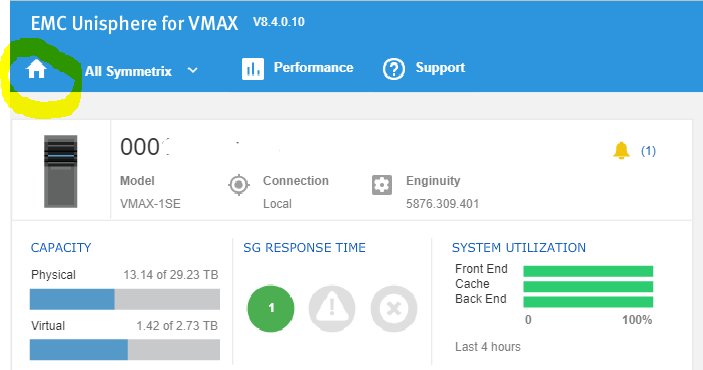
3。選擇「家庭> 管理>警報設置>通知」以打開「通知」頁面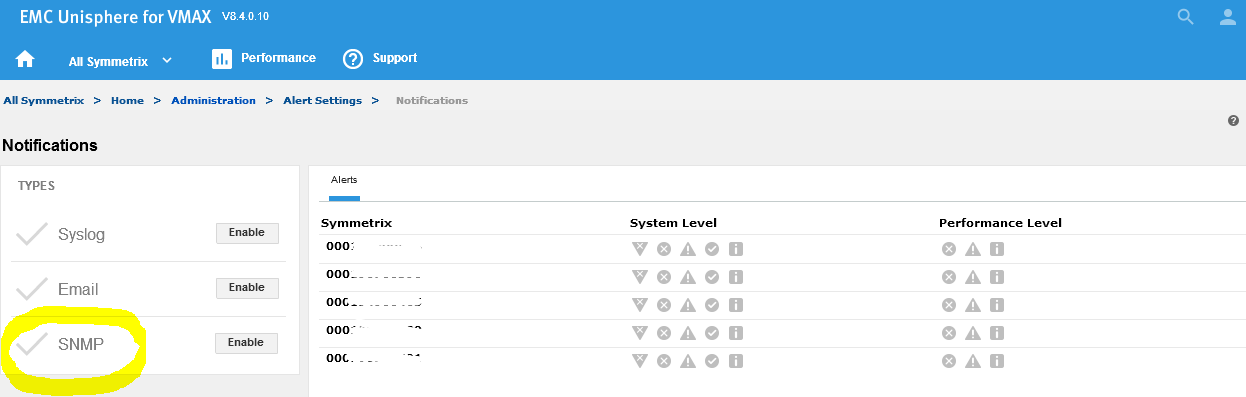
4.在「類型」面板中,按下要用於傳遞通知
的 SNMP 旁邊的「啟用」 5.輸入 SNMP 伺服器的 IP 位址 (ViPR SRM 主要後端)
6. 在 SNMP 伺服器上輸入連接埠 (ViPR SRM 為 2041)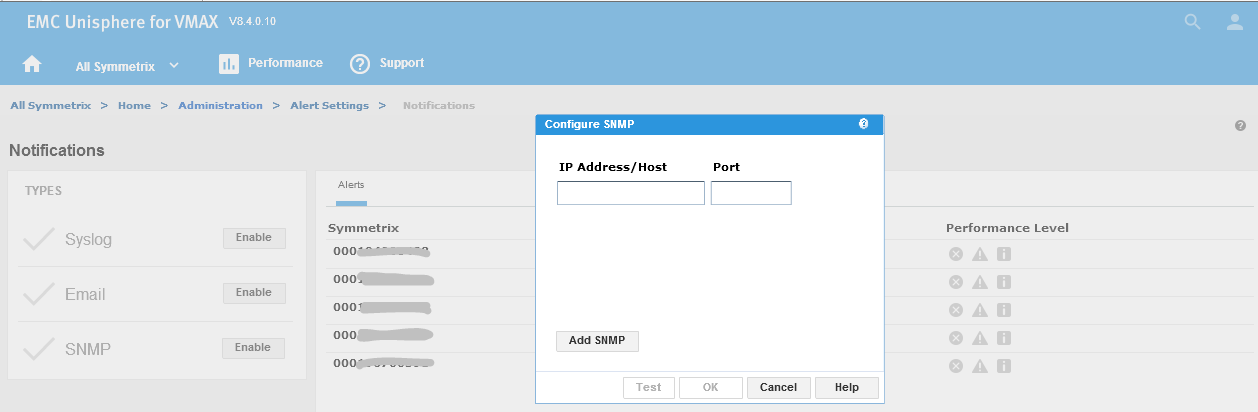
7。啟用 SNMP 後,以下頁面將顯示
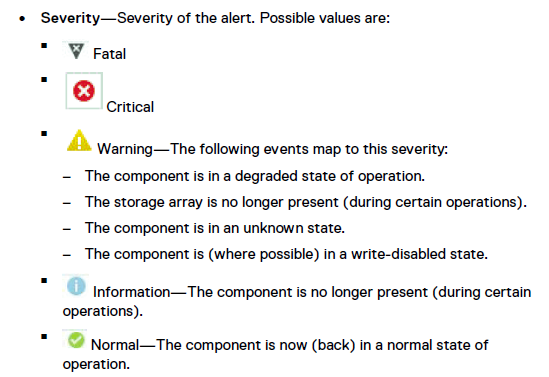
8.選取所需的警示嚴重程度。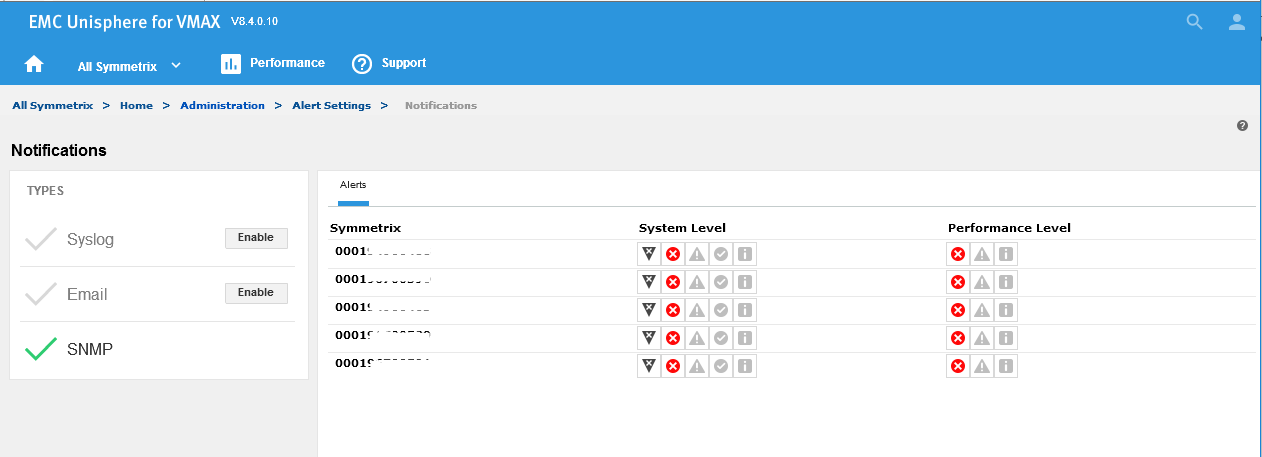
9.瀏覽至所有 Symmetrix > 家庭管理>警示設定,然後按一下 Symmetrix 閾>值警示,
以檢視各種使用率警示。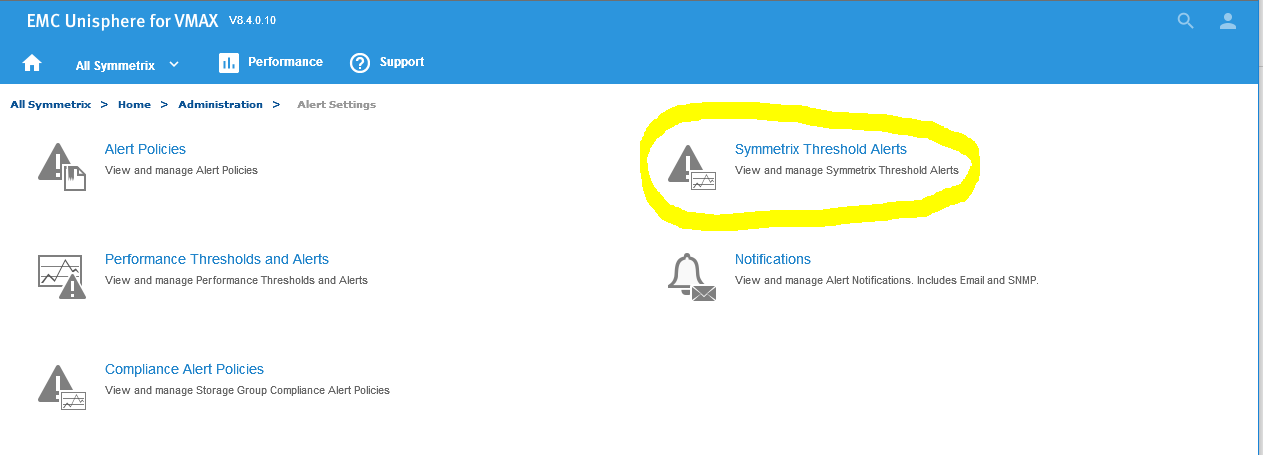
10.選取所需的使用率警示 然後按一下「Notify」以定義透過 SNMP 的通知按一下確定。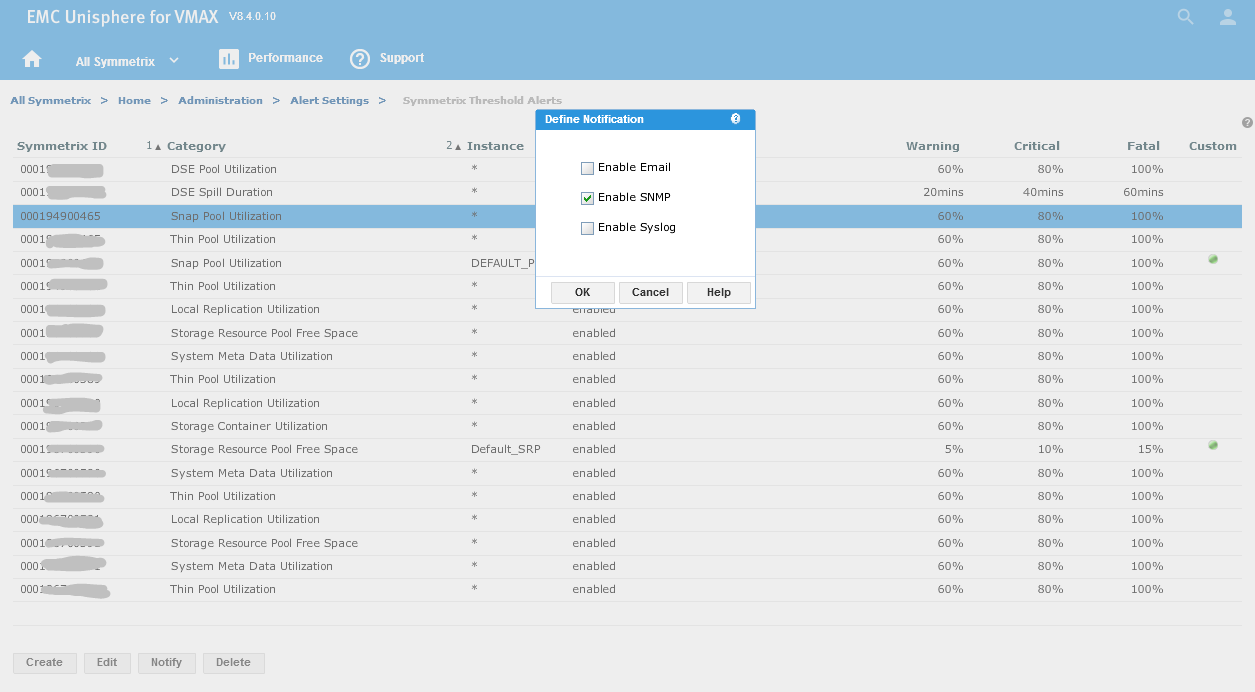
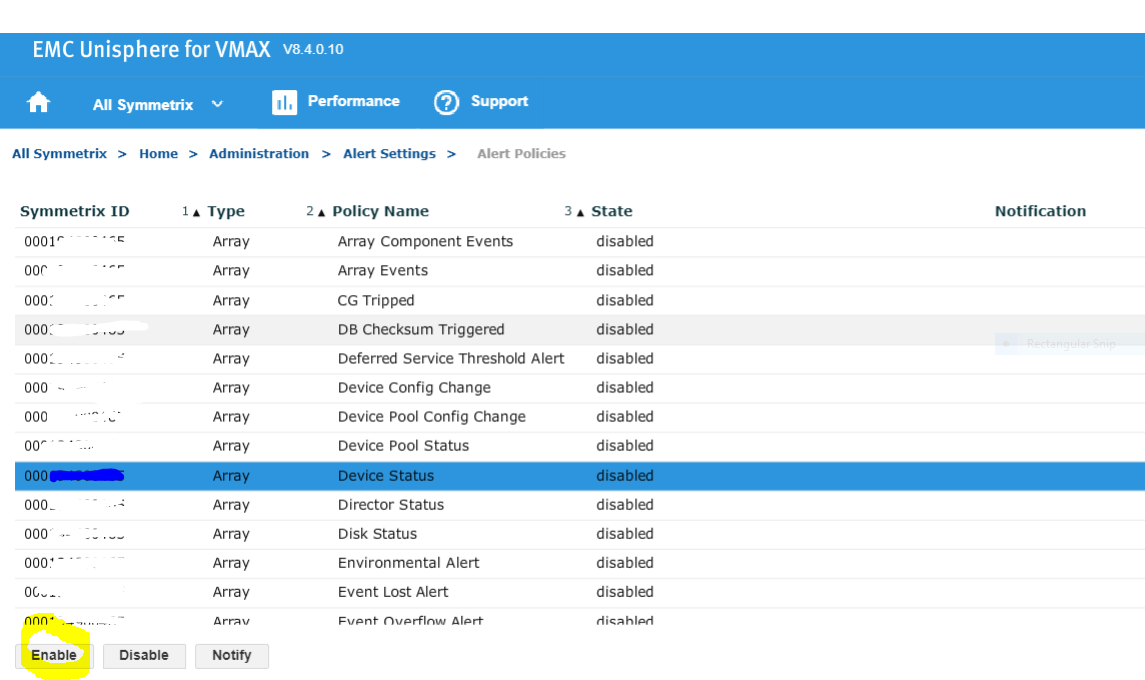
11.最後一個步驟是啟用警示原則
Additional Information
所有類型的事件(如源自 ViPR SMR 外部的 SNMP 陷阱)都必須與 ViPR SRM 中啟用的警示定義中的篩選器匹配,才能作為警示進行處理。如果缺少或禁用了篩選特定事件的警報定義,則該事件不會成為警報。如需詳細資訊,請參閱 ViPR SRM 4.1 警示指南。
Affected Products
Enterprise Storage, Storage Software, Unisphere for VMAXArticle Properties
Article Number: 000022539
Article Type: How To
Last Modified: 09 Dec 2025
Version: 5
Find answers to your questions from other Dell users
Support Services
Check if your device is covered by Support Services.