ViPR SRM 如何在 Unisphere for VMAX 和 ViPR SRM 之间配置警报通知
Summary: 说明如何在 Unisphere for VMAX 中启用 SNMP 通知、配置 ViPR Storage Resource Manager (SRM) 服务器 IP 和端口、选择警报严重性以及激活警报策略。
This article applies to
This article does not apply to
This article is not tied to any specific product.
Not all product versions are identified in this article.
Instructions
此过程说明如何配置 Unisphere for VMAX,以便在存储系统生成警报时通知 ViPR SRM。Unisphere for VMAX 联机帮助指南中也提供了此信息。
在 Unisphere for VMAX 中配置 SNMP 的过程:
1.登录到 Unisphere for VMAX
2。从系统选择器中,单击 Home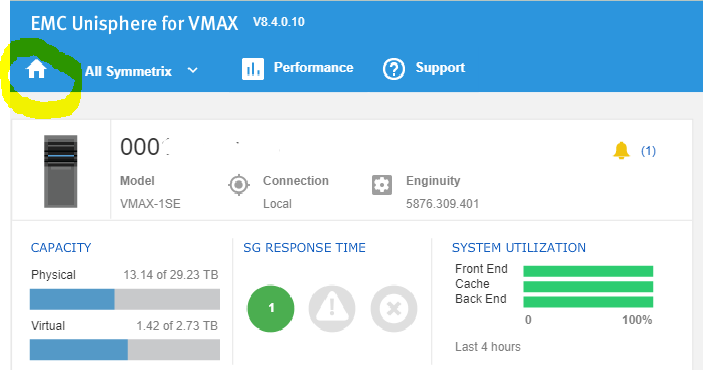
3。选择主页> 管理>警报设置>通知以打开通知页面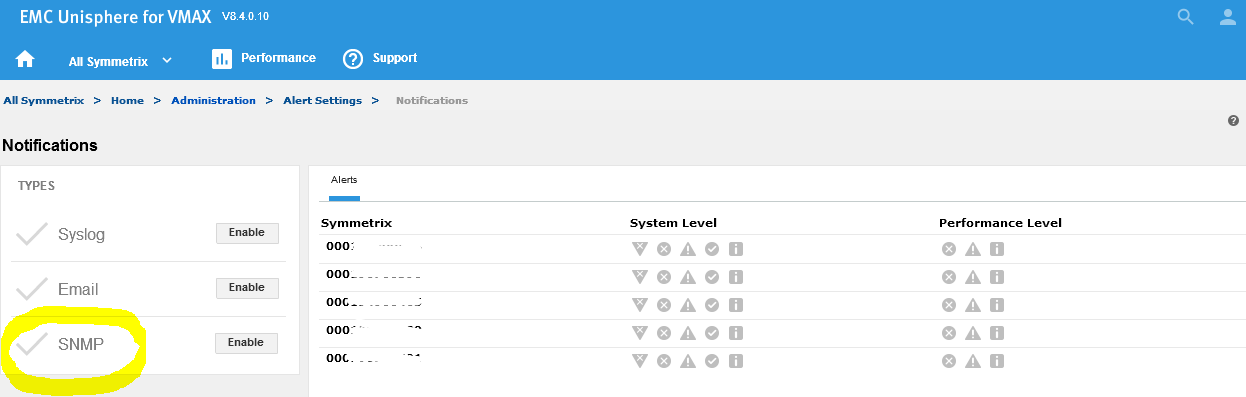
4。在Types面板中,单击要用于发送通知
的SNMP旁边的Enable5。键入 SNMP 服务器(ViPR SRM 主后端)
的 IP 地址 6. 键入 SNMP 服务器上的端口(ViPR SRM 为 2041)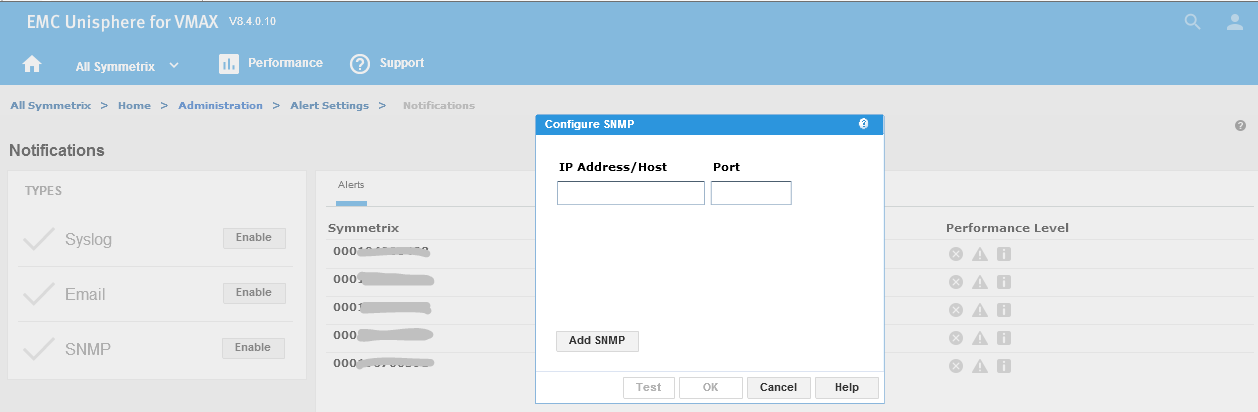
7。启用 SNMP 后,以下页面将显示
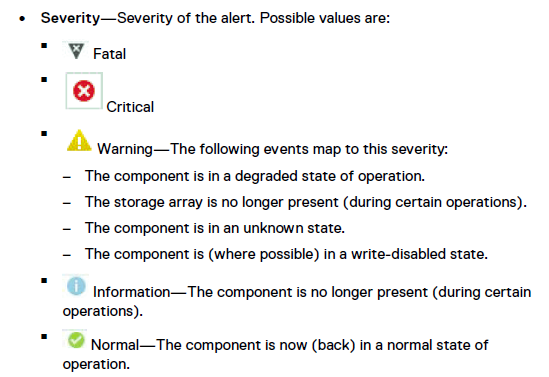
8.选择所需的警报严重性。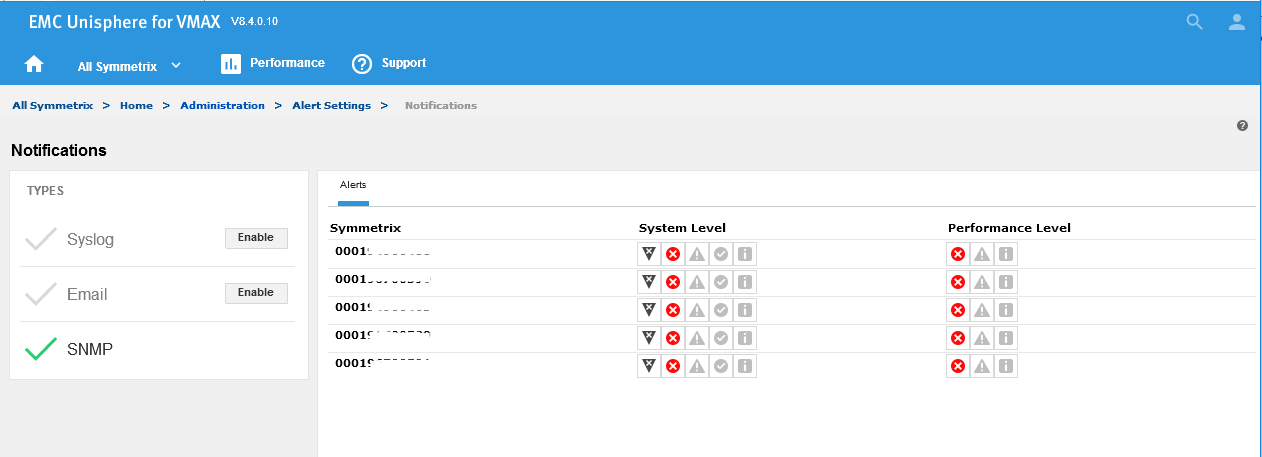
9.导航到All Symmetrix > Home >> Administration Alert Settings ,然后单击 Symmetrix Thresholds Alerts
以查看各种利用率警报。
10.选择所需的利用率警报,然后单击“Notify”以定义通过 SNMP 发送的通知。单击 OK。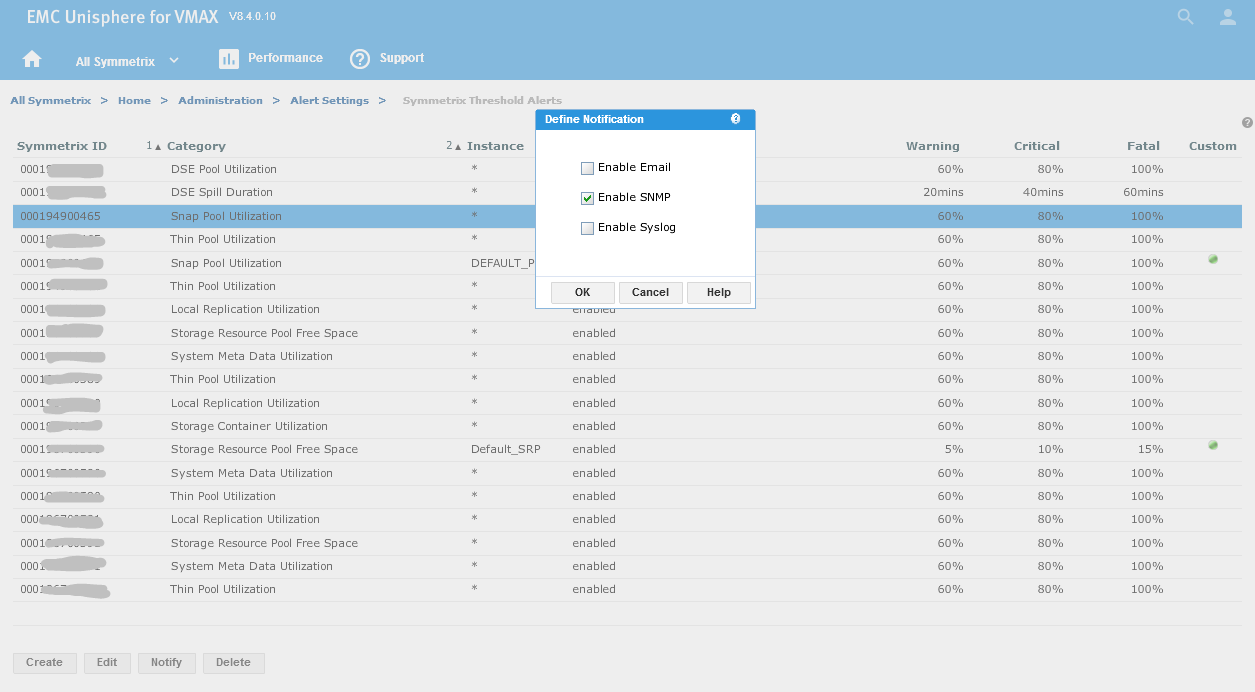
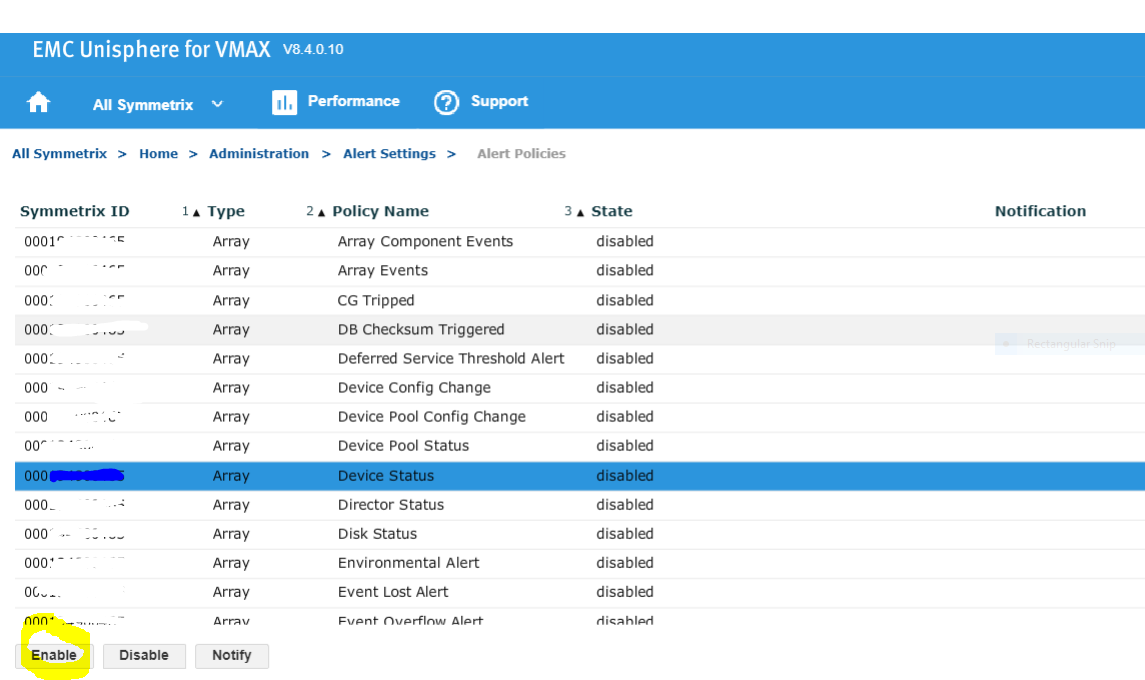
11.最后一步是启用警报策略
Additional Information
所有类型的事件(例如,源自 ViPR SMR 外部的 SNMP 陷阱)都必须与 ViPR SRM 中已启用的警报定义中的筛选器匹配,才能作为警报进行处理。如果筛选特定事件的警报定义缺失或被禁用,则该事件不会成为警报。有关详细信息,请参阅 ViPR SRM 4.1 警报指南。
Affected Products
Enterprise Storage, Storage Software, Unisphere for VMAXArticle Properties
Article Number: 000022539
Article Type: How To
Last Modified: 09 Dec 2025
Version: 5
Find answers to your questions from other Dell users
Support Services
Check if your device is covered by Support Services.