ECS: Veeam and ECS compatibility
Summary: This KB article describes Veeam and ECS compatibility.
Symptoms
Users run Veeam to archive data to ECS using Data Domain.
This KB is to address issues with direct implementation of Veeam with ECS using the S3 protocol.
Cause
Veeam is unable to browse the bucket.
After configuring the Veeam application with ECS S3 credentials, the user is unable to browse the buckets.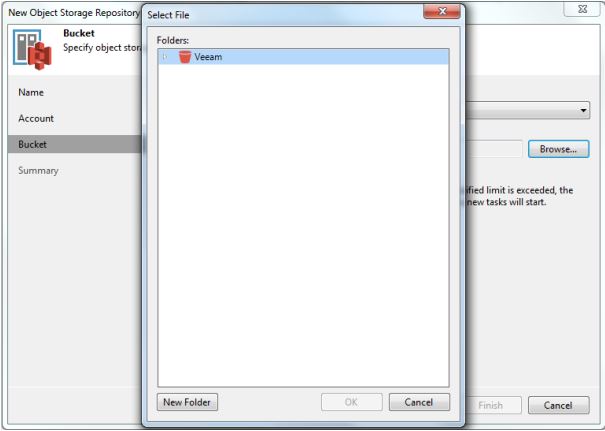
The Veeam application is stuck at this screen and does not retrieve the contents of the bucket.
Resolution
Verify the user configuration. The following screenshots are from the user Veeam application:
1. Open the Backup Infrastructure view. In the inventory pane, right-click the Backup Repositories node and select Add Backup Repository. In the Add Backup Repository dialog, select Object Storage > S3 Compatible.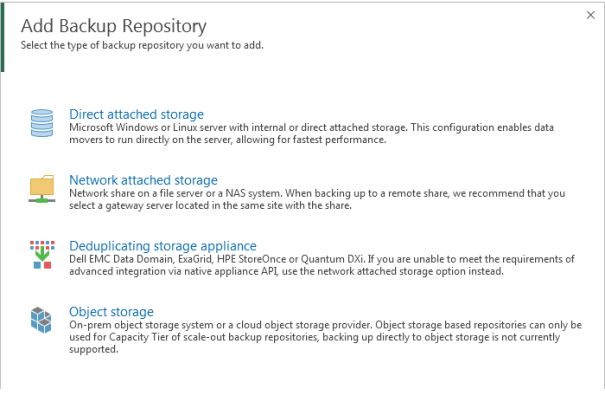
2. Select S3 Compatible. 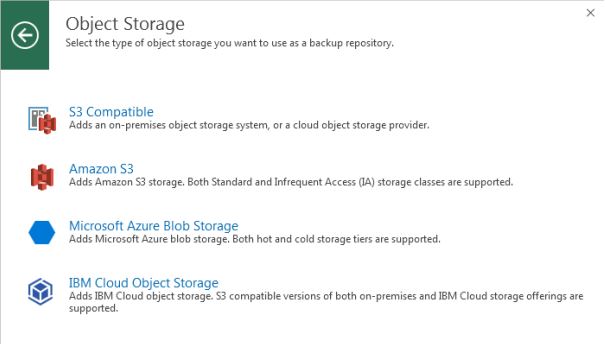
3. Enter the appropriate information: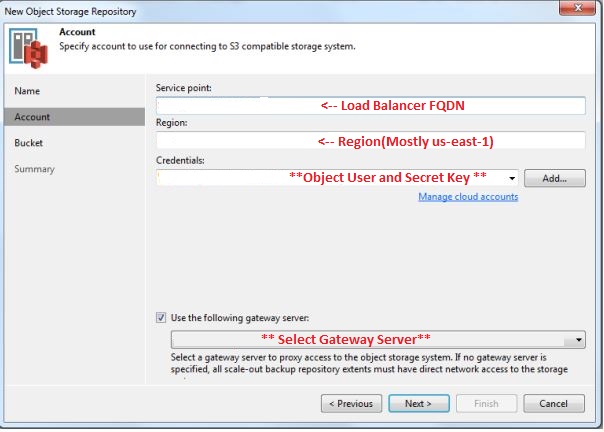
4. Click Next: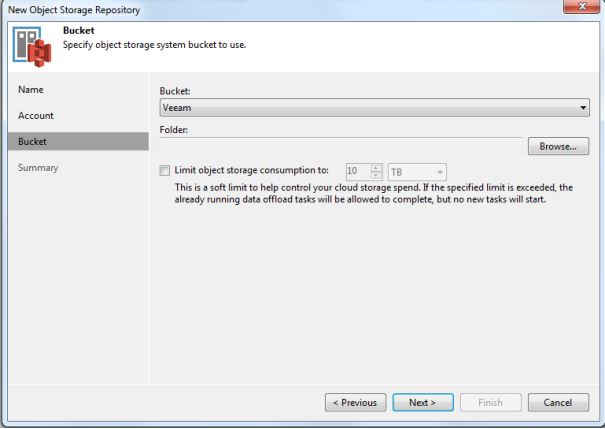
Here you can see the buckets configured for that Object User.
Next, Veeam support should provide a registry key to add on the veeam-server (HKLM\SOFTWARE\Veeam\Veeam Backup and Replication\ S3RequestRetryTotalTimeoutSec).
Now the user can browse the bucket.
Additional Information
For more information, see Veeam Help Center.