Dell AX 시스템: 인텔 데이터 스트림 가속기용 서명되지 않은 드라이버
Summary: Azure Stack HCI 23H2 운영 체제(OS)를 사용하는 Dell AX 시스템이 인텔 Data Stream Accelerator "PCI\VEN_8086&DEV_0825"에 대해 서명되지 않은 드라이버를 보고함
This article applies to
This article does not apply to
This article is not tied to any specific product.
Not all product versions are identified in this article.
Symptoms
Windows 클러스터 유효성 검사 보고서의 아래 경고 메시지:

Get-WindowsDriver -All -Online | Where-Object OriginalFileName-like *dsa.inf

Driver: dsa.inf
OriginalFileName: C:\Windows\System32\DriverStore\FileRepository\dsa.inf_amd64_add6b6518c9f6a5d\dsa.inf
Inbox: True
ClassName: Dsa
BootCritical: False
ProviderName: Microsoft
Date: 2006-06-21 12:00:00 AM
Version: 10.0.25398.1
Cause
Microsoft 엔지니어링 팀에 따르면 이 드라이버는 Azure Stack HCI 23H2와 함께 제공되지 않습니다.
Resolution
드라이버를 제거합니다.
드라이버 제거 단계:
- 다음 명령을 실행합니다.
Get-PnpDevice -FriendlyName "*streaming*" | Select-Object Name, InstanceId, Status

- 드라이버 정보를 찾습니다.
Get-PnpDeviceProperty -InstanceId "PCI\VEN_8086&DEV_0B25&SUBSYS_00008086&REV_00\3&3CD80BA&0&08" -KeyName DEVPKEY_Device_DriverInfPath,DEVPKEY_Device_DriverVersion,DEVPKEY_Device_DriverProvider,DEVPKEY_Device_DriverDesc

- 드라이버를 제거합니다.
Pnputil /delete-driver dsa.inf /uninstall

- 장치 정보를 다시 확인하고,
Get-PnpDeviceProperty -InstanceId "PCI\VEN_8086&DEV_0B25&SUBSYS_00008086&REV_00\3&3CD80BA&0&08" -KeyName DEVPKEY_Device_DriverInfPath,DEVPKEY_Device_DriverVersion,DEVPKEY_Device_DriverProvider,DEVPKEY_Device_DriverDesc

드라이버와 이름이 변경되었는지 확인합니다.
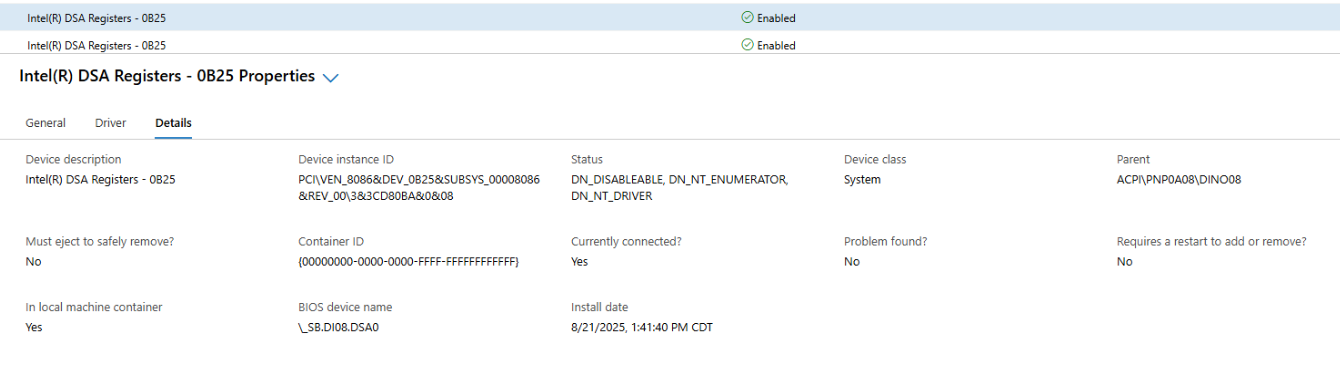
- 이제 장치 관리자에 적절한 드라이버가 표시됩니다.

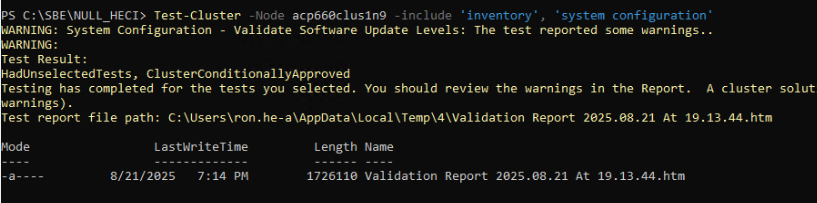
- 클러스터 검증을 생성합니다.
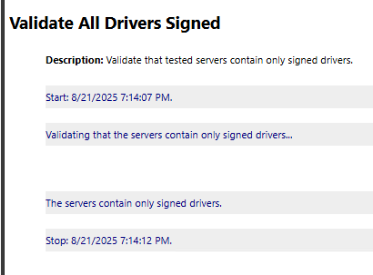
이제 모든 드라이버가 서명되었습니다.
참고: 이러한 단계는 Azure 로컬 클러스터의 각 노드에서 수행해야 합니다.
Affected Products
AX-660, AX-760Article Properties
Article Number: 000359860
Article Type: Solution
Last Modified: 04 Dec 2025
Version: 2
Find answers to your questions from other Dell users
Support Services
Check if your device is covered by Support Services.