NetWorker 虛擬化:VM 備份失敗,並出現錯誤「Backup has failed.無法開啟先前的備份。」
Summary: VM 備份失敗並顯示錯誤:備份失敗:備份失敗。無法開啟先前的備份。無法從檔案「/path/Backup target/BackupDescriptor.json」載入第 1 版備份描述項:無法從輸入串流讀取 JSON 編碼:[5040] 呼叫系統 (),傳回非零時
This article applies to
This article does not apply to
This article is not tied to any specific product.
Not all product versions are identified in this article.
Symptoms
錯誤訊息:
Backup has failed: Backup has FAILED. Unable to open previous backup. Failed to load version 1 backup descriptor from file '/path to backup targets/42/61/cf4ce8c5-00000006-1564ebb4-6464ebb4-77ec5000-4975b756/BackupDescriptor.json': Failed to read JSON encoding from input stream: [5040] calling system(), returns nonzero
位置:移至「NMC > Monitoring 」標籤>選取該特定虛擬機器失敗的專用原則與工作流程>連按兩下以開啟>按一下「顯示訊息」記錄>複製整個記錄並貼入記事本檔案。
Cause
- 由於 Vproxy 已停止回應,因此必須終止或正確重新開機。
- 由於 ESXI 主機無法擷取備份,因為其負載過多,導致 ESXI 進入無回應狀態或過時 ESXI (即無法正常運作)。
- 當備份工作流程在不同 mtree 上使用「PreviousBackupPath」和「CurrentBackupPath」裝置時,備份將會失敗。如果備份工作流程是在同一個 mtree 上使用「PreviousBackupPath」和「CurrentBackupPath」裝置,備份將會成功完成。目標備份組區必須包含來自相同 Data Domain 的裝置,但支援將裝置放入不同的 mtree。
Resolution
行動計畫:
選項 A:
- 請確定環境中已正確設定 Data Domain 裝置。如有需要,請使用相同 Data Domain mtree下的裝置建立新的目標備份集區。
- 重新開機 vProxies ,在某些情況下也必須重新開機 ESXi 才能解決問題。
選項 B:
>>登入 NMC,如果備份失敗,並顯示上述錯誤訊息。->請移至「Protection」標籤「然後原則」。
->選擇專用的工作流程。
->將組態變更為「Full」,然後進行設定。
->進行上述的Post,請啟動個別用戶端以觸發虛擬機器。
->觸發為Full,還原至組態,回到之前的版本。
在上述行動計畫實施後,備份很可能成功。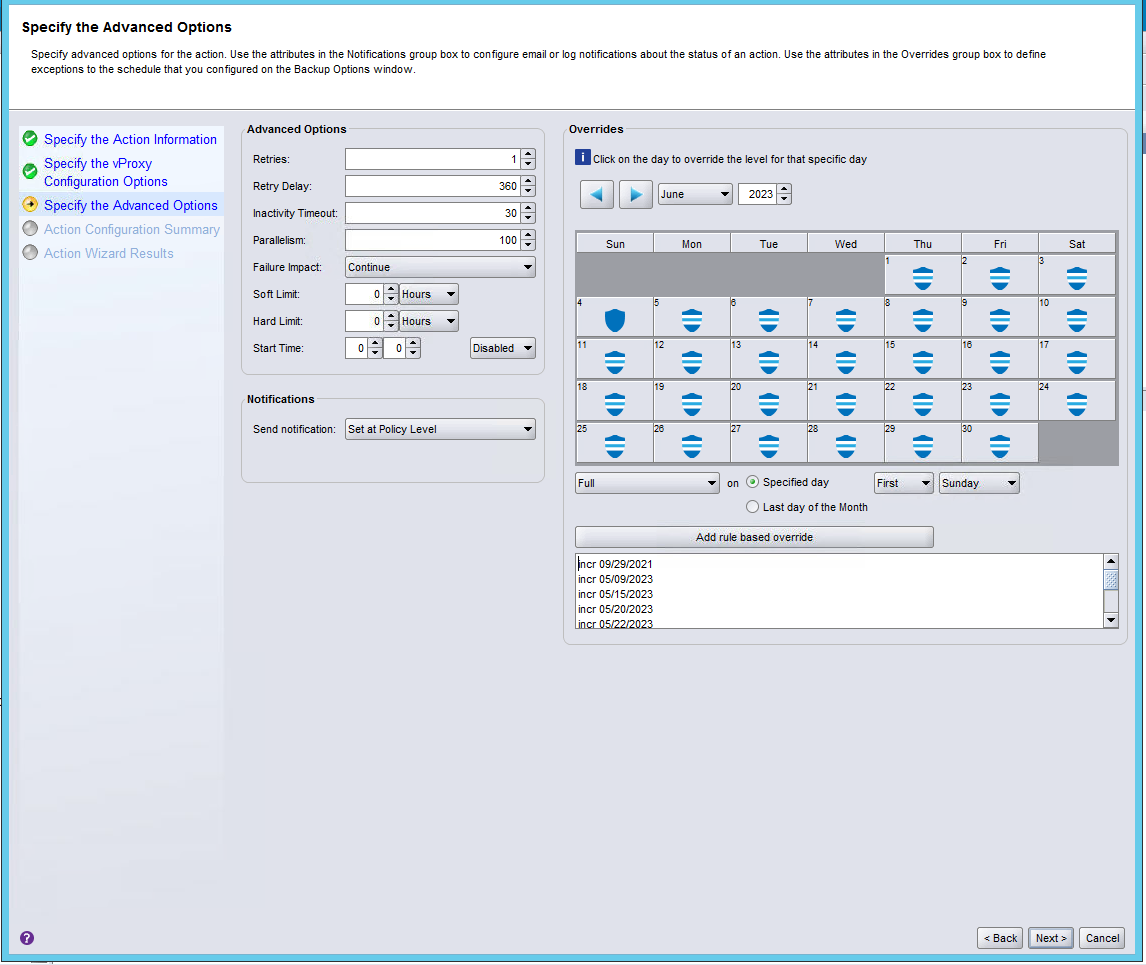
Additional Information
請參閱以下兩個案例,解決方法確實有效。
例:SR#128403734、SR#107428962
Article Properties
Article Number: 000214585
Article Type: Solution
Last Modified: 30 Aug 2023
Version: 5
Find answers to your questions from other Dell users
Support Services
Check if your device is covered by Support Services.