Avamar: Log in Failed Result: 0 ERROR Exit code 66: User not found in Avamar database
Summary: Failed to log in using Lightweight Directory Access Protocol (LDAP) authentication.
This article applies to
This article does not apply to
This article is not tied to any specific product.
Not all product versions are identified in this article.
Symptoms
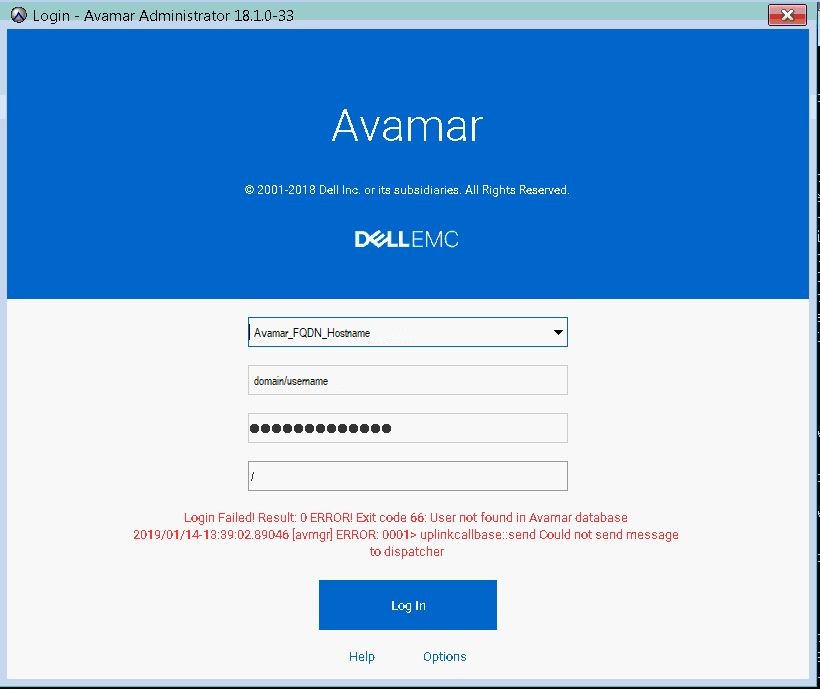
Attempting to log in the following error message is seen after correctly configuring LDAP authentication for users to access Avamar Administrator.
"Login Failed! Result: 0 ERROR! Exit code 66: User not found in Avamar database 2019/01/14-18:39:02.89046 [avmgr] ERROR: 0001> uplinkcallbase:: send Could not send message to dispatcher"
Cause
Incorrect username syntax was in use.
Resolution
Use the correct username syntax to log in using LDAP authentication which is:
username@domain_name
Example: johndoe@enterprise.com
Note: domain_name shall be the same configured in.
/usr/local/avamar/etc/ldap.properties and /usr/local/avamar/etc/krb5.conf
Examples:
root@avamar:/usr/local/avamar/etc/#: grep ldap.qualified-name-default ldap.properties
ldap.qualified-name-default=enterprise.com

root@avamar:/usr/local/avamar/etc/#: grep default_domain krb5.conf
default_domain = enterprise.com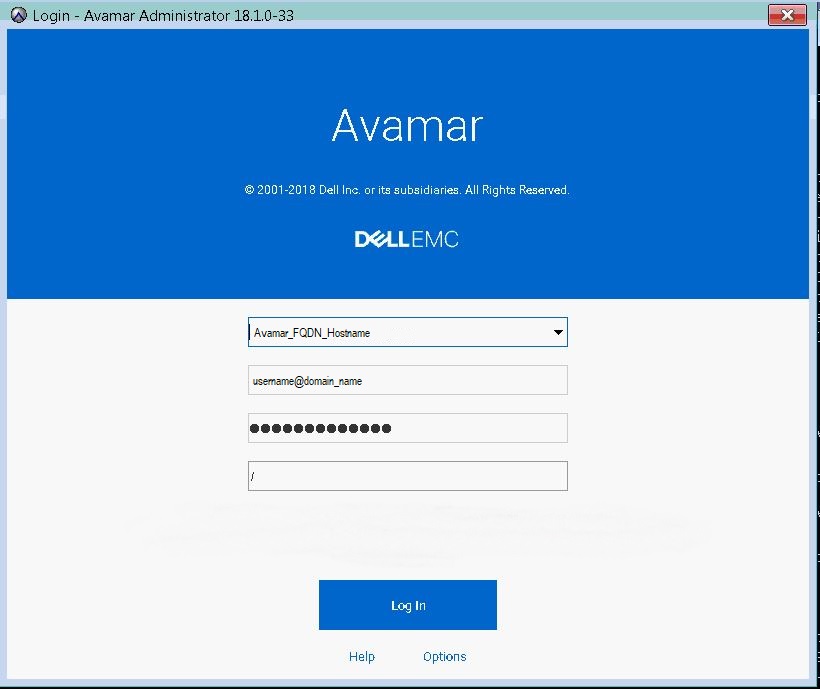
Additional Information
The article below can be referenced for basic instructions on how to properly configure LDAP.
Additional information can be found in the Avamar Administration Guide for the version in use.
Affected Products
AvamarProducts
AvamarArticle Properties
Article Number: 000167659
Article Type: Solution
Last Modified: 17 Oct 2025
Version: 4
Find answers to your questions from other Dell users
Support Services
Check if your device is covered by Support Services.