如果数据库唯一名称的名称中包含大写字母,则 Data Guard 环境中的 PowerProtect Oracle 自助式备份将失败或完成,但有例外情况
Summary: 本文提供了 Data Guard 环境中 Oracle 自助备份的解决方法。
This article applies to
This article does not apply to
This article is not tied to any specific product.
Not all product versions are identified in this article.
Symptoms
Oracle Data Guard 失败,并显示以下消息:

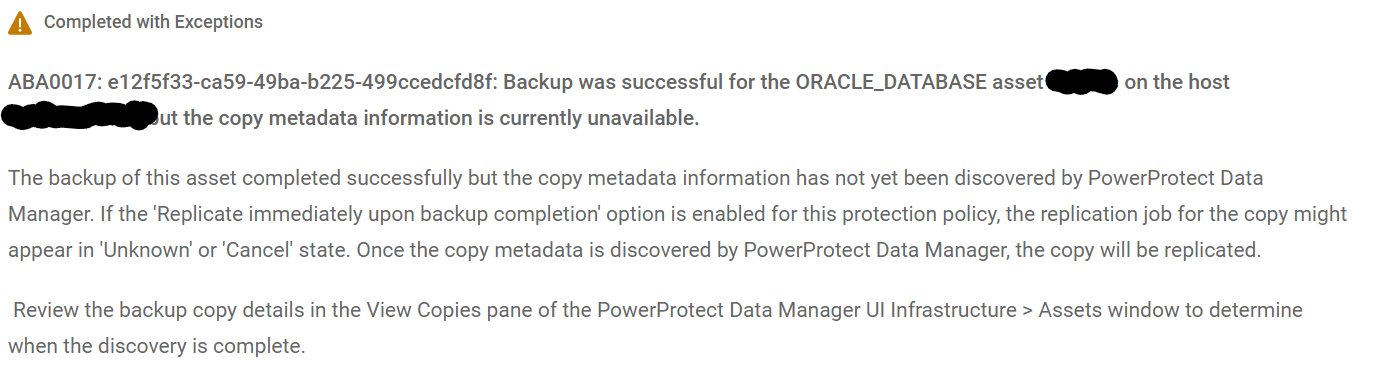
本文仅适用于在与 PowerProtect Data Manager 集成的 Oracle Data Guard 环境中执行自助备份时。
有两种方法可以确认问题:
Oracle Data Guard backups complete with exceptions if the parameter ALLOW_BACKUP= is set in /config/rman_agent.cfg
本文仅适用于在与 PowerProtect Data Manager 集成的 Oracle Data Guard 环境中执行自助备份时。
有两种方法可以确认问题:
- 数据库使用“DB_UNIQUE_NAME”大写字母值
- 如果启用了“ddbmcon”调试,则会看到以下消息:
Backup piece taken in session xxxx have backup tag mismatch.
Cause
RMAN AGENT 库(“libddobk.so”)转换为小写,即来自 RMAN 脚本的参数DBUNIQUE_NAME值。它无法在.app.settings 文件中找到数据库,因为数据库名称是以大写方式写入的。
提醒:DBUNIQUE_NAME是 Oracle Data Guard 环境中自助备份的必需参数。如果未设置 参数,备份将完成,但有例外情况。
Resolution
修复:
此外,确保 RMAN 脚本在分配通道时设置了变量“DBUNIQUE_NAME”。
- 将 PowerProtect Data Manager 和 RMAN 代理升级到版本 19.5 或更高版本。
- 手动将文件“/settings/.app.settings”中的“dbUniqueName”值更新为小写。
示例:
.app.settings 以大写显示数据库名称。
                                        ORCL21C
                                        2349776941
将数据库名称更改为小写并保存文件。
                                        orcl21c
                                        2349776941
此外,确保 RMAN 脚本在分配通道时设置了变量“DBUNIQUE_NAME”。
示例:
ALLOCATE CHANNEL CH0 TYPE 'SBT_TAPE' PARMS 'SBT_LIBRARY=/home/oracle/opt/dpsapps/rmanagent/lib/libddobk.so, ENV=(STORAGE_UNIT=, BACKUP_HOST=
- , RMAN_AGENT_HOME=, ORACLE_HOME=, DBUNIQUE_NAME=ORCL21C)';
Article Properties
Article Number: 000216279
Article Type: Solution
Last Modified: 07 Aug 2023
Version: 2
Find answers to your questions from other Dell users
Support Services
Check if your device is covered by Support Services.