Dell NativeEdge: Download from Catalog fails with "Internal Server Error"
Summary: In NativeEdge Orchestrator 3.0.0.0, downloading from catalog might fail with "Internal Server Error"
Symptoms
In NativeEdge Orchestrator 3.0.0.0, a new feature is introduced to directly download blueprints and plug-ins within the NativeEdge Orchestrator in a non-airgapped environment. You might observe "internal server error" when trying to download plug-ins that are bigger in size.
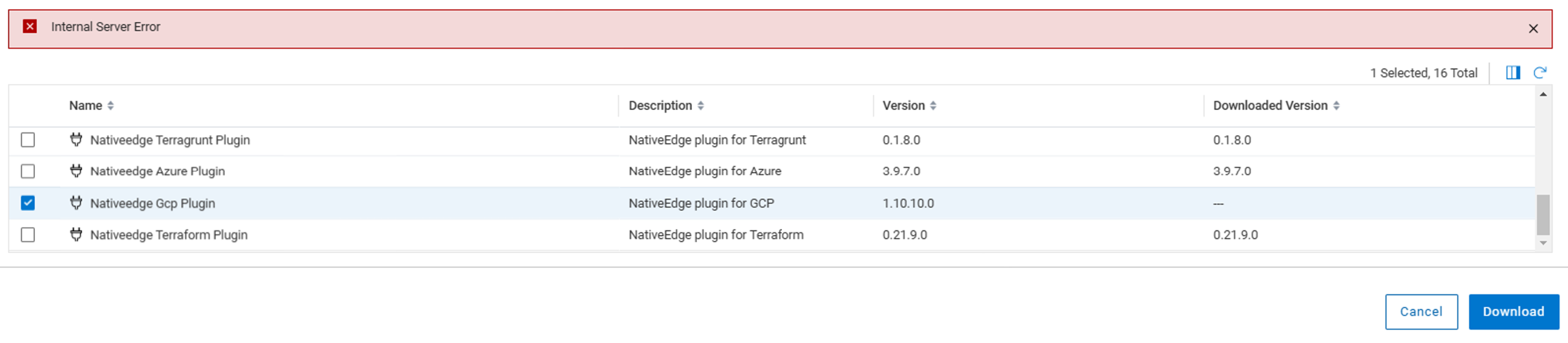
If you examine the network logs using the browser developer tool, you can see "500 internal server error"

Cause
This happens when a download takes more than 30 s to complete. The logs in the stage backend throws the error below.
message: "Requested URL: /plugins?title=Nativeedge%20Gcp%20Plugin&visibility=tenant&package_name=nativeedge-gcp-plugin&plugin_archive_url=https%3A%2F%2Fdownloads.dell.com%2FFOLDER12410532M%2F1%2Fnativeedge-gcp-plugin_1.10.10.0_J34CH.wgn ECONNABORTED timeout of 30000ms exceeded"
Resolution
NativeEdge 3.1 resolves this issues.
In NativeEdge 3.0 the "500 internal server error" is a false alarm. The plug-in file is downloaded successfully in most of the cases.
Users can refresh the interface of "Download from Catalog". The downloaded plugin shows up correctly.
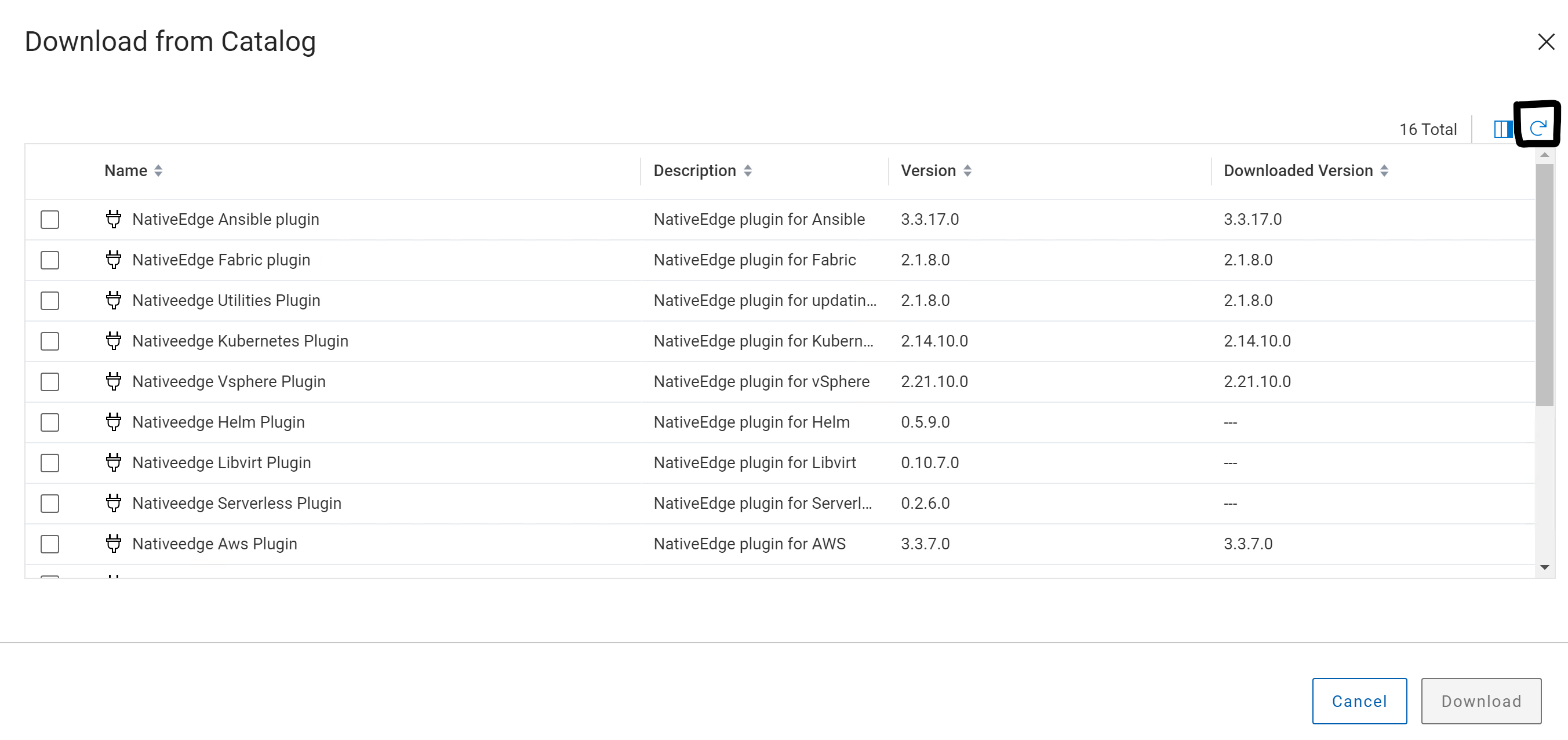
If in any case, the workaround above does not work, engage Dell support for further troubleshooting.
The fix will be available in the future NativeEdge release.