PowerFlex 4.X: Loading Compliance File fails with Error: Invalid CEN header-Encrypted Entry
Summary: RCM or IC compliance file upload to PowerFlex Manager fails because the file is encrypted.
This article applies to
This article does not apply to
This article is not tied to any specific product.
Not all product versions are identified in this article.
Symptoms
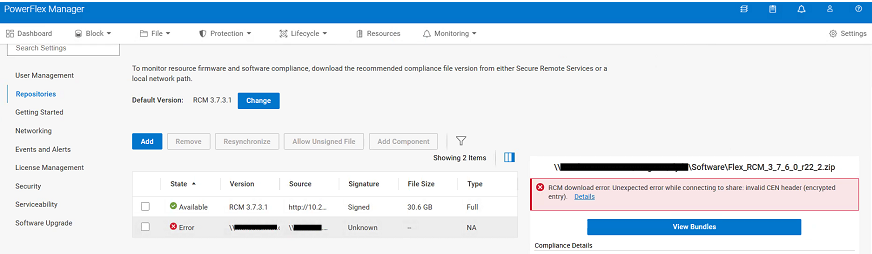
An unexpected error occurs when uploading a new RCM or IC compliance file to PowerFlex Manager:
RCM download error: Unexpected error while connecting to share: Invalid CEN header (encrypted entry)
Cause
The RCM or IC compliance file is encrypted. The file must be extracted once to remove the password. The .zip file contained within is uploaded to the PowerFlex Manager from a CIFS or NFS share during the upgrade process.
Resolution
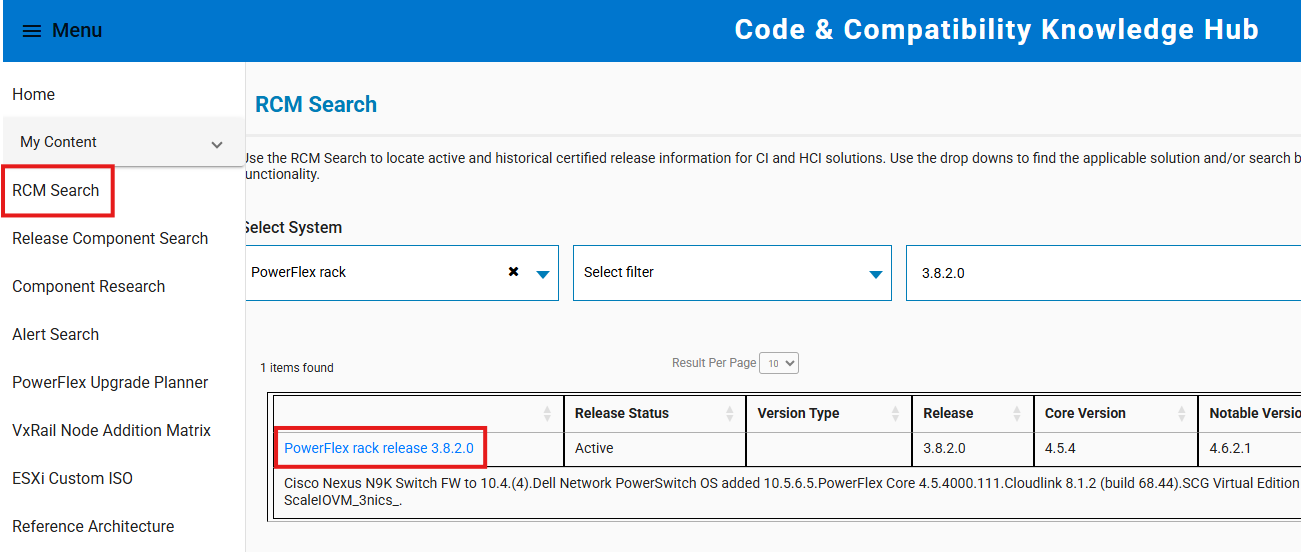
- Go to https://cicodeportal.dell.com/
- Search for the PowerFlex Rack or Appliance version which you are trying to decrypt and click the release once it is listed.
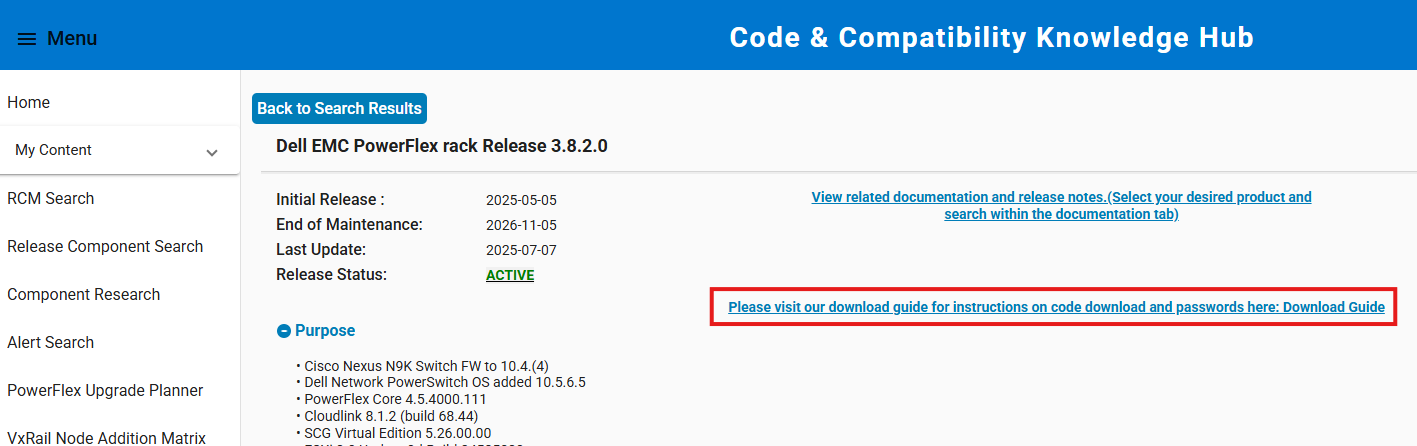
- Click the link to see the download guide which reveals the password required to extract the RCM or IC compliance file.
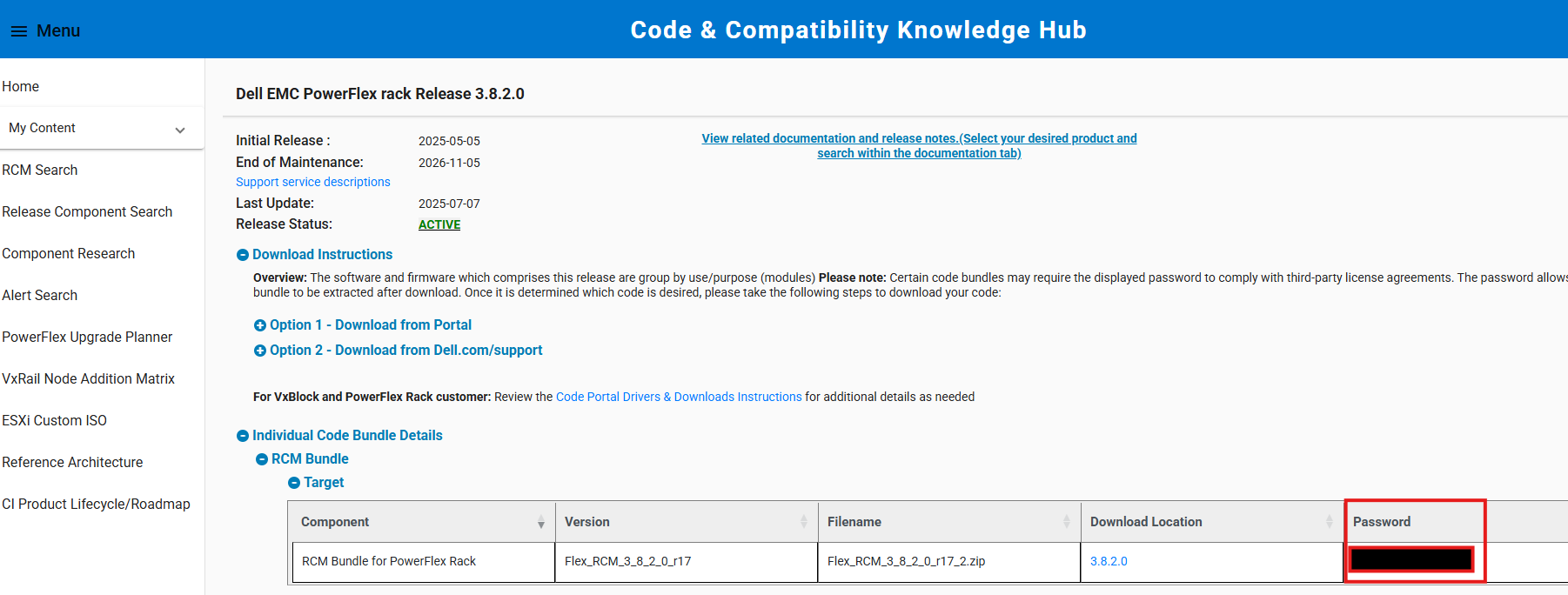
- Use the supplied password to extract the compliance file. Upload the extracted compliance file (the inner ZIP file) to PowerFlex Manager from a CIFS/NFS share during the upgrade process.
Note: If extracting the file on a Windows system, use the integrated ZIP extraction tool. Third-party utilities like 7-Zip sometimes do not accept the provided password.
Affected Products
PowerFlex appliance Intelligent Catalog Software, PowerFlex rack RCM SoftwareProducts
PowerFlex rack, ScaleIO, PowerFlex SoftwareArticle Properties
Article Number: 000378620
Article Type: Solution
Last Modified: 14 Nov 2025
Version: 2
Find answers to your questions from other Dell users
Support Services
Check if your device is covered by Support Services.