Secureworks Taegis XDR 콘솔 표시 언어를 변경하는 방법
Summary: Secureworks Taegis XDR 콘솔 표시 언어를 변경하는 방법에 대한 단계별 지침을 알아보십시오.
This article applies to
This article does not apply to
This article is not tied to any specific product.
Not all product versions are identified in this article.
Instructions
Secureworks Taegis XDR 콘솔에서 선택 가능한 언어를 사용할 수 있습니다. 설명된 프로세스는 영어에서 지원되는 다른 언어 옵션으로 변경하는 데 도움이 됩니다.
영향을 받는 제품:
- Secureworks Taegis XDR
사용자는 Secureworks Taegis XDR 콘솔 표시 언어를 영어와 일본어로 전환할 수 있습니다.
- 웹 브라우저에서 Login - XDR
로 이동합니다.
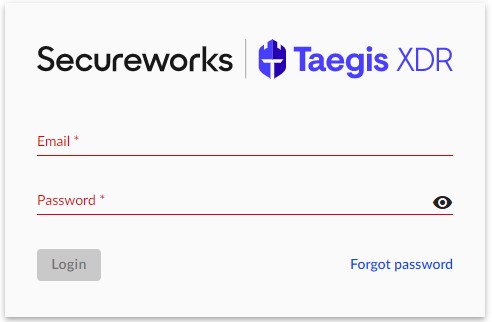
- Secureworks Taegis XDR 웹 콘솔에 로그인합니다.
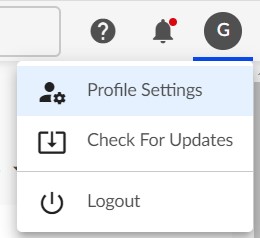
- Secureworks Taegis XDR 콘솔의 오른쪽 상단 모서리에서 사용자 아이콘을 클릭한 다음 Profile Settings를 클릭합니다.
- Language 섹션까지 User Profile 페이지를 스크롤합니다. Secureworks Taegis XDR 표시 언어를 영어 에서 일본어로 전환하려면 해당 라디오 버튼을 클릭합니다.
 참고: 언어 선택 후 즉시 설정이 적용됩니다.
지원 부서에 문의하려면 Dell Data Security 국제 지원 전화번호를 참조하십시오.
온라인으로 기술 지원 요청을 생성하려면 TechDirect로 이동하십시오.
추가 정보 및 리소스를 보려면 Dell 보안 커뮤니티 포럼에 참여하십시오.
Affected Products
SecureworksArticle Properties
Article Number: 000205222
Article Type: How To
Last Modified: 24 Jul 2025
Version: 4
Find answers to your questions from other Dell users
Support Services
Check if your device is covered by Support Services.