ECS: How to Change the Web Interface Timeout Value
Summary: How to change the web interface timeout value. "For security purposes, the application is logged out after 15 minutes of inactivity."
This article applies to
This article does not apply to
This article is not tied to any specific product.
Not all product versions are identified in this article.
Instructions
Screenshot showing message:
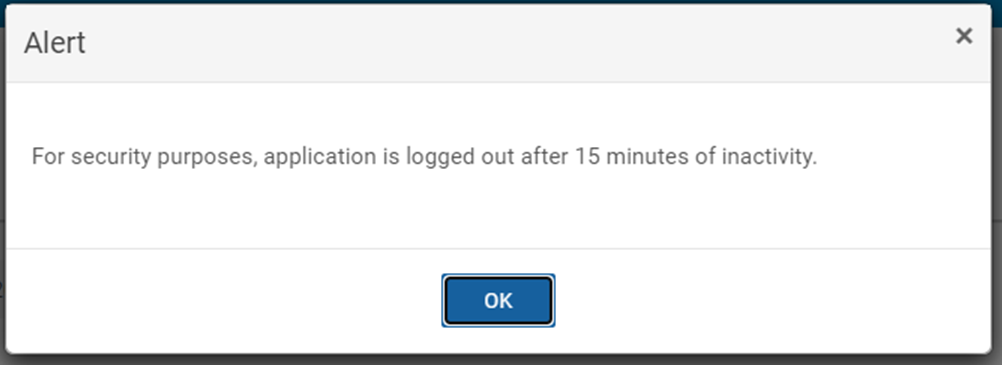
To adjust the timeout value in the user interface (UI), it is necessary to adjust: com.emc.ecs.security.auth.token.max_token_idle_time and com.emc.ecs.security.auth.token.max_token_idle_time_ui.
The Configuration Framework (CF) client displays a timeout default value of 15 minutes:
# sudo docker exec -it object-main /opt/storageos/tools/cf_client --user emcservice --password ChangeMe --list --name com.emc.ecs.security.auth.token.max_token_idle_time
{{{
    "config": [
        {
            "name": "com.emc.ecs.security.auth.token.max_token_idle_time",
            "description": "maximum token idle time",
            "configured_value": "15 minutes",
            "default_value": "15 minutes",
            "audit": "Updated via CMF Admin API by root",
            "modified": "1652874375280"
        },
        {
            "name": "com.emc.ecs.security.auth.token.max_token_idle_time_ui",
            "description": "maximum token idle time for ui -- must be less than or equal to maximum token idle time",
            "configured_value": "15 minutes",
            "default_value": "15 minutes",
            "audit": "Updated via CMF Admin API by root",
            "modified": "1652874375326"
        }
    ]
}
Use the following command to set the timeout to whatever is required, for example if you wanted to set the timeout value to 60 minutes:
# sudo docker exec -it object-main /opt/storageos/tools/cf_client --user <mgmt_user> --password <mgmt_password> --set --name com.emc.ecs.security.auth.token.max_token_idle_time --value "60 minutes" --reason "Customer initiated"
# sudo docker exec -it object-main /opt/storageos/tools/cf_client --user <mgmt_user> --password <mgmt_password> --set --name com.emc.ecs.security.auth.token.max_token_idle_time_ui --value "60 minutes" --reason "Customer initiated"
Example:
# sudo docker exec -it object-main /opt/storageos/tools/cf_client --user emcservice --password ChangeMe --set --name com.emc.ecs.security.auth.token.max_token_idle_time --value "60 minutes" --reason "Customer initiated"
# sudo docker exec -it object-main /opt/storageos/tools/cf_client --user emcservice --password ChangeMe --set --name com.emc.ecs.security.auth.token.max_token_idle_time_ui --value "60 minutes" --reason "Customer initiated"

# sudo docker exec -it object-main /opt/storageos/tools/cf_client --user emcservice --password ChangeMe --list --name com.emc.ecs.security.auth.token.max_token_idle_time
{
    "config": [
        {
            "name": "com.emc.ecs.security.auth.token.max_token_idle_time",
            "description": "maximum token idle time",
            "configured_value": "60 minutes",
            "default_value": "15 minutes",
            "audit": "Customer initiated",
            "modified": "1658317764852"
        },
        {
            "name": "com.emc.ecs.security.auth.token.max_token_idle_time_ui",
            "description": "maximum token idle time for ui -- must be less than or equal to maximum token idle time",
            "configured_value": "60 minutes",
            "default_value": "15 minutes",
            "audit": "Customer initiated",
            "modified": "1658317775472"
        }
    ]
}
Affected Products
Elastic Cloud StorageProducts
ECS, ECS ApplianceArticle Properties
Article Number: 000019470
Article Type: How To
Last Modified: 03 Oct 2025
Version: 10
Find answers to your questions from other Dell users
Support Services
Check if your device is covered by Support Services.