Dells betrodda enhetsfunktioner påverkas av otillräcklig eller ingen nätverksanslutning
Summary: Den här artikeln innehåller vägledning om hur du identifierar vanliga problem med hur funktionen hos Dell Trusted Device påverkas av otillräcklig eller ingen nätverksanslutning.
This article applies to
This article does not apply to
This article is not tied to any specific product.
Not all product versions are identified in this article.
Symptoms
Berörda produkter:
- Dell Trusted Device
Berörda operativsystem:
- Windows 11
- Windows 10
Dell Trusted Device är beroende av anslutning till Dell Technologies molntjänster för specifika uppgifter. Otillräcklig eller ingen anslutning kan påverka funktionen hos Dell Trusted Device.
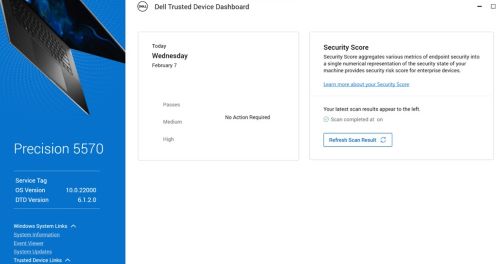
Obs! En säkerhetsutvärdering körs femton minuter efter att Windows har startats.
Windows Loggboken kan innehålla följande händelser:
- BIOS-verifiering: 13 (Nätverksanslutningsfel)
Obs! Mer information finns i filen för Dell Trusted Device service.log .
- Dell Trusted Device har genomfört en Intel ME Verification-genomsökning av datorn med service tag 123XYZ0 vid <datum\tid>.
Resultat: FEL. Ett nätverksanslutningsfel uppstod
- Dell Trusted Device har slutfört en Common Vulnerabilities and Exposures (CVE) genomsökning av datorn med service tag 123XYZ0 vid <datum\tid>.
Resultat: FEL. Ett nätverksanslutningsfel uppstod
I Dell Trusted service.log för Dell Trusted Device som finns i:
%programdata%\Dell\TrustedDevice\services.log kan du se följande fel:
CVEVERIFY: Inner exception - The underlying connection was closed: Could not establish trust relationship for the SSL/TLS secure channel.
CVEVERIFY: Inner exception - The remote certificate is invalid according to the validation procedure.
CVEVERIFY: CVE Verification: ERROR. A network connection error occurred
CVEVERIFY: Final CVE Verification result: NetworkConnectionError
BIOSSERVER: Network issue - The underlying connection was closed: Could not establish trust relationship for the SSL/TLS secure channel. (exception status: UnknownError)
BIOSSERVER: Failed to perform the BIOS Server, status=0
BIOS: BIOS Verification : ERROR. A network connection error occurred
BIOS: Unable to trigger live image capture due to missing server response data
BIOS: BIOS Verification: 13 (Network Connectivity Error)
Cause
Datorn kan ha haft begränsad eller ingen anslutning till Dells molntjänster för valideringsuppgifter utanför värden.
Resolution
- Kontrollera att alla portar och nätverksnamn är godkända enligt definitionen i avsnittet Krav> för portar i Dells guide för installation och administratörsmanual> för betrodda enheter.
- Dell Trusted Device använder certifikat som fästs mot ett känt certifikat som är inbäddat i programmet Dell Trusted Device. Vissa säkerhetslösningar för att forma trafiken kan förhindra den här valideringen. Tillåt listan över dell.trusteddevice.service.exe i ditt trafikformande program eller proxykonfiguration.
Om du vill kontakta support, se Dell Data Security telefonnummer till internationell support.
Gå till TechDirect för att skapa en begäran om teknisk support online.
Om du vill ha mer information och resurser kan du gå med i Dell Security Community-forumet.
Affected Products
Dell Threat DefenseArticle Properties
Article Number: 000225839
Article Type: Solution
Last Modified: 07 Apr 2025
Version: 4
Find answers to your questions from other Dell users
Support Services
Check if your device is covered by Support Services.